Select to display the following options.
(Add to Favorites)
Select to register the selected point as
a favorite.
(Add to Current Route)
Select to add the selected point as a
waypoint on the current route.
(Search Near Here)
Select to display the search screen
and search near the selected point.
(→P.195)
(More Information)
Select to display detailed information
about the selected point.
: Select to call the registered
phone number.
: Select to search for a route to the
selected point and display the route
calculation screen. (→P.201)
(Edit Location)
Select to edit the point registered as
home/work.
(Remove Location)
Select to erase the point registered as
home/work.
(Rename)
Select to change the name of a
registered favorite.
ORIENTATION OF THE MAP
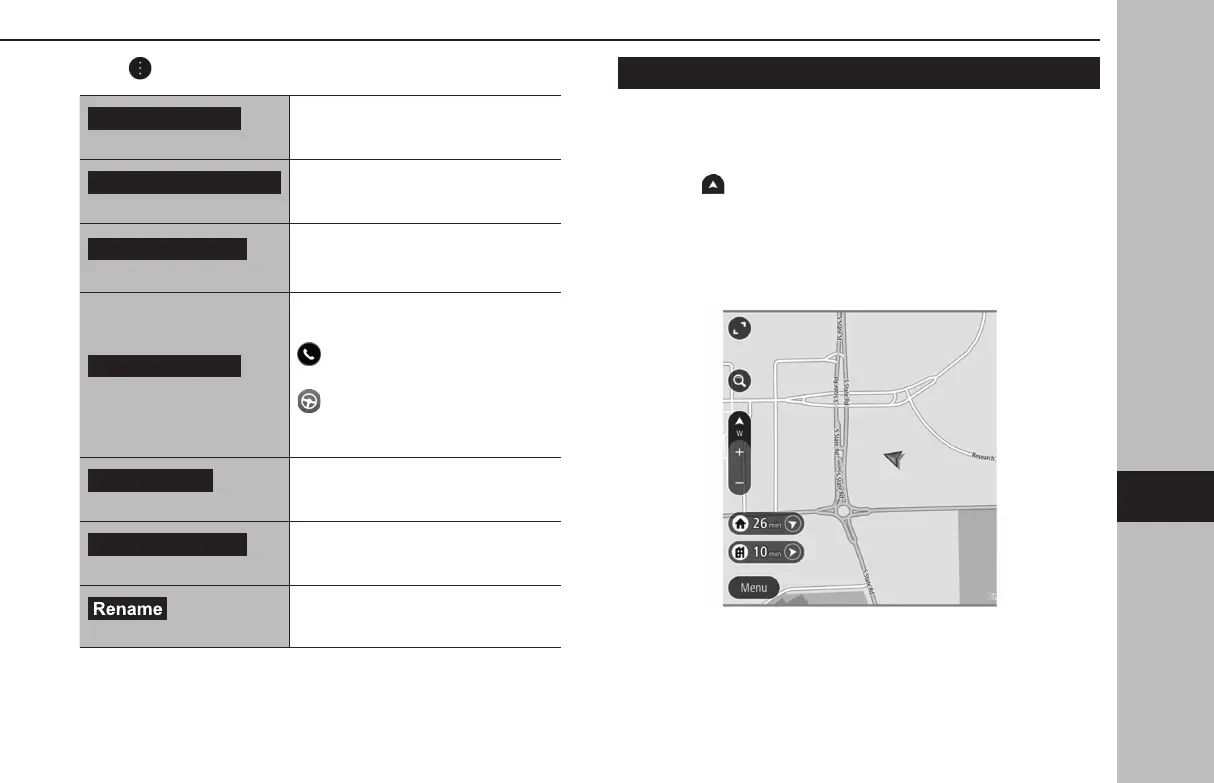
The orientation of the map can be changed between 2D north-
up, 2D heading-up, and 3D heading-up.
1.
Select .
● Each time the symbol is selec
ted, the orientation of the
map changes.
● The direction of this symbol indicates north.
X2D north-up
● Regardless of the direction of vehicle travel, north is
always up.
● The letter(s) indicate the direction in which the vehicle is
heading (e.g. W for west).
BASIC OPERATION
189
Navigation System
GB8_US.indb 189 2020/10/09 7:23:11


 To Next Page
 Loading...












