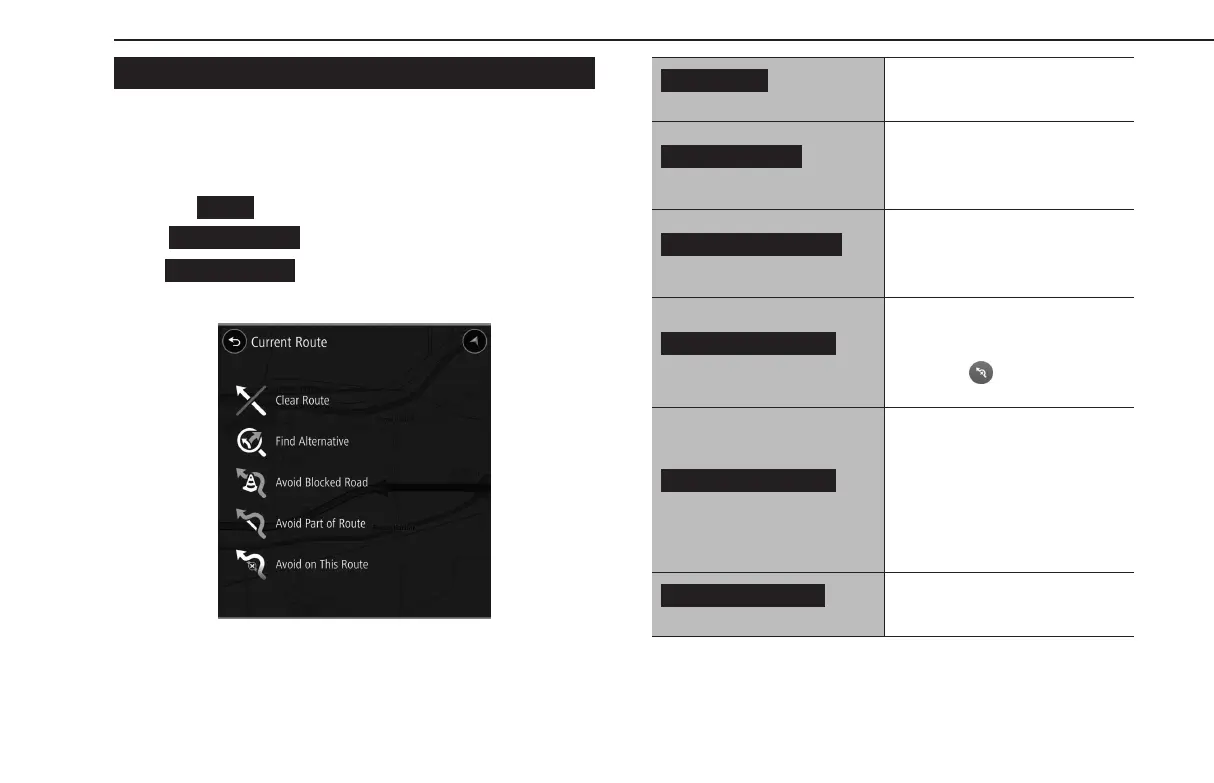
CURRENT ROUTE SCREEN
The current route screen can be displayed using the following
method:
1.
Display the map screen. (→P.186)
2.
Select
(Menu).
3.
→
(Current Route)
●
(Current Route) can only be selected
when a route is set.
(Clear Route)
Select to stop the route guidance.
(Find Alternative)
Select to display the alternate
route screen and search for 2
additional routes to the selected
destination. (→P.197)
(Avoid Blocked Road)
Select to display the alternate
route screen and search for 2
additional routes which avoid the
current road. (→P.197)
(Avoid Part of Route)
Select to display a list of sections
of the current route. Select the
section you wish to avoid and
then select
to search for a new
route.
(Avoid on This route)
Select to change the avoidance
criteria for the current route
and search for a dierent route.
(→P.201)
This item can only be selected
when the current route has a
section which is included in the
avoidance criteria.
(Show Instructions)
Select to display the route details
conrmation screen.
BASIC OPERATION
196
GB8_US.indb 196 2020/10/09 7:23:15














 To Next Page