Select to adjust the tone sound volume.
Select to adjust the ringtone volume.
Select to adjust the volume of a received call.
Select to adjust the call volume.
Select to adjust the SMS/MMS ringtone volume.
Select to adjust the SMS/MMS read out volume.
Select to set the voice recognition prompts volume.
*
1
: This setting can be made depending on the connected amplier type.
*
2
: 11.6-inch display with Navi system only
*
3
: 11.6-inch display system/Dual 7.0-inch display system only
RADIO SETTINGS
1.
Display the home screen. (→P.18, 40)
2.
Select
(Settings).
3.
→
(Radio)
SETTING AM/FM RADIO
1.
Display the radio settings screen. (→P.91)
2.
Select
(AM) or
(FM).
3.
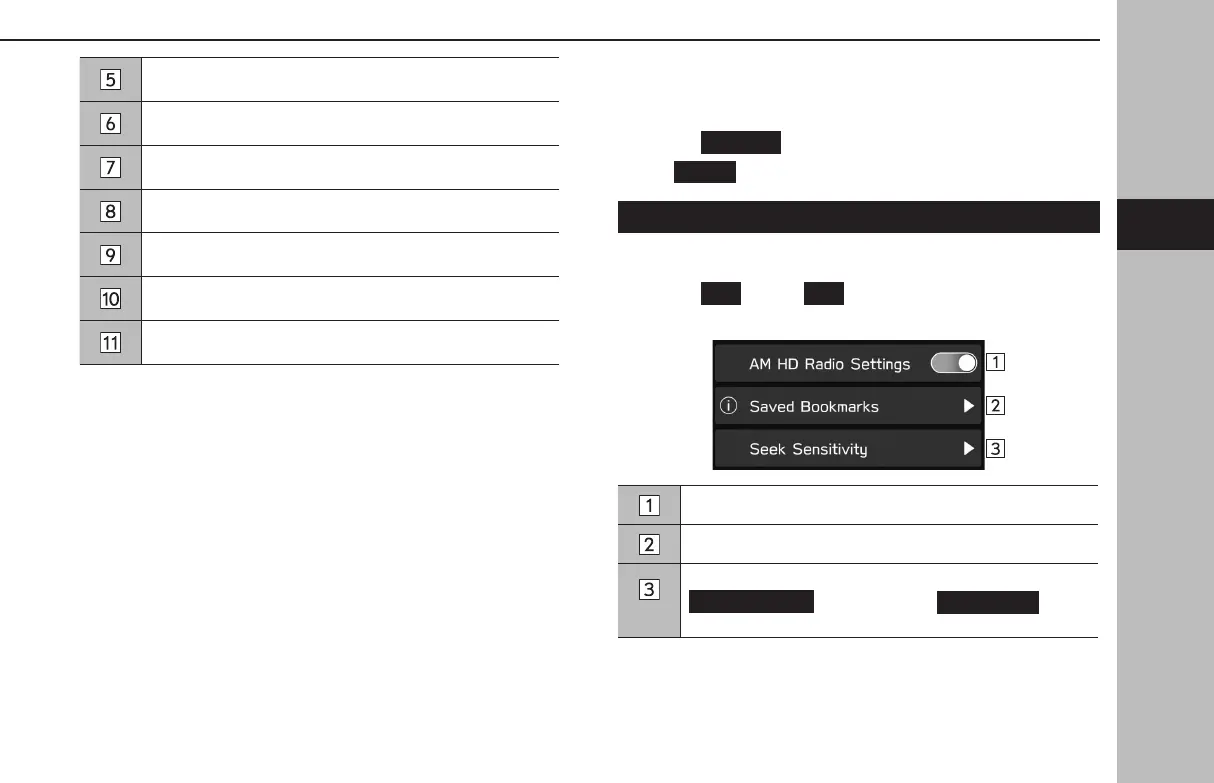
Select the desired item to be set.
Select to turn the HD Radio mode on/o.
Select to display the saved bookmark list. (→P.92)
Select to set seek sensitivity of AM band as
(DX (Distance)) or
(LO
(Local)).
*: AM radio only
OTHER SETTINGS
91
Settings
GB8_US.indb 91 2020/10/09 7:22:40














 To Next Page