TIMER
The Timer can be set for a maximum of 99 minutes and 99 seconds. Once a time is set, the countdown will
appear on the control panel display. Oven will chime and ‘END’ will appear on display when complete.
SET TIMER:
1. Touch TIMER.
2. Use number pads to enter timer duration. Up to 99 minutes and 99 seconds.
3. Touch TIMER again to begin.
4. Touch STOP/CLEAR to cancel.
USER OPERATION
CONTROL LOCK
Control Lock feature prevents unwanted microwave oven operation.
TO LOCK:
1. Touch CONTROL LOCK, then touch START. ‘LOCK ON’ will appear on control panel display.
TO UNLOCK:
1. Touch CONTROL LOCK, then touch START. ‘LOCK OFF’ will appear on control panel display.
SETTINGS
The Settings feature allows the user to select individual preferences. Preferences must be reset after a power fail-
ure.
AUDIBLE SIGNAL:
An audible signal will chime with every touch and upon cook time and timer completion.
To Eliminate Audible signal:
1. Touch SETTINGS twice
2. Touch START. ‘SOUND OFF’ will appear on the control panel display.
To Restore Audible signal:
1. Touch SETTINGS twice.
2. Touch START. ‘SOUND ON’ will appear on the control panel display.
COOK TIME COMPLETION REMINDER:
Upon completion, microwave oven will chime every ten seconds for first minute; then every three minutes (for one
hour) until STOP/CLEAR is touched.
To Eliminate Cook Time Completion Reminder:
1. Touch SETTINGS three times.
2. Touch START. ‘REMIND SIGNAL OFF’ will appear on control panel display.
MD24 and MD30
Theory of Operation
#824820 - Revision A - November, 2013
3-2
OPEN/CLOSE
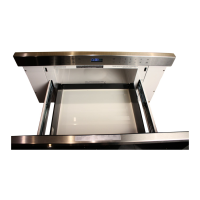
To open or close drawer, touch OPEN/CLOSE. Do not push or pull drawer by hand, except in an emergency.
CLOCK
The clock must be set prior to use and after a power failure.
SETTING CLOCK:
1. Touch CLOCK.
2. Use the number pads to enter the time of day, then touch CLOCK.


 To Next Page