EasyManua.ls Logo

Suez SELECT EDI 60 - User Manual

Suez SELECT EDI 60
48 pages
Print Icon
To Next Page IconTo Next Page
Loading...
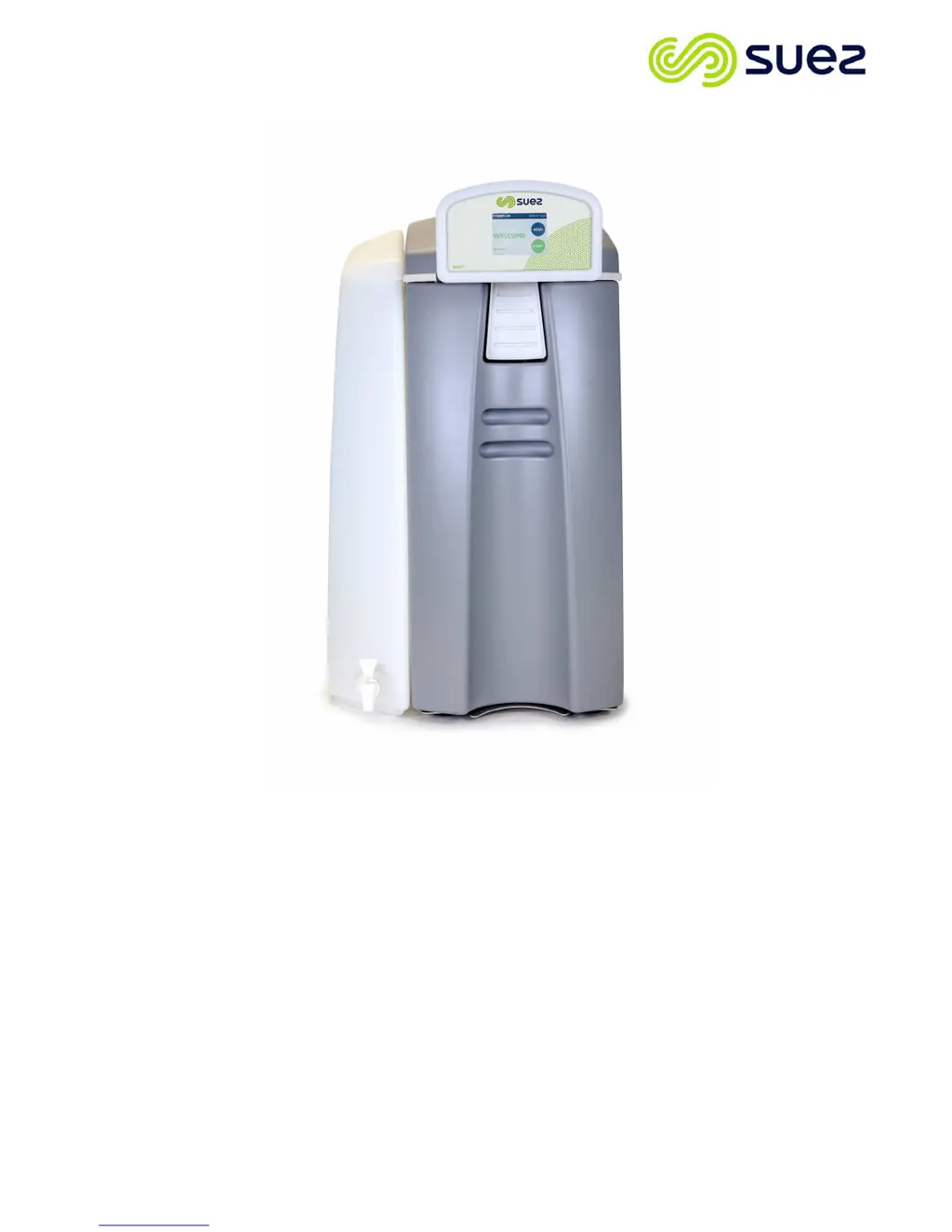
OPERATING MANUAL FOR SELECT EDI 60
Issue: A L300180 1
SELECT EDI 60
Part No. L300180
OPERATING MANUAL
Issue – A
10/03/17

Table of Contents

Questions and Answers

  • A
    Amanda MunozAug 15, 2025
    Why is the water quality poor with my Suez Water Filtration System?
    • A
      Alexander Ferguson DVMAug 15, 2025
      If your Suez Water Filtration System shows 'POOR WATER QUALITY', this could be due to fouled RO membranes. You should check the membrane performance and clean it if necessary. If replacing the pack doesn't improve water quality, further assistance may be needed.
  • L
    lukegeorgeAug 18, 2025
    What to do if my Suez Water Filtration System shows high pressure?
    • T
      timothy65Aug 18, 2025
      If your Suez Water Filtration System displays 'HIGH PRESSURE', the cause might be an increase in feed water pressure, or the RO membrane may need cleaning. Ensure the feed water pressure is less than 30psi and check that plugs have been removed from the new pack. If the problem persists, further assistance may be needed.
  • K
    Kevin ChanAug 21, 2025
    What causes low pressure in my Suez Water Filtration System?
    • P
      powellnoahAug 22, 2025
      If your Suez Water Filtration System indicates 'LOW PRESSURE', it could be due to a faulty RO boost pump, loss of feed water supply, a low-pressure switch fault, or a blocked PT media pack. Check the boost pump operation and feed water supply pressure. Replace the pre-filter. If the fault continues, further assistance may be needed.
  • M
    melissa41Aug 25, 2025
    Why is the make up rate declining in my Suez Water Filtration System?
    • M
      morganlongAug 26, 2025
      If the make-up rate into the integral tank of your Suez Water Filtration System is declining, possible causes include low feed water temperature, the media pack needing replacement, or a fouled RO membrane. Check the feed conditions. Check all replacement dates and replace parts where necessary. Also, check the condition of the pre-filter. Further assistance may be needed.
  • E
    Edward CurtisAug 28, 2025
    How to set the time and date on a Suez Water Filtration System?
    • Q
      qjohnsonAug 28, 2025
      If your Suez Water Filtration System's screen displays 'TIME/DATE NOT SET', this may be because the time and date were not set on start-up, or the main PCB battery needs replacing. Select the Set Time and Date function from the settings menu and set the time and date. Replace the lithium PCB battery.
  • S
    Sarah RobertsAug 31, 2025
    How to troubleshoot a Suez Water Filtration System that does not power up?
    • S
      Stephanie HaasAug 31, 2025
      If your Suez Water Filtration System does not power up, it could be due to a blown fuse in the mains lead, a blown fuse in the IEC module, or an electrical fault with the unit. Check the 5 amp fuse in the mains lead and the fuses in the IEC module. If problems persist, further assistance may be needed.
  • R
    Rebecca MccallSep 3, 2025
    What does 'FIT BOTH PACKS' mean on my Suez Water Filtration System?
    • N
      Nicholas JohnsonSep 4, 2025
      If your Suez Water Filtration System displays 'FIT BOTH PACKS', the PT media pack or flushing pack may not be fitted, or both may not be fully engaged. Ensure that the packs are fully engaged and the retainer pins are located.
  • T
    Troy SinghSep 7, 2025
    What does 'RHS PACK NOT FITTED' mean on my Suez Water Filtration System?
    • S
      Sean StokesSep 7, 2025
      If your Suez Water Filtration System displays 'RHS PACK NOT FITTED', the flushing pack may not be fitted or fully engaged. Ensure the pack is fully engaged and the retainer pin is located.
  • M
    mmeltonSep 10, 2025
    What does 'LHS PACK NOT FITTED' mean on my Suez Water Filtration System?
    • D
      Daniel MorrisSep 12, 2025
      If your Suez Water Filtration System displays 'LHS PACK NOT FITTED', it indicates that the PT media pack is either not fitted or not fully engaged. Ensure the pack is fully engaged and the retainer pin is locked.

Summary

3 Contact Details

4 Health and Safety

4.1 Symbols and References

Explains safety symbols and references used in the manual.

4.2 Safety Requirements and Intended Use

Covers general safety rules and the unit's intended application.

4.3 Operational and Maintenance Safety

Outlines safety for operating staff and maintenance tasks.

5 About Your Water Purifier

6 Operating Your Water Purifier

6.3 System Configuration and Engineer Settings

Covers systems menu, engineer menu, calibration, software updates, logging, and defaults.

7 Maintenance

7.1 Media Pack Replacement

Provides step-by-step instructions for replacing the media pack.

7.3 PCB Battery Replacement

Guides on safely replacing the main PCB battery.

8 Disinfection Procedure

9 Consumables and Accessories

10 Troubleshooting

10.1 General Fault Conditions

Lists common symptoms, possible causes, and corrective actions.

10.2 Alarm and Warning Messages

Explains displayed messages, their causes, and operator actions.

Technical Specifications

10.8 Water Services Connections

11 Installation

Suez SELECT EDI 60 Specifications

General IconGeneral
BrandSuez
ModelSELECT EDI 60
CategoryWater Filtration Systems
LanguageEnglish