OPERATING MANUAL FOR SELECT EDI 60
L300180 Iss:A 14
Set Time
BACK
ENTER
16:03
H
H
:
M
M
Set Date
BACK
ENTER
17/01/17
D
D
/
M
M
/
Y
Y
Set Format
BACK
ENTER
DD/MM/YY
DD/MM/YYYY
MM/DD/YY
MM/DD/YYYY
6.4.1 Time and date
Note: Pressing the “BACK” button prior to pressing the “ENTER” button will cancel changes
currently being made and return you to the “Setting MENU”.
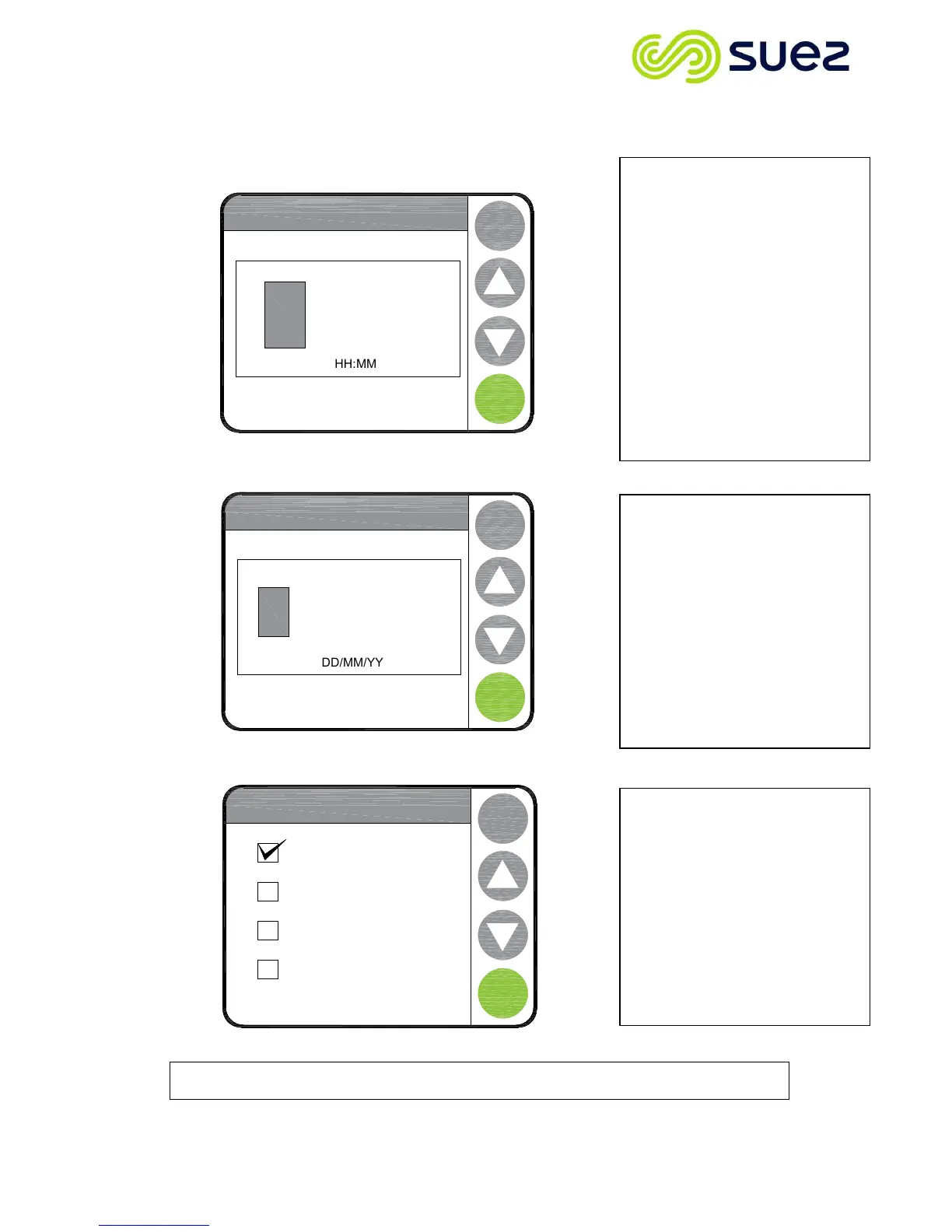
If you select “Set Time” the
screen opposite will be displayed.
The flashing cursor identifies which
digit you can adjust.
By using the ▲/▼buttons you can
either increase or decrease the
number value. Once the correct
number has been selected, press
“NEXT” to move to the next
number. On pressing “NEXT” on
the final number a confirmation
screen will pop up, stating “Done”
and after a few seconds the screen
will revert back to the “Time Date
Menu”
To select “
” from the
menu use the ▲/▼ buttons and
press “ENTER”. The date will be
displayed and the cursor will flash
on the first number.
Use the ▲/▼ buttons to change
the number to the correct value,
then press “NEXT” to move to the
next one. On pressing “NEXT” on
the final number a confirmation
screen will pop up and after a few
seconds the screen will revert back
to the “Time Date Menu”
Should the format of the date be
wrong, by selecting the “Set
Format” menu and by pressing
“ENTER” the “Set Format” menu
will be displayed. Touch the box
that matches the correct format. A
tick will appear to confirm your
selection. Press “ENTER” a
confirmation screen will pop up
and after a few seconds the screen
will revert back to the “Time Date
Menu”



 To Next Page