OPERATIONS (continued)
= MULTI-FUNCTION TECHNOLOGY
Created to enhance your overall playing experience, we developed Multi-Function Technology
(mf(x)). mf(x) is a proprietary footswitch technology that enables you to seamlessly select between
Rufus’ two distinct user modes, Green (NORMAL) or Red (FAT) during a performance by simply
holding down the foot switch.
NOTE: Rufus has built in memory to recall the last mode of operation.
mf(x) MODES
• Green (NORMAL) - Voiced to offer a wide range of classic silicon infused fuzz with the
response and dynamic range of a great distortion pedal or tube amplier.
• Red (FAT) - Voiced for increased low-end, which offers a spongier feel while fattening
up your tone.
EXTERNAL / REMOTE SWITCHING
FX LINK (See Diagram)
Rufus features proprietary FX Link technology which offers players the ability to externally control
Rufus' bypass and operating modes in real-time via an external footswitch or control function
switching device.
MODES
FX Link consists of the following two modes:
Green* (default) - Use this mode if you have an external switching system to remotely control your
effects.
TIP - On/Off (Normal) Latching
RING - On/Off (FAT) Latching
*If the serial number of your Rufus is below 633, the Green FX Link mode (default) is not indicated
by a green LED.
Orange - Use this mode to remotely toggle between Rufus’ two mf(x) modes via a single momentary
footswitch. The use of this mode does not impact the functionality of the built in footswitch.
TIP - Normal/Fat Toggle Unlatching
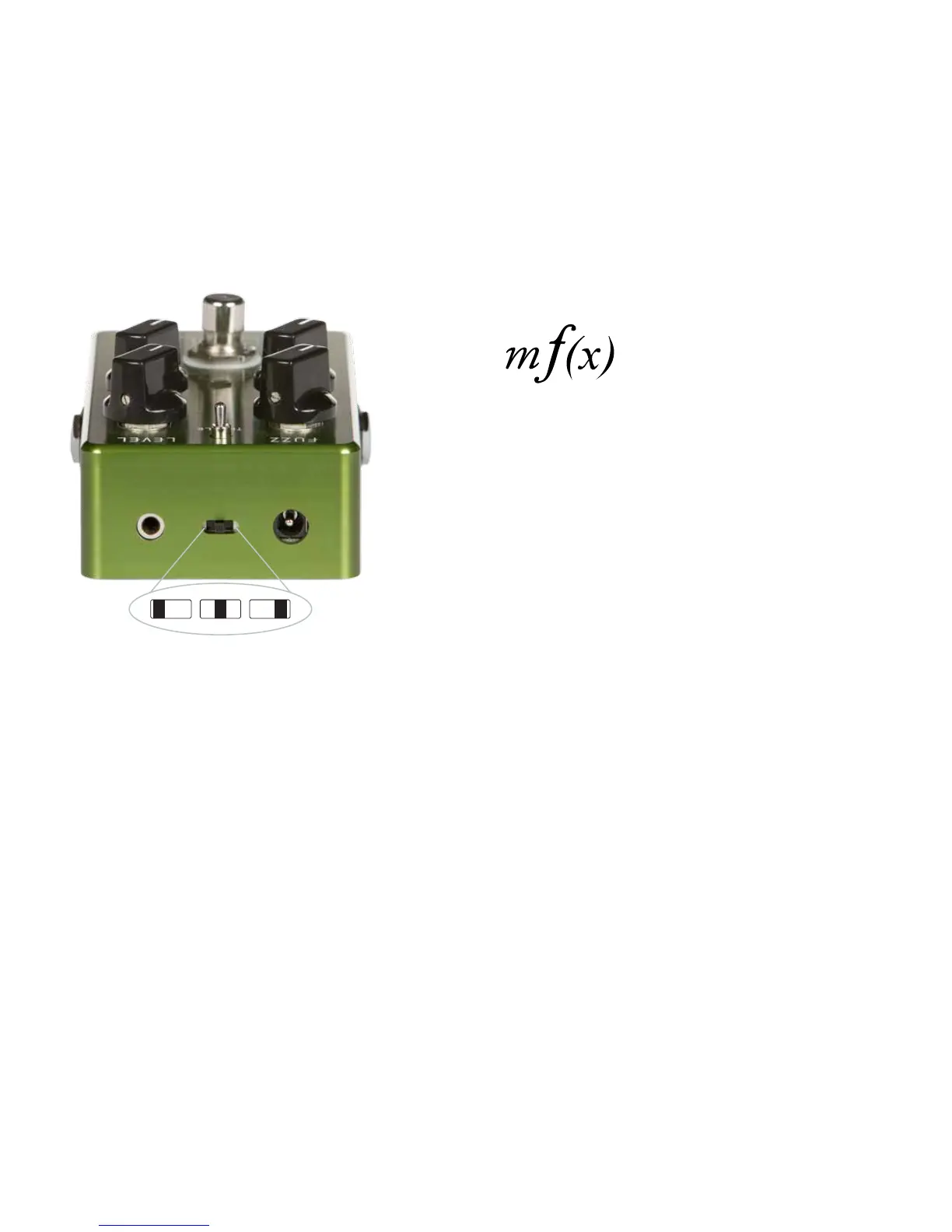
FX LINK SWITCH ILLUSTRATION
Right: Rufus will power up in the ON state.
Center: Rufus can be switched remotely via the FX Link jack. In this
position Rufus’ state will be dictated by the status of the footswitch
connected to the jack. If the FX Link jack is not utilized, Rufus will power
up in the Bypass state.
Left: Rufus will power up in the Bypass state.
CHANGING FX LINK MODE / POWER UP PROCEDURE
Rufus is shipped by default in Green mode. To change FX LINK modes,
press and hold the footswitch while powering up Rufus. The LED will
illuminate (orange/green) temporarily to indicate the FX LINK mode. To
return Rufus to the previous FX LINK mode please repeat the previous
power up procedure.
NOTE: If using a battery to power Rufus, you will need to unplug the
cable from the input jack. While holding down the footswitch, plug in the
cable to change the FX LINK mode.
TM
CenterLeft Right



 To Next Page