CONFIDENTIAL:FORTHEINTERNAL
USEOFTUTTBRYANTEQUIPMENT
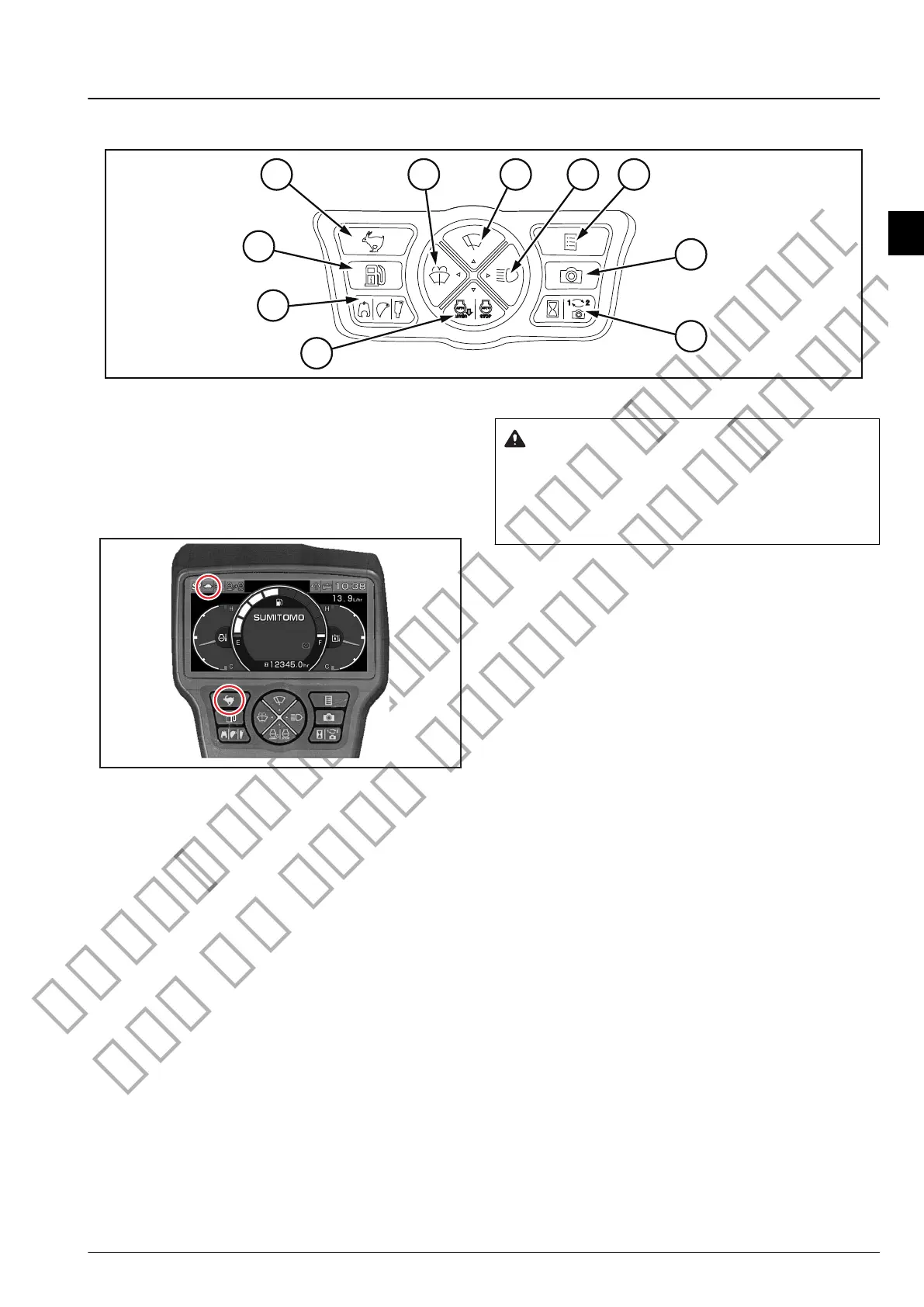
Monitor Switch
13F02278
Travel mode select switch
Switches between low speed (I) "Turtle" and
high speed (II) "Rabbit".
"
Turtle" or "Rabbit" is displayed on the monitor
screen.
1FD12A05
Low speed (I) "Turtle": 0 km/h - 3.4 km/h
Use this mode when traveling on an incline,
uneven ground, or soft ground.
High speed (II) "Rabbit": 0 km/h - 5.6 km/h
Use this mode when traveling on hard, level,
maintained ground.
When the engine is started, low speed is
selected automatically.
When high speed is selected on the
machine, if the load increases, for example when
going uphill, the machine switches to low speed
automatically and when the load drops, it returns
to high speed automatically.
1.
NOTE:
NOTE:
WARNING
Traveling direction may be diverted if the travel
mode is changed while traveling.
Stop traveling before switching the travel mode.
3-Description of Handling
3-Description of Handling
3-33



 To Next Page