Service Information 11
4.0 Service Information
The following sections describe basic service and maintenance procedures.
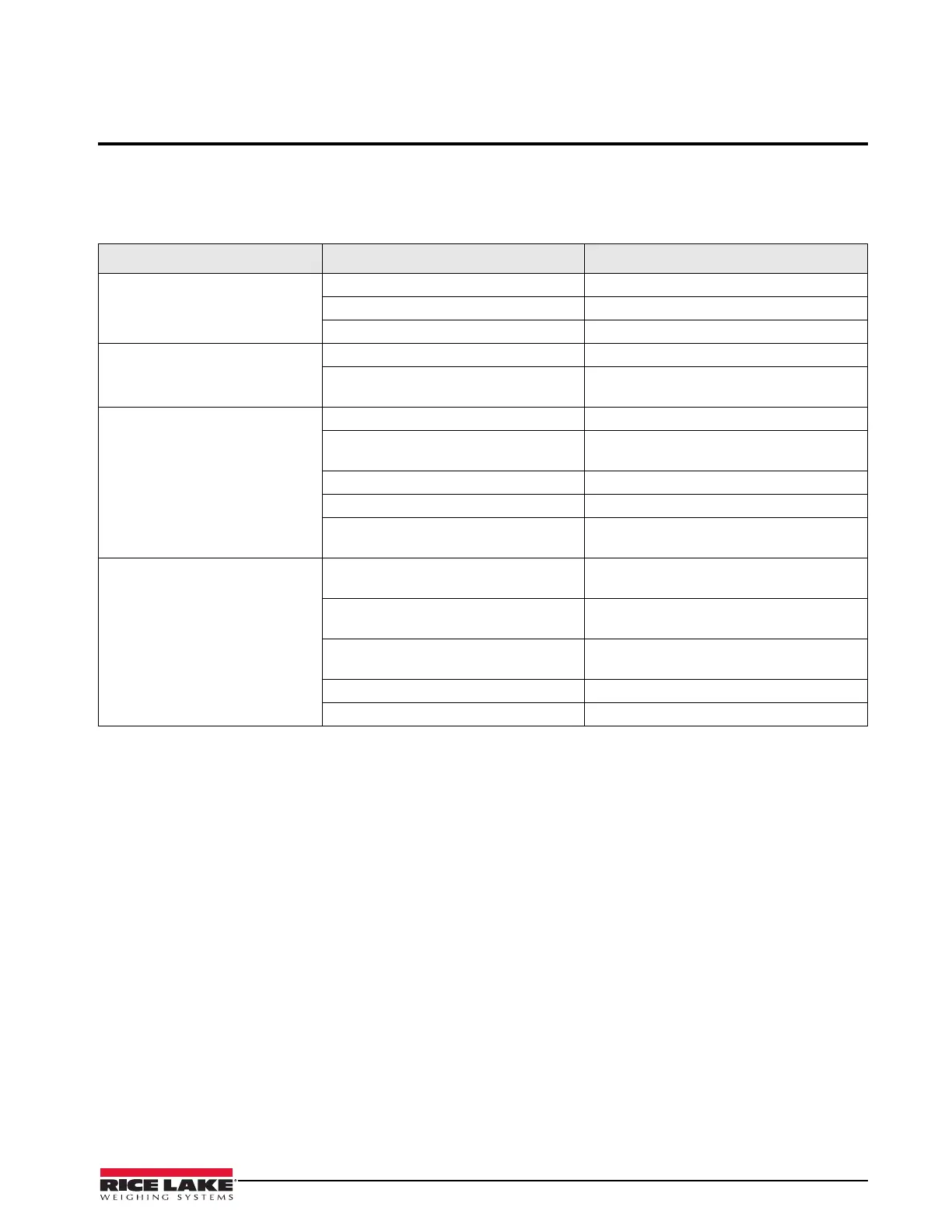
4.1 Troubleshooting Guide
The following table lists some of the common problems and their suggested solutions.
4.2 Periodic Maintenance
The space between the platform side, the pit frame and the surface beneath the platform must be periodically cleaned
to prevent debris build up. More frequent cleaning of these areas is necessary with scales mounted in pits.
Do not use scales with load cells that are not hermetically sealed in washdown applications. Water damage is a
common cause of failure in non-hermetically-sealed load cells. Use care with high pressure steam washdowns
for hermetically-sealed load cells. The steam may not damage the load cells, however the elevated temperatures
may cause incorrect readings until the unit cools to room temperature.
Problem Symptom Description Solution
System does not operate - no
display
Power is disconnected Check power and reconnect
Indicator fuse is blown Replace the fuse and check for the cause.
Interface cable is cut or disconnected Repair the cable
Display stays at zero Indicator is faulty Service the indicator.
Load cell connections are faulty Check the cable connections in the junction
box and at indicator.
Erratic weight readings Vibration is near scale Remove source of vibration or move scale
Platform is not level to within 1/4 inch Level scale by adjusting feet or shimming if
necessary
Load cell or cable water damage Replace load cell cable
Debris under load cells or platform Clean and remove debris
Indicator is faulty Use simulator to test indicator for stability.
Service indicator
Consistently high or low weights Indicator is not properly adjusted to zero Zero the indicator according to the indicator
manual
Platform is binding Obtain adequate clearance for free platform
movement
Indicator is not calibrated Calibrate according to indicator manual and
Section 2.5 on page 5
Load cells are faulty Test and replace load cells if necessary
Feet touching deck underside Adjust feet downward to provide clearance
Table 4-1. Troubleshooting Table



 To Next Page