OWNER’S MANUAL
10
Using an External Controller
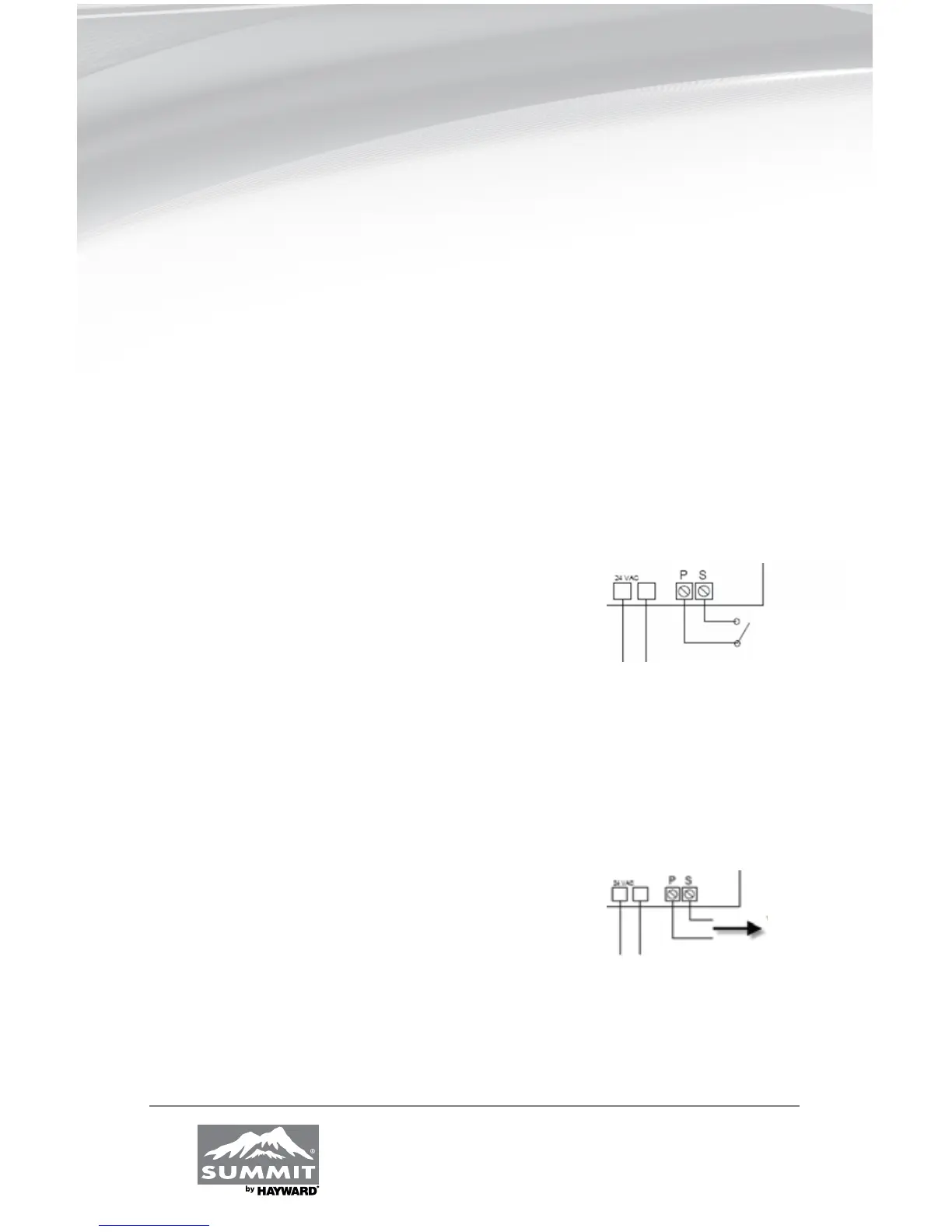
To connect the electronic board in order to control it remotely, use the P_S
terminals on the right side of the board. Next, access the P_S menu and select the
desired mode. In internal mode, POOL or SPA mode can be adjusted by using this
menu. In external mode, a normally open contact puts the board in POOL mode
and a closed contact puts the board in SPA mode. Therefore, a board set to OFF
in POOL mode and to 80 degrees in SPA mode can be controlled with an external
switch to heat up to 80 degrees.
Internal mode: Use the P_S mode on the main menu
External mode: • Open contact = POOL mode
• Closed contact = SPA mode
Control using a switch
To control the board using an external switch,
follow these steps :
• Turn on the heat pump.
• Set POOL mode to OFF.
• Set SPA mode to the desired temperature.
• Access the setup menu.
• Select mode E (external) on the P_S menu.
• Run two J7 (P_S) terminal wires from the HPEC-003
board to the NO switch terminals (see FIG. 4A).
• You can now control the operating mode by turning
off the switch (open = POOL, closed = SPA.)
Control using an Aqua Logic system
To control the board by using an Aqua Logic system,
follow these steps:
• Turn on the heat pump.
• Set POOL mode to OFF.
• Set the SPA mode to the maximum (104°F).
• Access the setup menu.
• Select mode E (external) on the P_S menu.
• Run two J7 (P_S) terminal wires from the HPEC-003
board to the HEATER RELAY 1 terminals of
the Aqua Logic system (see FIG. 4B).
• You can now control the operating mode using
the Aqua Logic system remote control.


 To Next Page