EasyManua.ls Logo

Sun Gold Power BluePower SP6548 - User Manual

Sun Gold Power BluePower SP6548
76 pages
Print Icon
To Next Page IconTo Next Page
Loading...
Sun Gold Power Co.,Ltd www. sungoldpower.com
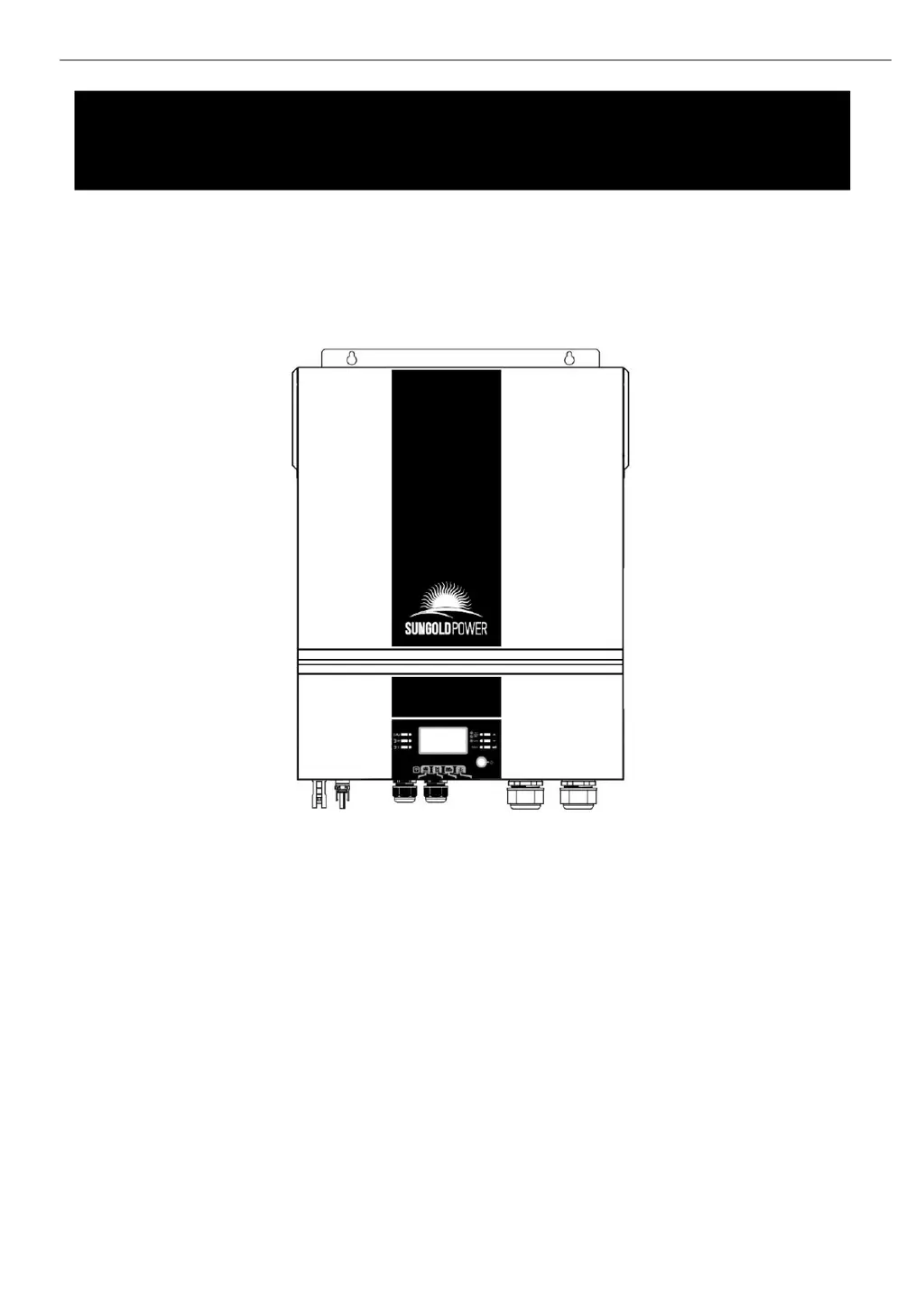
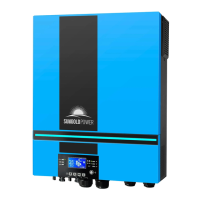
6.5KW BluePower SP6548
SOLAR INVERTER / CHARGER
User Manual

Questions and Answers

Summary

ABOUT THIS MANUAL

Purpose

Explains the manual's objective and scope.

Scope

Outlines the manual's coverage of guidelines, tools, and wiring.

SAFETY INSTRUCTIONS

INTRODUCTION

Features

Lists the key features of the inverter, including sine wave and connectivity.

Basic System Architecture

Illustrates the basic components of a running system with the inverter.

Product Overview

INSTALLATION

Unpacking and Inspection

Instructions on checking the unit and package contents for damage.

Preparation

Steps for preparing the unit before connecting wiring, including cover removal.

Mounting the Unit

Guidelines for selecting an installation location and ensuring proper clearance.

Battery Connection

Procedures for correctly connecting the battery to the inverter, including cable size.

AC Input;Output Connection

Steps for connecting AC input and output wires, including breaker recommendations.

PV Connection

Instructions on connecting PV modules, including voltage and current considerations.

Recommended Panel Configuration

Details recommended PV panel configurations for optimal performance.

Final Assembly

Guidance on re-connecting cables and closing the bottom cover after wiring.

Remote Display Panel Installation

Steps for detaching and installing the LCD module in a remote location.

DC Output Connectors (Optional)

Describes the function of optional DC output connectors for backup power.

Communication Connection

Serial Connection

Instructions for connecting the inverter to a PC via serial cable.

Wi-Fi Connection

Details on using the Wi-Fi transmitter for mobile monitoring via APP.

Dry Contact Signal

Explains the function of the dry contact for external device signaling.

BMS Communication

Information on connecting to battery management systems (BMS).

OPERATION

Power ON;OFF

Steps for turning the unit on and off using the display panel switch.

Inverter Turn-on

Describes the welcome light show and initialization sequence upon power-on.

Operation and Display Panel

Overview of the control panel, indicators, keys, and LCD display.

Function Keys

Explains the purpose and function of each key on the control panel.

LCD Display Icons

Describes the various icons displayed on the LCD screen and their meanings.

LCD Setting

General Setting

Covers initial setup procedures and navigation within the setting menus.

Function Setting

Explains how to set up special functions like USB OTG and timers.

LCD Display

Input voltage;Output voltage

Shows how input and output voltages are displayed on the LCD.

Input frequency

Displays the input frequency information on the LCD.

PV voltage

Illustrates how PV voltage readings are shown on the LCD.

PV current

Shows the PV current display on the LCD screen.

PV power

Displays the PV power input on the LCD.

Charging current

Shows how charging current from different sources is displayed.

Charging power

Illustrates the display of charging power from various sources.

Load percentage

Shows the load level indicated as a percentage on the LCD.

Load in VA

Displays the load in Volt-Amperes (VA) on the LCD.

Load in Watt

Shows the load in Watts (W) on the LCD.

Battery voltage;DC discharging current

Displays battery voltage and DC discharging current.

Operating Mode Description

Standby mode

Describes the inverter's state when not actively powering loads but can charge batteries.

Fault mode

Explains conditions that trigger a fault mode and its implications.

Line Mode

Details operation when connected to the mains, including battery charging.

Battery Mode

Describes operation when the inverter powers loads from battery or PV.

Faults Reference Code

Warning Indicator

BATTERY EQUALIZATION

How to Apply Equalization Function

Guides on enabling and applying the battery equalization feature.

When to Equalize

Describes the conditions and timing for initiating battery equalization.

Equalize charging time and timeout

Explains the charging duration and timeout settings for equalization.

SPECIFICATIONS

Table 1 Line Mode Specifications

Lists detailed specifications for the inverter in line mode.

Table 2 Inverter Mode Specifications

Lists detailed specifications for the inverter in inverter mode.

Table 3 Charge Mode Specifications

Lists detailed specifications for charging modes.

Table 4 General Specifications

Lists general specifications like operating temperature and dimensions.

Table 5 Parallel Specifications (Parallel model only)

Provides specifications for parallel operation.

TROUBLE SHOOTING

Appendix I: Parallel function (Only for parallel models)

Introduction

Introduces the parallel operation modes and configurations.

Mounting the Unit

Guidelines for mounting multiple units in parallel for proper airflow.

Wiring Connection

Explains battery and AC cable connections for parallel setup.

Parallel Operation in Single phase

Illustrates power and communication connections for single-phase parallel operation.

Support 3-phase equipment

Guides on configuring the inverter for three-phase equipment.

PV Connection

Refers to single unit manual for PV connection in parallel systems.

Appendix II: BMS Communication Installation

Introduction

Explains the purpose of BMS communication and custom cables.

Lithium Battery Communication

Details configuration steps for PYLONTECH lithium battery communication.

Installation and Operation

Guides on connecting and operating the inverter with Lithium batteries.

Appendix III: The Wi-Fi Operation Guide in Remote Panel

Introduction

Introduces Wi-Fi module capabilities and major app functions.

WatchPower App

Covers downloading, installing, and initial setup of the WatchPower app.

Initial Setup

Steps for registering an account and connecting to the Wi-Fi module.

Login and APP Main Function

Explains the login process and overview of app functions.

Device Mode

Describes the dynamic power flow chart and different device modes.

Parameter Setting

Details how to access and modify inverter parameters via the app.

Sun Gold Power BluePower SP6548 Specifications

General IconGeneral
BrandSun Gold Power
ModelBluePower SP6548
CategoryInverter
LanguageEnglish

Related product manuals