27
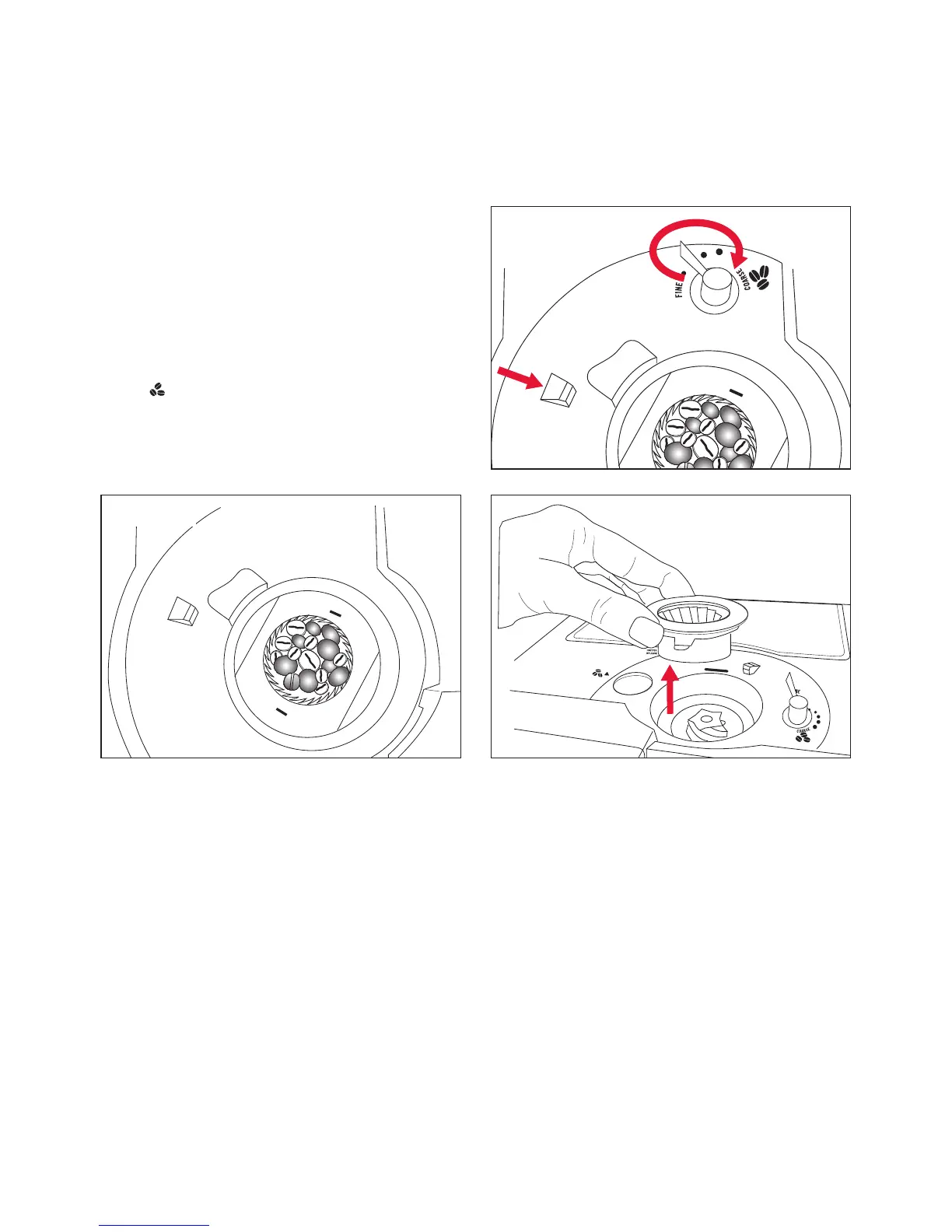
• Replace the grinding ring.
• Slide the ‘grinding mechanism release’
button to the front in the direction of the
grinding mechanism. Hold this position
and turn the ‘coffee grind’ lever anti-
clockwise to the desired grind setting.
• Replace the ‘coffee bean hopper’ in
position ‘HOPPER RELEASE’ and turn it to
the coffee beans position. Now test the
function of the grinding mechanism with a
small quantity of beans and make a cup of
coffee.
Grind setting selection (continued)
Figure 38
Figure 37
Figure 39






 To Next Page