The cleaning program allows complete
removal of coffee oils even in areas which are
not normally accessible. Start the cleaning
program at the latest when you are instructed
by the display indication
<<CLEANING REQUIRED>>.
The cleaning process takes about 8 minutes
and should not be interrupted. If it is
interrupted the cleaning process has to be
started again.
Important: Prior to starting the cleaning
program, clean the coffee brewing unit and
empty the coffee waste container. Refill the
water reservoir with approximately 1 litre of
fresh water.
Important: Use the Sunbeam ‘Cleaning’
tablets only. If using other cleaning agents,
Sunbeam will not be liable for any damage.
Sunbeam cleaning tablets are available from
selected appliance retailers or from Sunbeam
on 1800 025 059.
• Press the “MENU” button. The menu
setting <<LANGUAGE>> appears.
• Press the scrolling buttons
▼
or
▼
until
the menu setting <<CLEAN >> appears.
• Confirm the menu setting by pressing the
“OK” button. The display shows
<<START CLEANING>>.
• Confirm with the “OK” button. The display
shows <<CLEANING INSTRUCTIONS>>.
Important: To prepare for cleaning, follow the
instructions on the display then press “OK”
to confirm that you have done so.
• <<REFILL WATER RESERVOIR>>
– press “OK”
Remove the water reservoir, fill it with water
and replace. Then press the “OK” button.
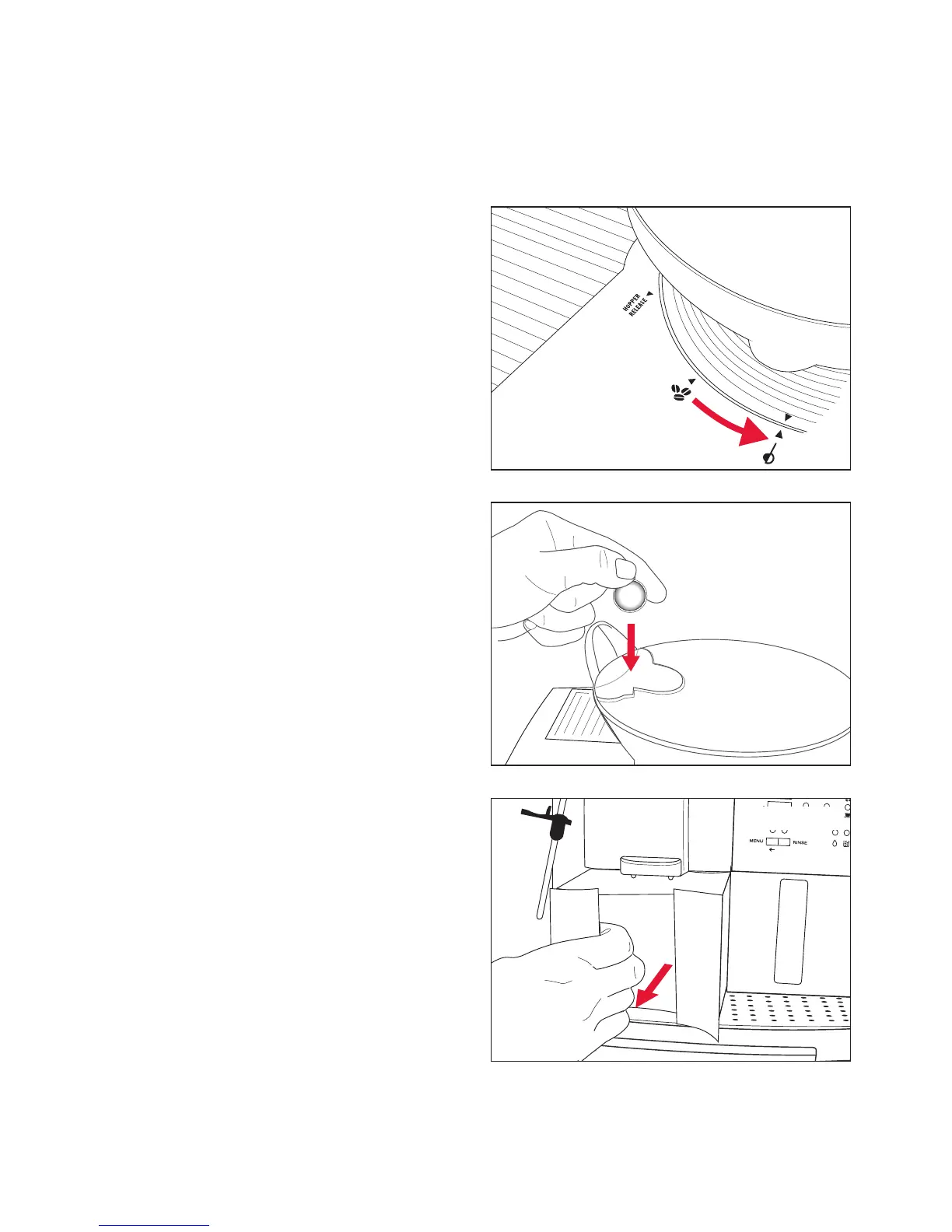
• <<BEAN HOPPER TO PRE-GROUND>>
Note: This message only appears when the
bean hopper is in whole bean mode.
Turn the bean hopper to the pre-ground
coffee position, see figure 58.
36
Running the cleaning program
Figure 58
Figure 59
Figure 60






 To Next Page