10
Heading
Before using your MultiProcessor
• Washtheprocessingbowl,coverandall
attachmentsinwarmwaterusingamild
detergent.Dryeachpartthoroughly
beforeuse.
• Beforeyouassemblethefoodprocessor,
ensurethatthepowercordisunplugged.
Before using the processing bowl
• Thefollowingstepsareonlynecessaryfor
theMultiProcessorPlus(LC6950).
1.Placethemotorbasefacingyouonadry,
levelsurface.
2.Fitthesafetycoverontothefoodprocessor
bodyandtwistanti-clockwise,seeFigure1
Note:
TheMultiProcessorPlusprocessingbowl
willnotoperateifthesafetycoverorblender
jugarenotinplace.
Positioning the processing bowl and cover
Thefollowingstepsareforbothmodels
LC6250andLC6950.
1.Placethemotorbasefacingyouonadry,
levelsurface.
2.Positiontheprocessingbowloverthedrive
shaft.Thehandleofthebowlneedstobe
facingyou(marked“Locatehandle”)and
thebowlshouldnowberestingonthebase
ofthefoodprocessor,seeFigure2.
3.
Tolockthebowlintopositionforuse,turnthe
handletotheright,asfarasitwillgo
, see
Figure3.
4.
Placetheprocessorbowlcoverontothe
processingbowl,byaligningtheicon
markedonthehandlewiththeicon on
thebowlcover.Thenrotatelidtolock,
seeFigures4and5.
UNLOCKED
Using your Sunbeam
MultiProcessor
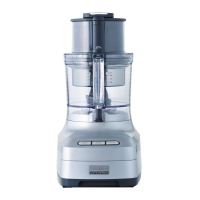
LC6950
Pictured
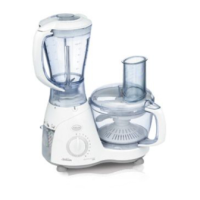
LC6250
Pictured
LC6250
Pictured
LC6250
Pictured
Fig 1
Fig 2
Fig 3
Fig 4






 To Next Page