8
Setting The Clock
Advanced Water Filtration
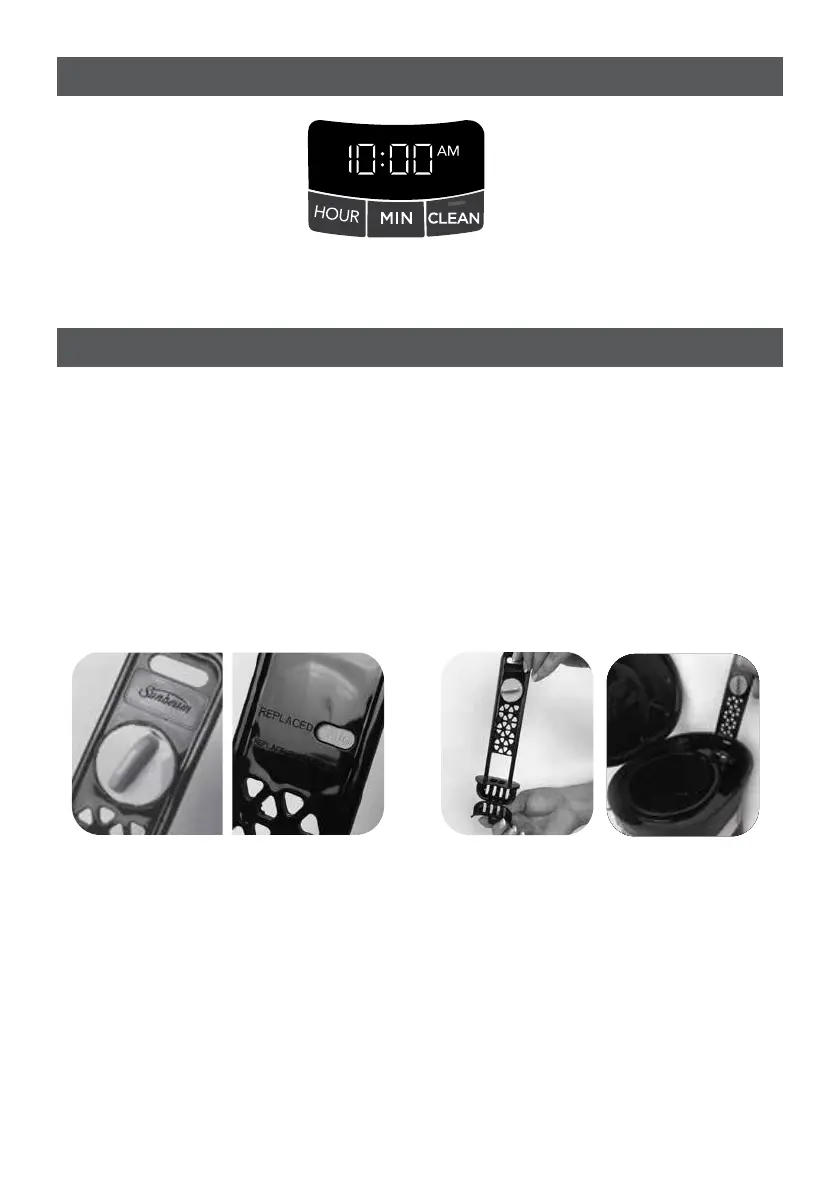
Plug in the coffeemaker and set the current time using the hour and minute buttons. 5
seconds of inactivity will set clock at time selected.
The improved 2-step advanced water filtration system reduces impurities like chlorine
and calcium to make coffee taste better.
1. Soak the advanced water filtration cartridge in cold water for 5 minutes.
2. Rinse the soaked cartridge for about 1 minute.
3. Open bottom hatch where the cartridge goes and insert a new Advanced Water Filtration
cartridge. (Figure 1)
4. Close the hatch and place system in designated slot in water reservoir.(Figure 2)
NOTE: When cleaning the coffeemaker, be sure to remove the Advanced Water Filtration
holder and cartridge.
NOTE: Replace filter cartridge frequently to ensure great tasting coffee. Contact
Sunbeam for replacement cartridges.
(Figure 1) (Figure 2)






 To Next Page