29
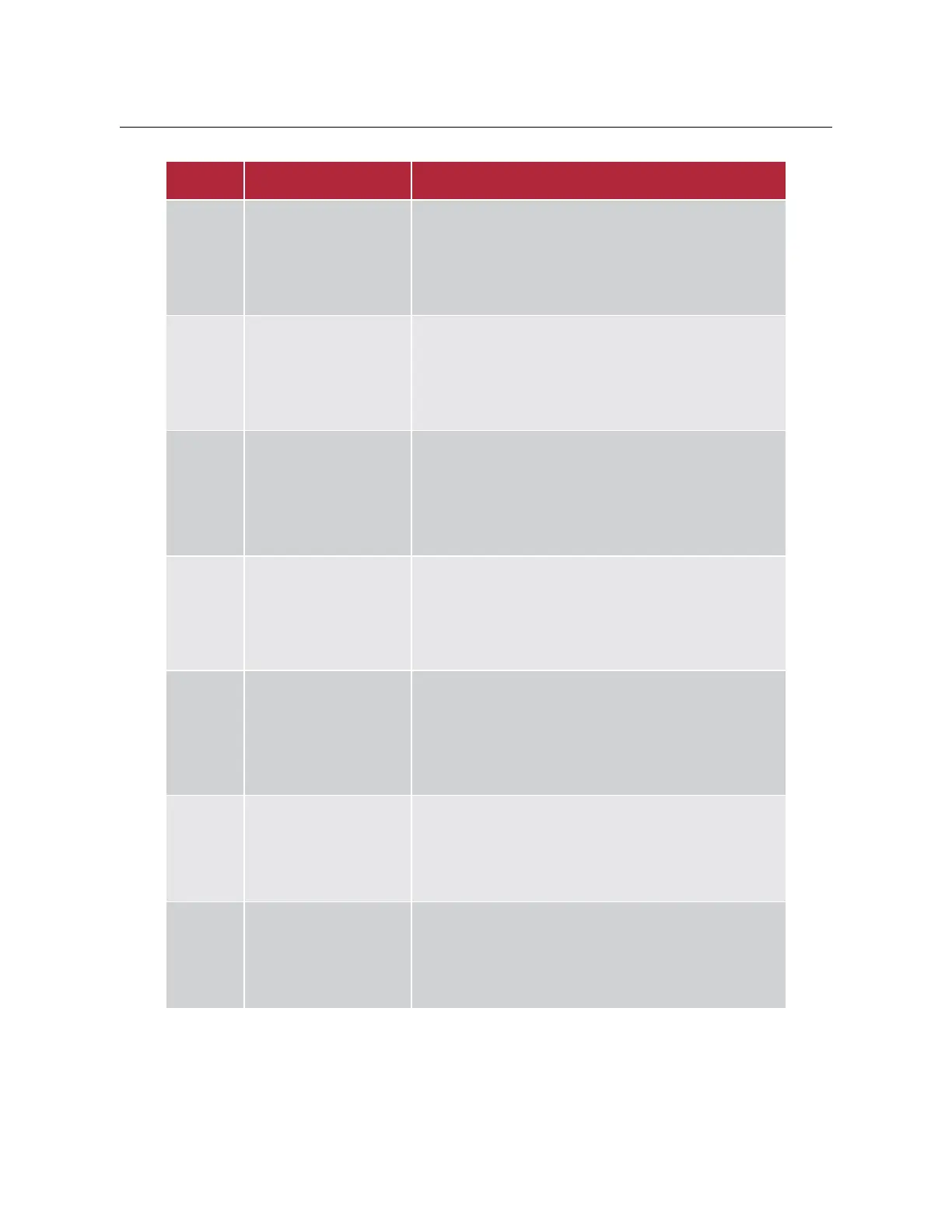
The error codes of the display are described in the following table.
Battery overvoltage
protection
y Press the battery power button on the power
distribution box, and then press the power button
again after battery completely shut down to restart
the battery.
y Set the inverter mode to discharge the battery until at
80%~90% SOC.
80%~90%.
Battery under-voltage
protection
y Press the battery power button on the power
distribution box, and then press the power button
again after battery completely shut down to restart
the battery.
y Set the inverter mode to charge the battery.
Battery over
temperature protection
y Check whether the ambient temperature is too high.
y Press the battery power button on the power
distribution box, and then press the power button
again after battery completely shut down to restart
the battery.
Battery low temperature
protection
y Check whether the ambient temperature is too low.
y Press the battery power button on the power
distribution box, and then press the power button
again after battery completely shut down to restart
the battery.
Battery overcurrent
protection (discharge)
y Check whether the load power exceeds the limit
allowed by the specification.
y Press the battery power button on the power
distribution box, and then press the power button
again after battery completely shut down to restart
the battery.
Battery overcurrent
protection (charge)
y Press the battery power button on the power distribution
box, and then press the power button again after battery
completely shut down to restart the battery.
y Set the inverter mode to discharge the battery until the
fault is restored.
y Check whether the communication line between the
display control board and the battery is connected.
y Check whether the matching resistor has been installed
in battery.



 To Next Page