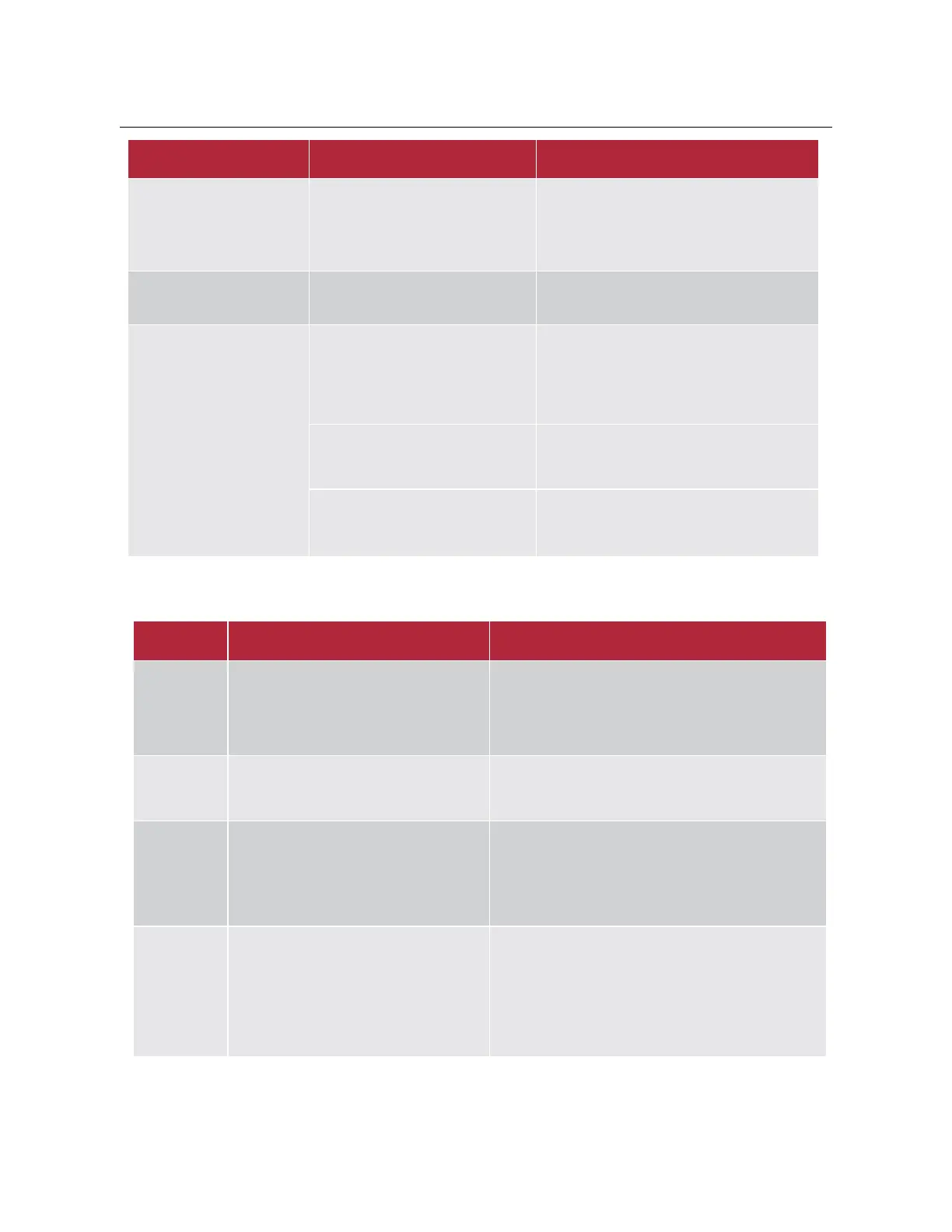
The inverter is powered on
by the battery for the first
time, the battery reports
discharge short circuit
protection
Inverter battery side input terminal
parallel capacitance value is larger
Battery protection can be restored
automatically
The inverter cannot start
Battery voltage is too low or SOC is
lower than shutdown protection
value
After starting the inverter through the grid,
charge the battery
The battery cannot be
charged through the grid
No "Grid Allowed Charging" is
selected in the Battery Setting
interface or "Grid Charging Allowed"
is not selected in the Time of Use
setting interface
1. Check whether the Battery Setting Grid
Charge in the LCD screen is enabled
2. Check whether the Grid Charge of the
Time of Use of System Work Mode in the
LCD screen is enabled
According to the prompted fault information,
check the indicator function status table to
find the corresponding fault reason;
Check whether the grid voltage is normal
5.3 Inverter Troubleshooting
1.
Check if the N and PE of the grid are connected
together;
2.
Connect the N line of the power grid to PE, wait
for a minute and check.
Seek help from us, if can't go back to normal state.
Inverter work mode changed
1. wait for a minute and check;
Seek help from us, if can't go back to normal state.
AC over current fault of hardware
AC side over current fault
1.Please check whether the backup load power and
common load power are within the range;
2. Restart and check whether it is in normal;
Seek help from us, if cannot go back to normal
state.
DC over current fault of the hardware or
LC over current
DC side over current fault
1.Check PV module connect and battery connect;
2. Turn off the DC switch and AC switch and then
wait one minute, then turn on the DC/AC switch
again;
Seek help from us, if cannot go back to normal
state.



 To Next Page