
 Need help?
Do you have a question about the Sunfire MK IV and is the answer not in the manual?
All safety and operation instructions should be read before use.
Keep safety and operating instructions for future reference.
Follow all warnings on the component and in instructions.
Adhere to all operating and other instructions.
Do not use the component near water or in wet environments.
Ensure proper ventilation; do not block openings.
Site away from heat sources like radiators.
Connect only to the type of power supply described or marked.
Route cords to prevent damage from walking or pinching.
Clean the component only as recommended in this manual.
Unplug the power cord when unused for a long period.
Prevent objects or liquids from entering the component.
Conditions requiring service by qualified personnel.
User should not attempt servicing beyond manual instructions.
Subwoofer can produce high sound pressure levels; protect hearing.
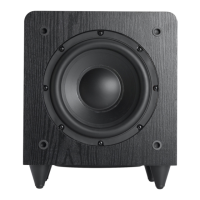
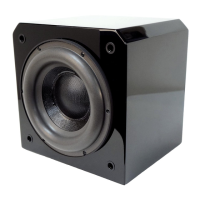
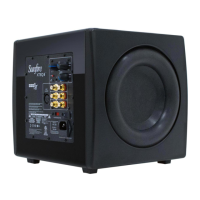
Thank you for purchasing the Sunfire True Subwoofer MK IV.
Lists high power, low distortion, long throw drivers, compact size, auto-sensing.
Use a soft, slightly dampened cloth for cleaning the cabinet.
Apply Mink Oil annually to keep rubber surrounds supple.
Delivers tight, floor-rumbling bass down to 18 Hz with built-in amplifier.
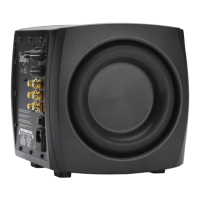
Features two drivers for increased air movement and bass performance.
Powerful amplifier capable of over 2,700 watts with compressor and soft clipping.
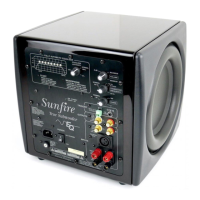
Indicates power status; unit turns on with audio signal.
Adjusts subwoofer output level to match main speakers.
Sets the high-frequency cutoff point from 35 Hz to 100 Hz.
Adjusts subwoofer phase to blend with rest of the system.
Selects flat response or low-frequency roll-off for video.
Unplug components, turn off power, and manage cables to prevent hum.
Connect using speaker wire to binding posts; ensure common ground.
Recommended placement is in a corner for optimum performance.
Place woofers in corners and experiment with location for best response.
Keep subwoofer at least 2-3 feet from TVs, computers, and media.
Connect LFE/subwoofer output to subwoofer's Left (Mono) input.
Adjust volume control and crossover frequency for best match.
Bob Carver's preferred listening method and laboratory method.
Detailed steps using a test CD and SPL meter for flat response.
Space provided to record favorite control settings.
2,700 watts RMS into 3.3 Ω impedance.
Adjustable from 35 Hz to 100 Hz.
18 Hz to 100 Hz.
Specifies mVrms required for full output at different volume settings.
12 kΩ for Line-Level, 15 kΩ for Hi-Level inputs.
Extra large magnet and long throw design for high efficiency.
Gain levels for left and right inputs at different Bass Level settings.
Check connections, crossover settings, and subwoofer placement.
Verify bass management settings and surround sound decoding.
Steps to identify and eliminate ground-loop hum.
Check for background hum or signal absence.
Verify volume control, signal reception, and input connections.
Caused by in-rush current; use switched outlet or power strip.
Two-year warranty covering defects in materials and workmanship.
Excludes damage from shipment, accident, misuse, or unauthorized repair.
Provides contact information for technical services and support.
Requires return authorization before sending unit for repair.

 To Next Page
 General