
 Need help?
Do you have a question about the Sunfire Atmos XTATM265 and is the answer not in the manual?
Essential safety guidelines for operating the Sunfire ATMOS Subwoofer, covering reading instructions, warnings, and proper usage.
Guidance on safely removing the subwoofer from its packaging and handling materials.
Instructions for cleaning and maintaining the speaker cabinet's finish and general care.
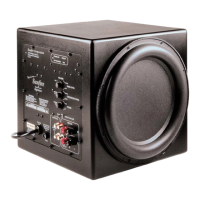
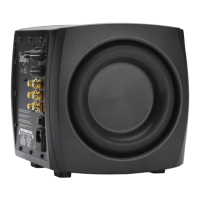
Detailed explanation of the subwoofer's powerful amplifier, its efficiency, and overload protection features.
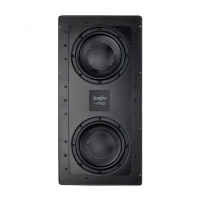
Explanation of the dual driver design, their large movement capacity, and how they produce bass.
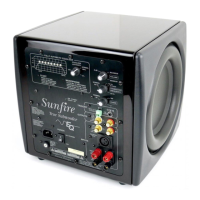
Description of the control that sets the high-frequency cutoff point for the subwoofer.
Guidance on adjusting the subwoofer's volume level and phase for optimal sound.
Information on using the 12 VDC trigger input for automatic turn-on functionality.
How to connect unbalanced inputs and use line-level outputs for audio signals.
Explanation of the switch affecting the frequency range of line-level outputs.
How to connect multiple subwoofers using slave connections for simplified setup.
Details on the main power switch and the detachable IEC line cord socket.
Information on the line fuse, EQ LED, and POWER LED indicators.
Explanation of the Start button and EQ ON/OFF switch for calibration.
Input for the measurement microphone used in the automatic EQ procedure.
Essential precautions to avoid electrical shock, damage, and ensure proper operation.
Guidance on allowing adequate ventilation and understanding the heat sink function.
Ensuring correct power, grounding, routing, and placement to avoid interference.
Advice on component power, volume, cable management, and quality.
Connecting components to power strips and preventing hum from ground loops.
Recommendations for placing the subwoofer in corners for best bass performance.
Step-by-step procedure for experimenting with locations to find the loudest bass output.
Reminder to keep the subwoofer away from electronic devices and magnetic media.
Advice on positioning and connecting multiple subwoofers for increased output.
Explanation of how room acoustics affect subwoofer performance and the need for equalization.
Detailed, step-by-step instructions for running the automatic room equalization process.
Method to reset the equalizer to factory default settings if needed.
How to perform EQ when using multiple subwoofers, connecting the microphone to the first unit.
Diagram and explanation for connecting the subwoofer to a dedicated LFE/subwoofer output.
Tips for setting preamplifier volume and subwoofer crossover frequency for initial setup.
How to connect the subwoofer using Y cables when a dedicated LFE output is unavailable.
How to route preamplifier signals through the subwoofer to the amplifier and speakers.
How to connect multiple subwoofers using slave input/output for synchronized operation and EQ.
Two methods for adjusting level, crossover, and phase: listening-based and laboratory.
A step-by-step guide for adjusting controls by ear for optimal sound.
Template to record preferred control settings for future reference.
Advice on checking setup and components for common issues.
Troubleshooting steps for weak bass output, including connection and placement checks.
Specific advice for bass issues in a 5.1 surround sound system setup.
Steps to identify and resolve ground-loop hum caused by system components or external connections.
Troubleshooting why the subwoofer does not automatically turn off or on.
Explanation of what the one-year warranty covers and what it excludes.
How to obtain service, contact Sunfire, and prepare a unit for repair.

 To Next Page
 General