
 Need help?
Do you have a question about the Sunfire XTEQ10 and is the answer not in the manual?
Comprehensive list of safety precautions for operating the Sunfire XTEQ subwoofer.
Guidance on safely removing the subwoofer from its packaging and retaining materials.
Instructions for cleaning and maintaining the subwoofer's finish.
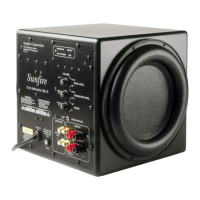
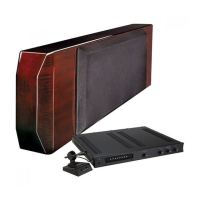
List of items provided with the Sunfire XTEQ subwoofer.
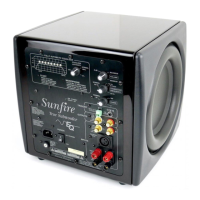
Adjusts the high-frequency cutoff point for the subwoofer's output.
Matches the subwoofer's output level to the rest of the system.
Changes the relative phase of the subwoofer to blend with other speakers.
Allows automatic turn-on from standby mode via a +12 VDC signal.
Connects unbalanced audio signals from a receiver or preamp.
Outputs active signals for connecting to a main amplifier or other audio components.
Provides superior noise cancellation for connecting to XLR balanced outputs.
Selects frequency range (Bypass or 85 Hz) for line level outputs.
Enables linking multiple XTEQ subwoofers for synchronized operation.
Used for installing, uninstalling, and power conservation.
Allows setting the subwoofer to the local region AC mains voltage.
Includes Start Button, EQ On/Off Switch, and EQ LED for calibration.
Input for the supplied linear measurement microphone.
Ensures the unit is plugged into a suitable outlet with correct voltage and amperage.
Recommends placement away from electronics to avoid magnetic field interference.
Illustrates low-power components sharing a power strip connected to the amplifier.
Tips for keeping power cords away from signal cables to prevent hum.
Recommendations for choosing reliable, high-quality interconnect cables.
Guidance on optimizing subwoofer placement for best bass output and room acoustics.
Advice on testing different positions to find the ideal listening spot.
Explains using slave input/output for linking multiple subwoofers.
Introduction to the automatic Room EQ procedure for maximizing subwoofer potential.
Step-by-step guide for performing the automatic room equalization process.
Steps to initiate the automatic Room EQ process and set control panel parameters.
Procedure for performing Room EQ when using two XTEQ subwoofers.
Guidance on using both AV receiver and Sunfire EQ for optimal system calibration.
How to connect the subwoofer to a preamp's dedicated subwoofer/LFE output.
Troubleshooting steps for weak bass output from the subwoofer.
Specific checks for bass issues in a 5.1 surround sound setup.
Steps to identify and eliminate hum caused by ground loops in the system.
Information on how to locate authorized Sunfire dealers for service and support.
Conditions under which the product warranty will be voided.

 To Next Page
 General