SunFounder GalaxyRVR Kit for Arduino, Release 1.0
2. Next, we’ll need to communicate with our Rover using the universal language of Arduino code.
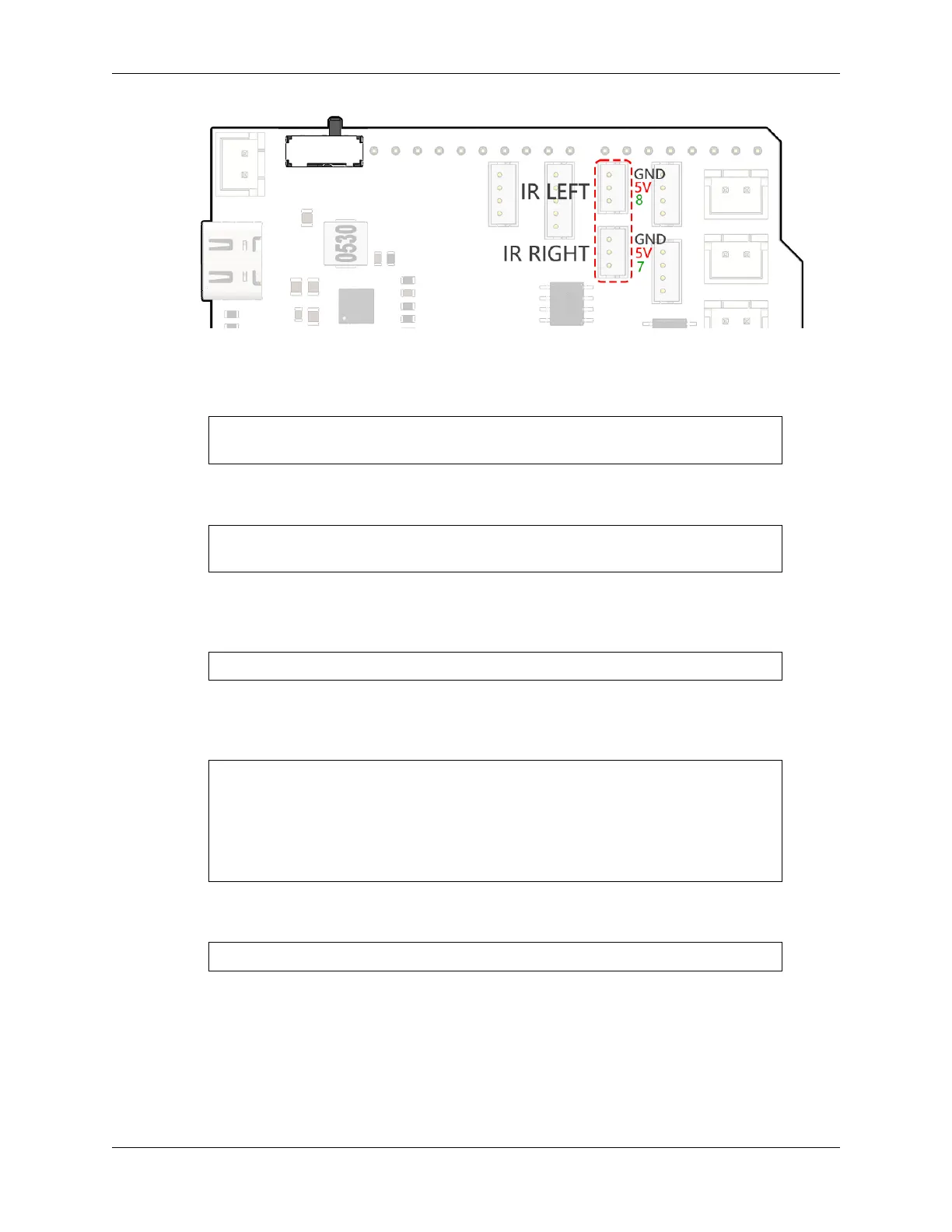
First things first, let’s give a unique name to each eye of the Rover. Let’s call them IR_RIGHT and
IR_LEFT, this way we won’t mix them up.
#define IR_RIGHT 7
#define IR_LEFT 8
Now, we let our Rover know that these are its special eyes - they will feed information from the world
outside into the Rover’s electronic brain.
pinMode(IR_RIGHT, INPUT);
pinMode(IR_LEFT, INPUT);
To make sure our Rover shares its findings with us, we establish a secret line of communication, like
spies in a sci-fi movie. This next line kicks off a serial conversation at the speed of 9600 bits per
second - that’s lightning fast chatter!
Serial.begin(9600);
Now, our Rover scans its surroundings with its “Alien-Eyes” and relays the findings back to us. If it
spots an obstacle, the value will be 0; if the path is clear, the value will be 1. It keeps sending these
messages to us, keeping us in the loop.
int rightValue = digitalRead(IR_RIGHT);
int leftValue = digitalRead(IR_LEFT);
Serial.print("Right IR: ");
Serial.println(rightValue);
Serial.print("Left IR: ");
Serial.println(leftValue);
Finally, the Rover pauses for a moment (about 200 milliseconds) after each transmission. This tiny
break gives us the chance to interpret the Rover’s message before it sends another one.
delay(200);
Here is the complete code:
3. Once your code is ready, select the correct board and port, and beam up the code to your Mars Rover. Then, tune
into our secret communication line (the Serial Monitor) by clicking on its icon in the top right corner.
54 Chapter 3. Course Mode



 To Next Page