SunFounder PiPower
If the configuration page doesn’t automatically pop up, you can open a browser and visit pipower-pro.local.
Step 5
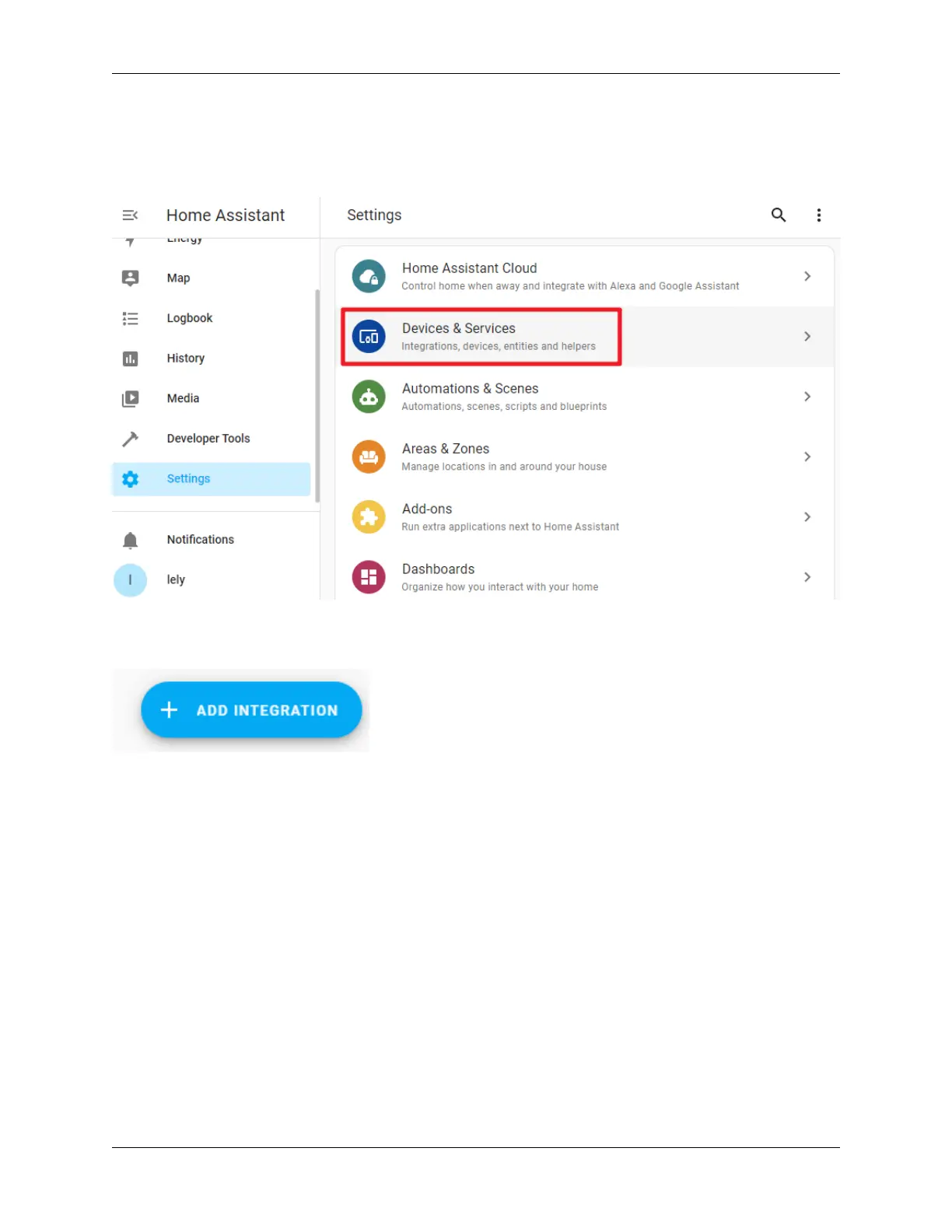
Open your Home Assistant page, select Configuration from the left sidebar, then select Devices and Services.
Step 6
Click on + ADD INTEGRATION at the bottom right.
Step 7
Select ESPHome.
4.2. Add PiPower Pro in Home Assistant 33



 To Next Page