CHAPTER
THREE
3. INSTALLING THE OS
Required Components
• Raspberry Pi 5B
• A Personal Computer
• A Micro SD card
Installation Steps
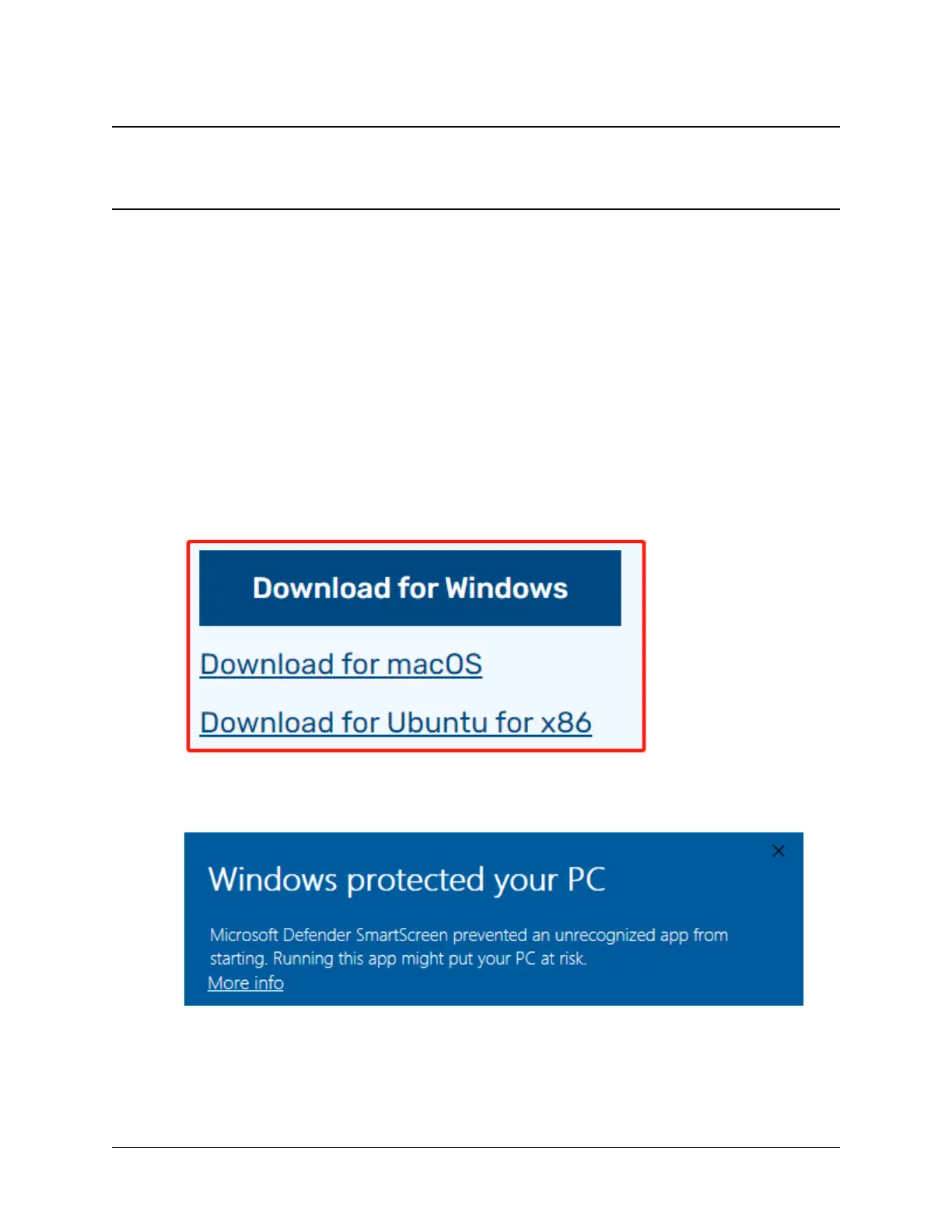
1. Visit the Raspberry Pi software download page at Raspberry Pi Imager. Choose the Imager version compatible
with your operating system. Download and open the file to initiate installation.
2. A security prompt may appear during installation, depending on your operating system. For example, Windows
might display a warning message. In such cases, select More info and then Run anyway. Follow the on-screen
guidance to complete the installation of the Raspberry Pi Imager.
3. Insert your SD card into your computer or laptop’s SD card slot.
4. Launch the Raspberry Pi Imager application by clicking its icon or typing rpi-imager in your terminal.
7


 To Next Page