SunFounder Pironman
7.2 2. Configuring Your Home Assistant
1. Enable the I2C Interface
This involves activating the I2C interface on your device.
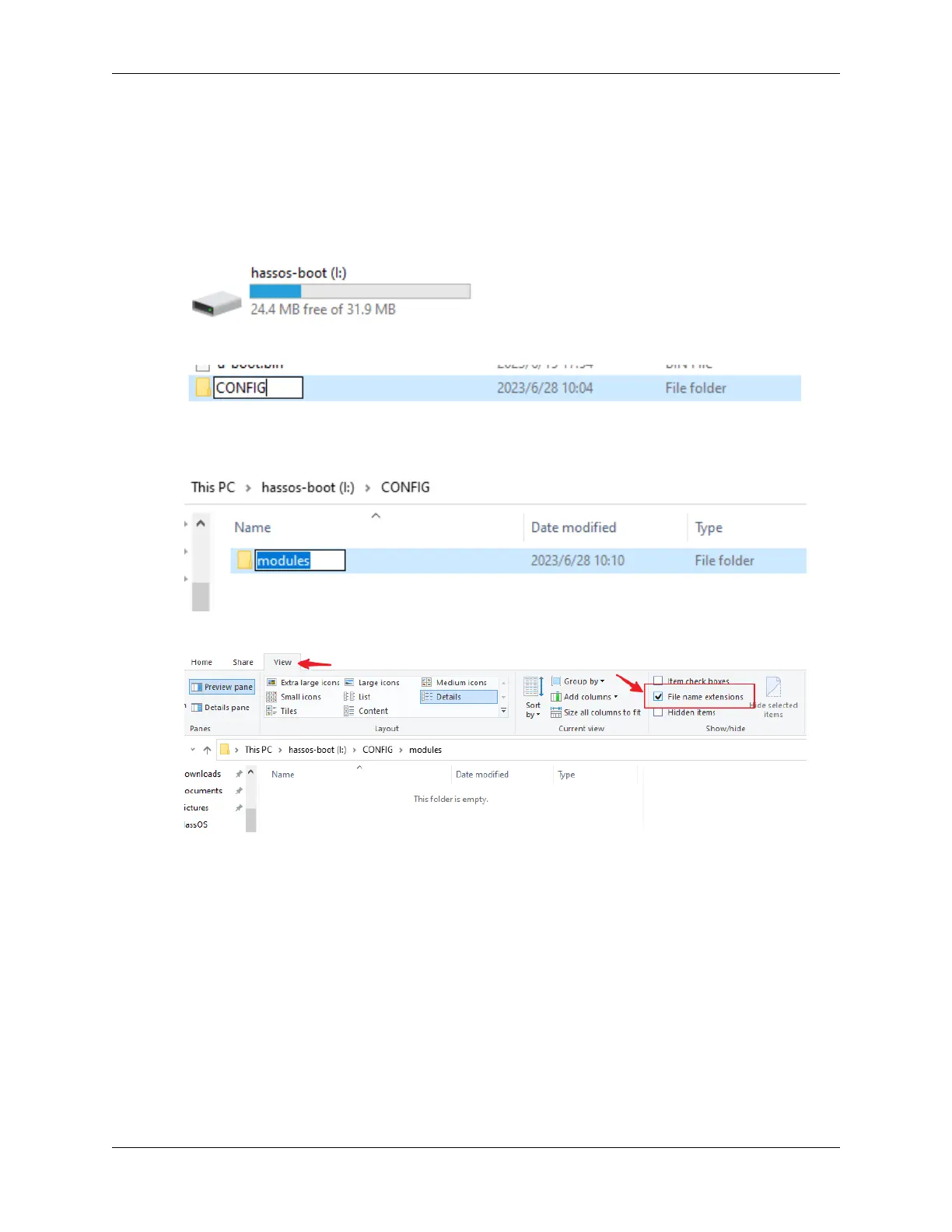
1. Remove and then reinsert the SD card into your computer. Open the File Explorer and locate the SD card named
hassos-boot.
2. In the root directory, create a new folder named CONFIG.
3. Within the CONFIG folder, make a subfolder titled modules.
4. Turn on the display of file extensions in your settings.
5. Inside the modules subfolder, create a text file and rename it to rpi-i2c.conf. Confirm the extension change
when prompted.
7.2. 2. Configuring Your Home Assistant 67



 To Next Page