SunFounder Pironman
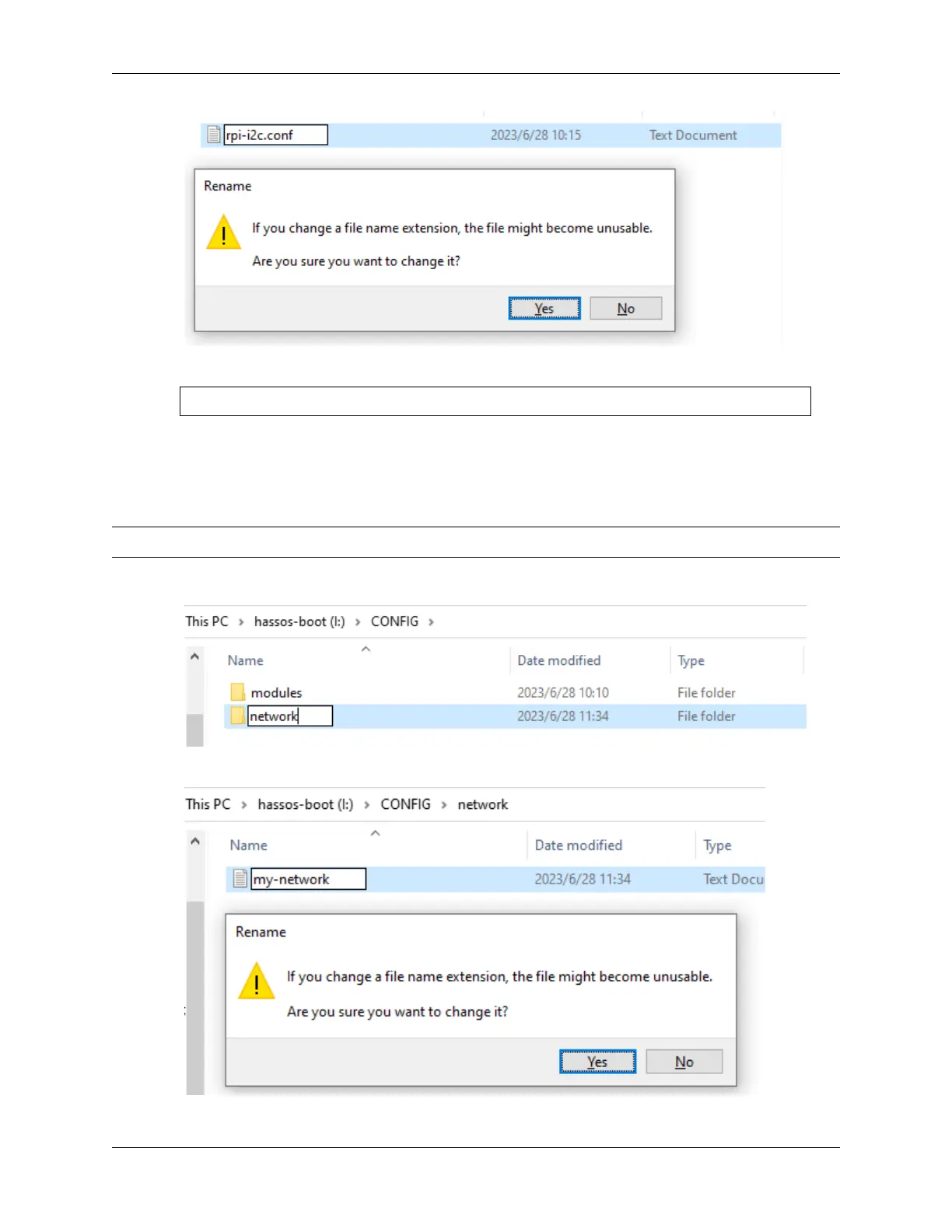
6. Edit rpi-i2c.conf to include the following line:
i2c-dev
7. Save and exit the file.
2. Setting Up WiFi
Now, let’s set up the WiFi connection.
Note: Skip this step if you prefer using a wired network connection.
1. In the CONFIG folder, create a new folder named network.
2. Inside the network folder, create a text file and name it my-network (leave out the file extension).
68 Chapter 7. Home Assistant(Pi 4)


 To Next Page