SunFounder Pironman
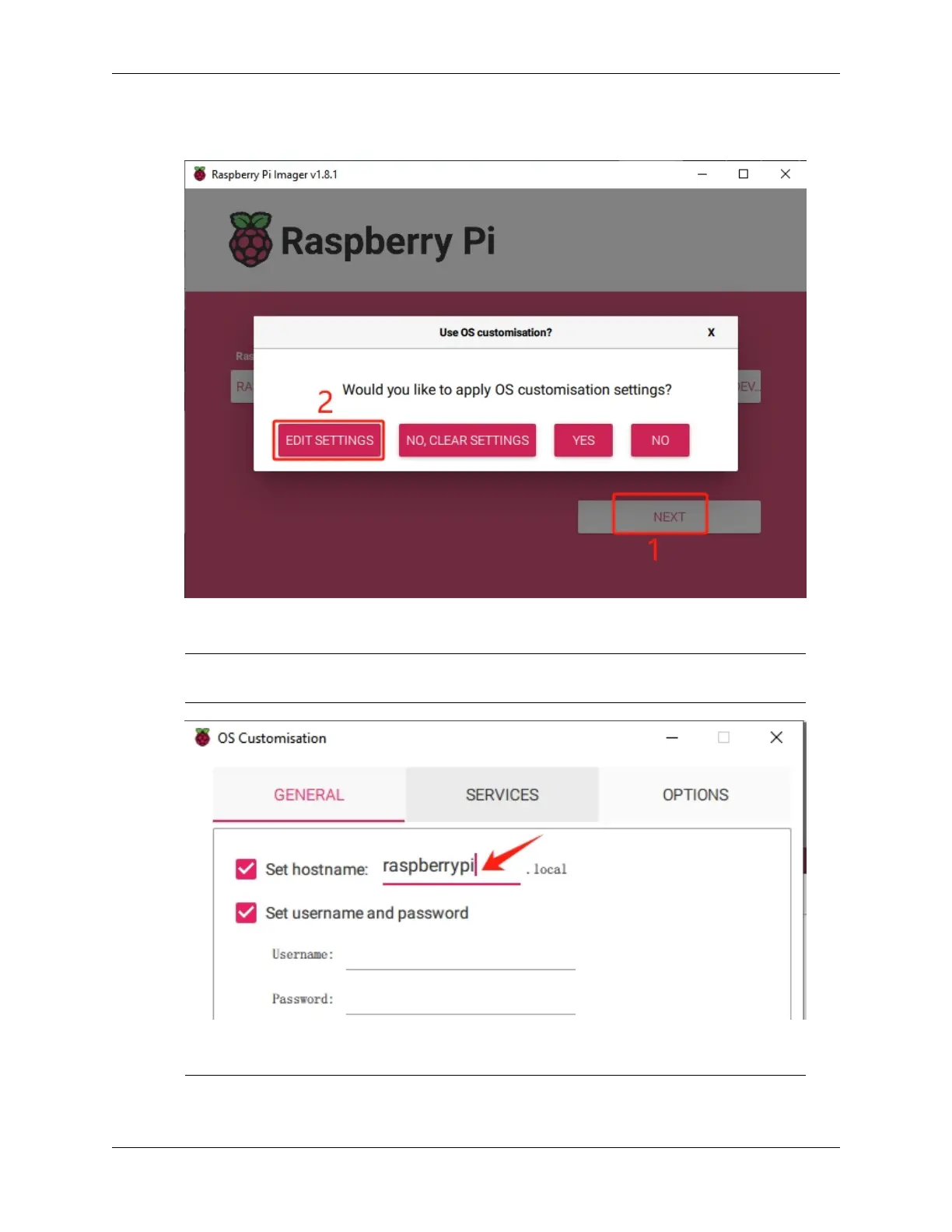
8. Click NEXT and then EDIT SETTINGS to tailor your OS settings. If you have a monitor for your Raspberry
Pi, you can skip the next steps and click ‘Yes’ to begin the installation. Adjust other settings later on the monitor.
9. Define a hostname for your Raspberry Pi.
Note: The hostname is your Raspberry Pi’s network identifier. You can access your Pi using
<hostname>.local or <hostname>.lan.
10. Create a Username and Password for the Raspberry Pi’s administrator account.
Note: Establishing a unique username and password is vital for securing your Raspberry Pi, which
10 Chapter 3. 3. Installing the OS


 To Next Page