SunFounder Pironman
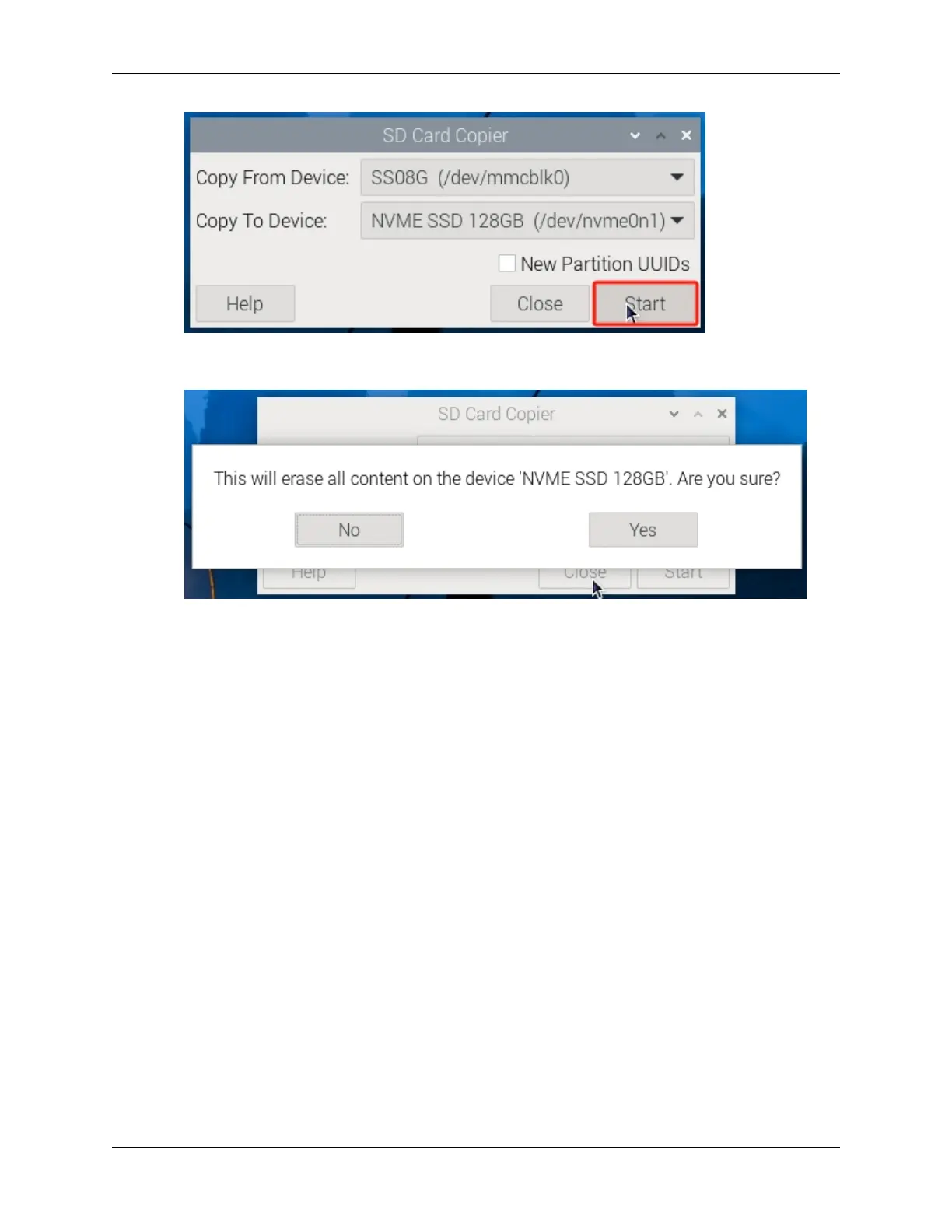
4. You will be prompted that the content on the SSD will be erased. Make sure to back up your data before clicking
Yes.
5. Wait for some time, and the copying will be completed.
Installing the System with Raspberry Pi Imager
1. If your MicroSD card has a desktop version of the system installed, you can use an imaging tool (like Raspberry
Pi Imager) to burn the system to the SSD. This example uses Raspberry Pi OS bookworm, but other systems
might require installing the imaging tool first.
54 Chapter 6. 6. About Hardware


 To Next Page