SunFounder Pironman
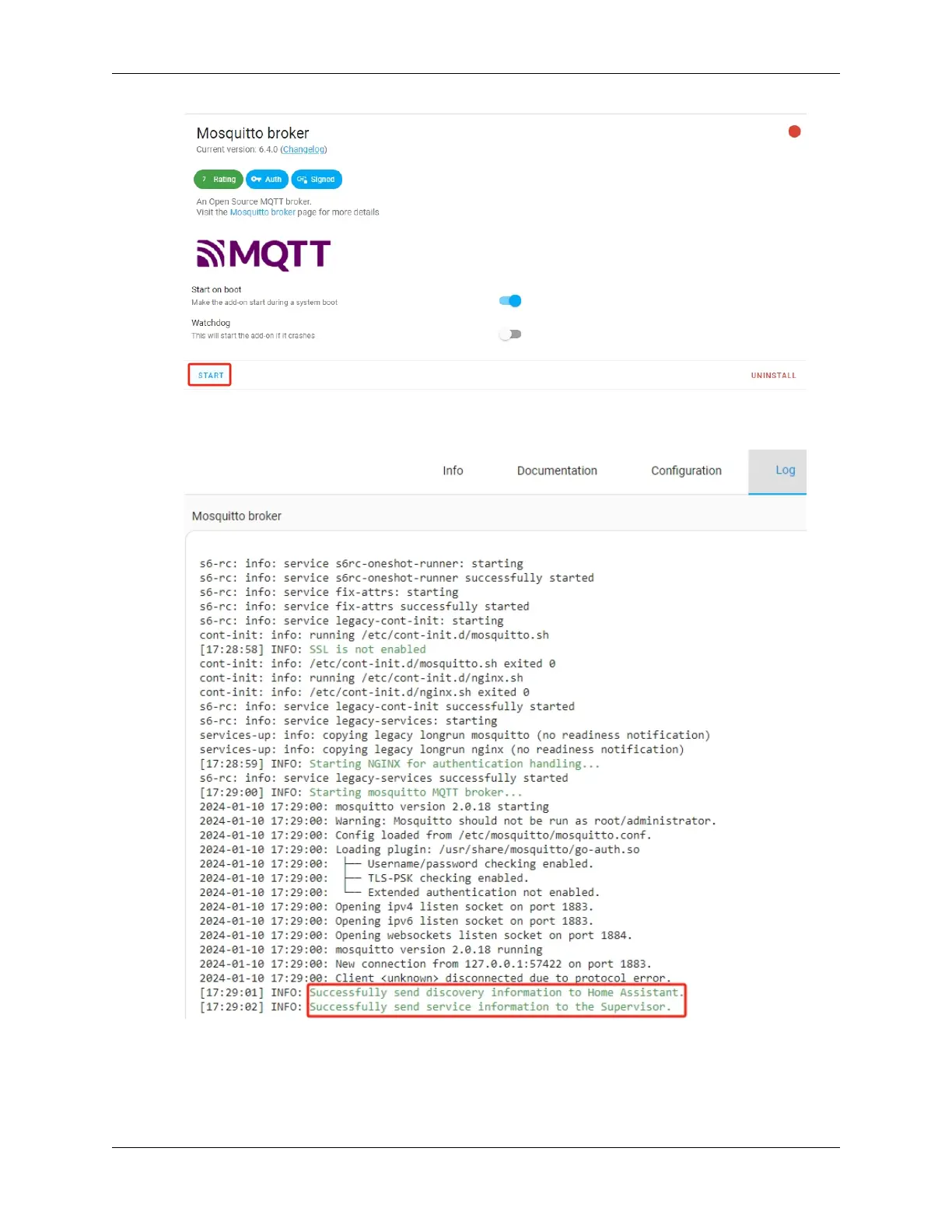
4. Wait for it to start up, then check the log tab for errors. Logs do not auto-refresh, so you need to manually refresh.
Successful startup logs should look like this:
2. Adding a Dedicated User for MQTT
Create a separate account specifically for MQTT access.
1. Click the Settings button, then select People.
90 Chapter 7. Home Assistant(Pi 4)


 To Next Page