80
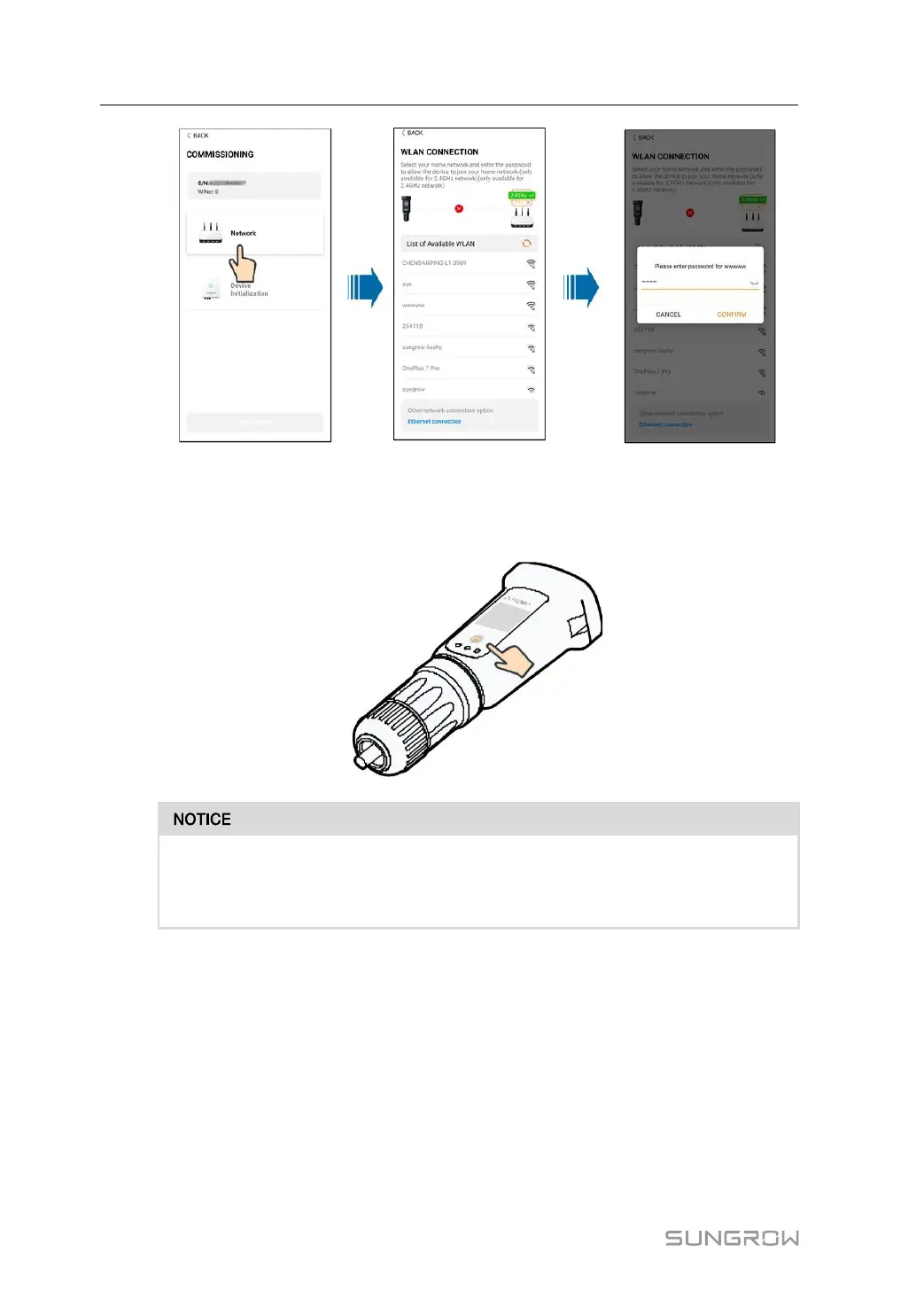
step 8 Enter the Activate EasyConnect interface, and press the multi-function button on the
WiNet-S/WiNet-S2 to enable the Easyconnect mode according to the prompt on the screen.
The App automatically enters a waiting processing interface if this mode is enabled, and au-
tomatically returns to the commissioning interface after the processing is completed.
Only the 2.4 GHz working band is supported under the networking mode.
If the Easyconnect fails, please refer to other methods in the WiNet-S/WiNet-S2
manual to establish the connection.
step 9 Tap Device Initialization to go to the Device initialization interface. Set the initialization
protection parameters as needed and tap Settings to return to the commissioning interface.
6 Commissioning User Manual



 To Next Page