___________________________________________________________________________________
18
Windows Driver Installation
Please refer to following instructions to install the driver for the first time under
Windows operation system. You will need to plug the board in an available PCI
or PCI-X slot first, before installing the driver.
(1) After the board is physically installed and the PC boots up, system will detect
the PCI Serial card and prompt for driver installation wizard, please choose
cancel.
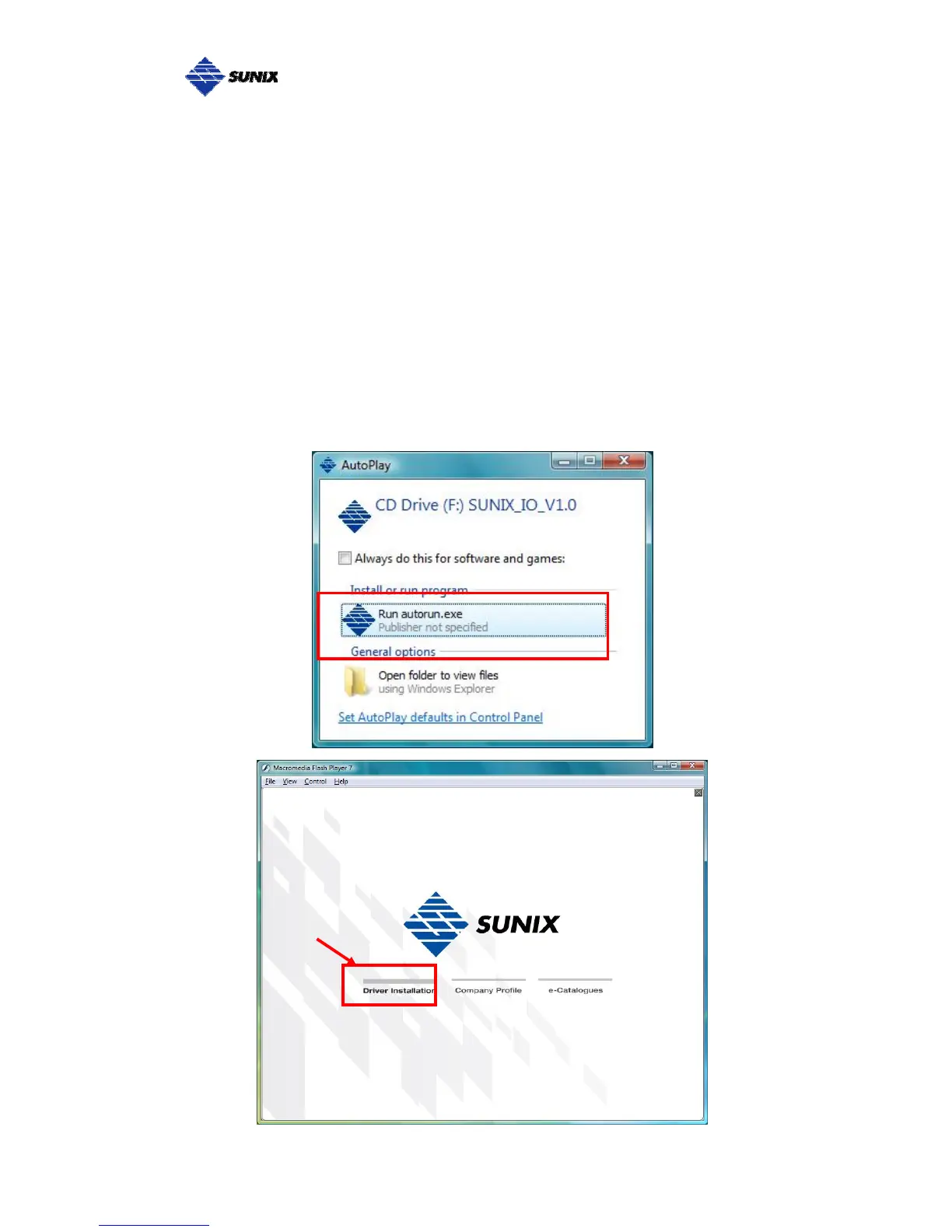
(2) Put CD driver bound with product in your CD / DVD ROM drive.
Please select autorun.exe., then select “Driver Installation”.



 To Next Page