Chapter 4 Hardware Manager Detection
4.1 Test preparation: SIM card, charger/cable, NFC card, etc.
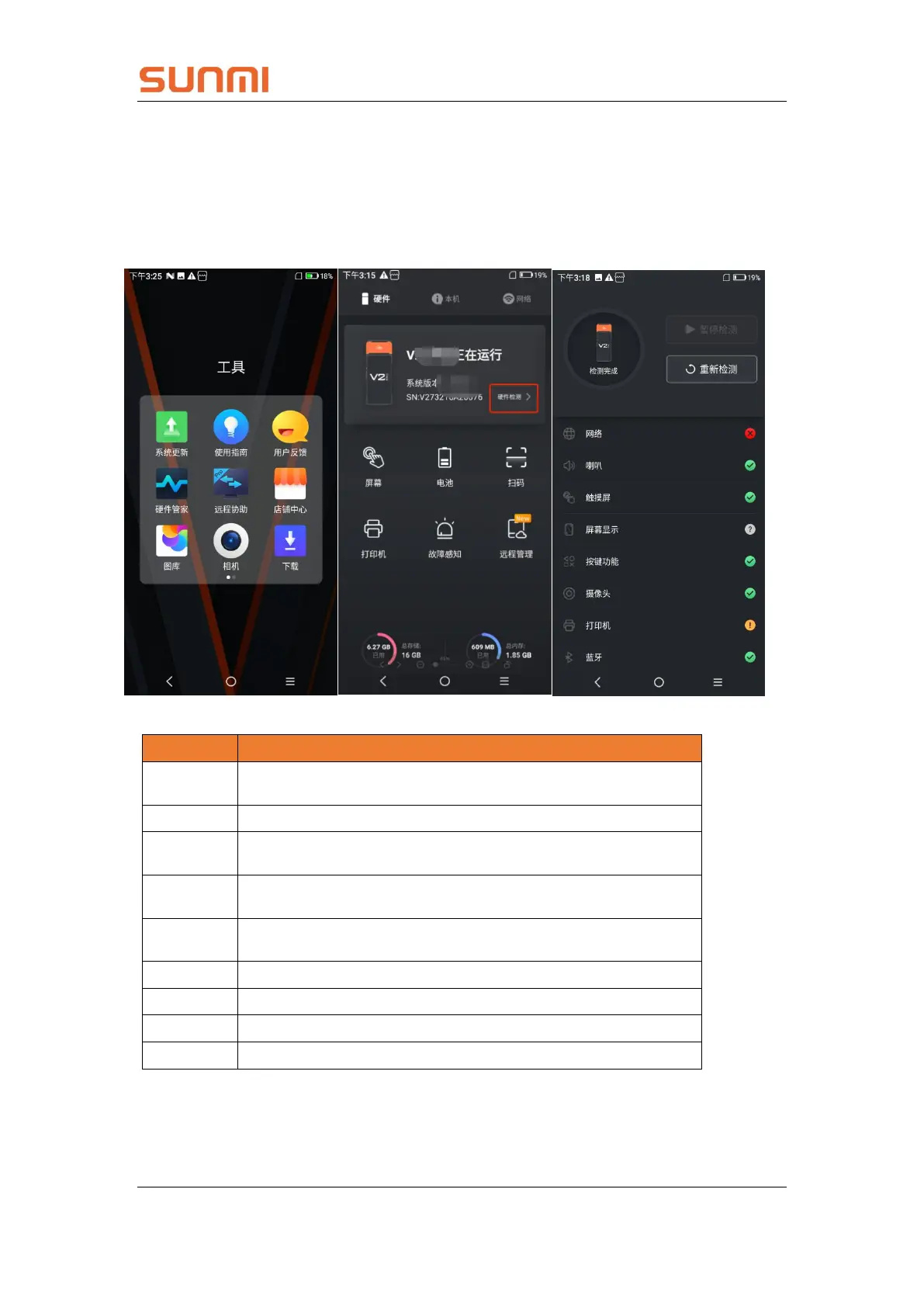
4.2 Click the Hardware Manager Application--Hardware Detection on the system desktop to perform active
hardware detection and confirm the hardware function.
Mainly tests network status, can connect wifi and SIM card for
testing
Automatically detect speaker function
Perform a line drawing test to check whether the screen touch is
normal
The screen switches in turns to check whether the screen has dead
pixels, color aberration, line phenomena, etc.
Test the main key functions of the machine
Detect camera scanning, flash and other functions
Check printer printing function
Automatically detect Bluetooth functionality
Automatically detect GPS function



 To Next Page