10
We value your experience using Sunny Health and Fitness products. For assistance with parts or
troubleshooting, please contact us at support@sunnyhealthfitness.com or 1-877-90SUNNY
(877-907-8669).
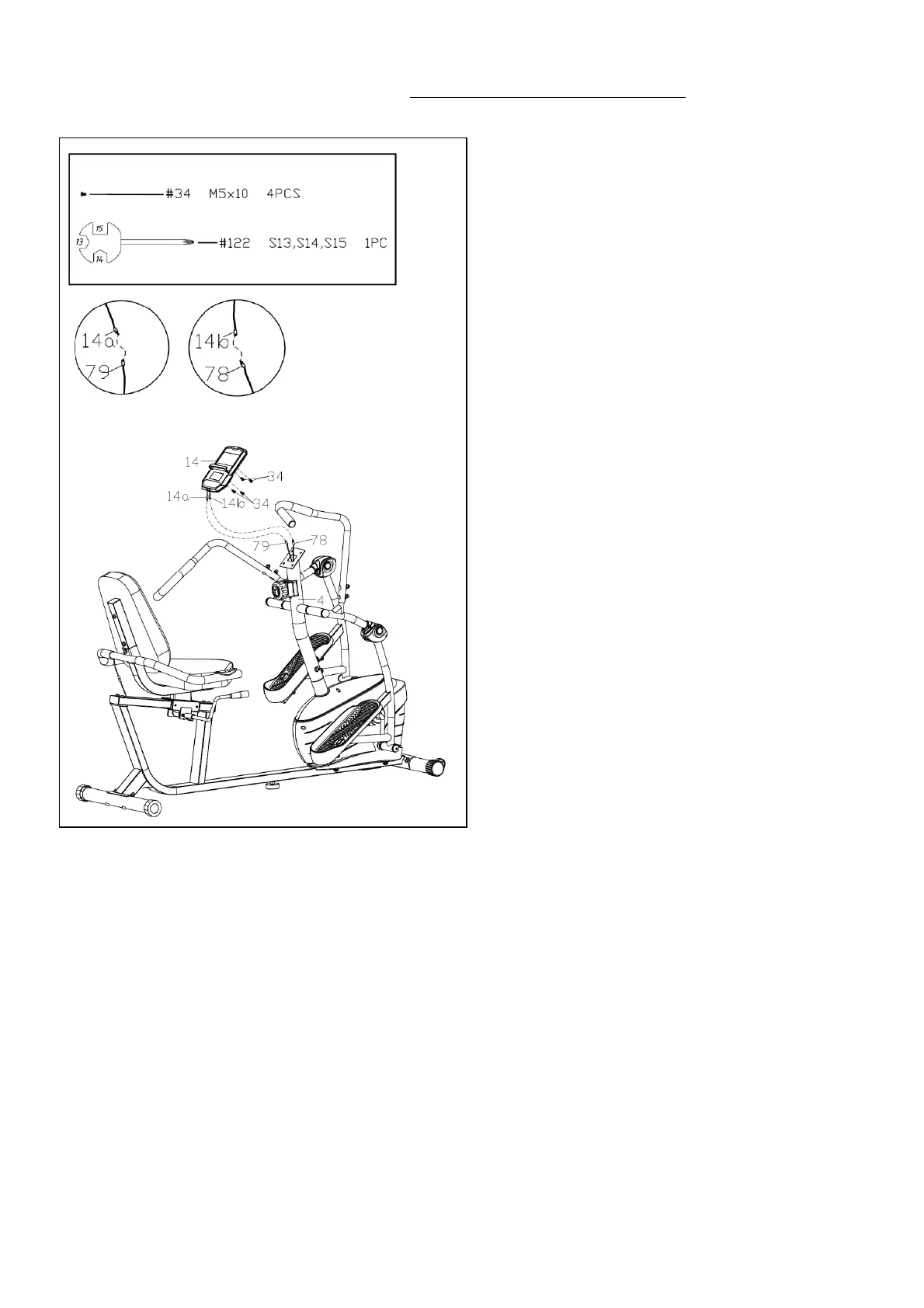
STEP 8
Remove 4 Screws (No. 34) from the Meter
(No. 14) with Spanner (No. 122).
Connect the Pulse Extension Wire 2 (No.
79) with Meter Wire A (No. 14a), and
connect the Sensor Extension Wire 2 (No.
78) with Meter Wire B (No. 14b).
Attach the Meter (No. 14) to the bracket of
the Handlebar Post (No. 4) with 4 Screws
(No. 34) that were just removed using
Spanner (No. 122).
The assembly is complete!



 To Next Page