10
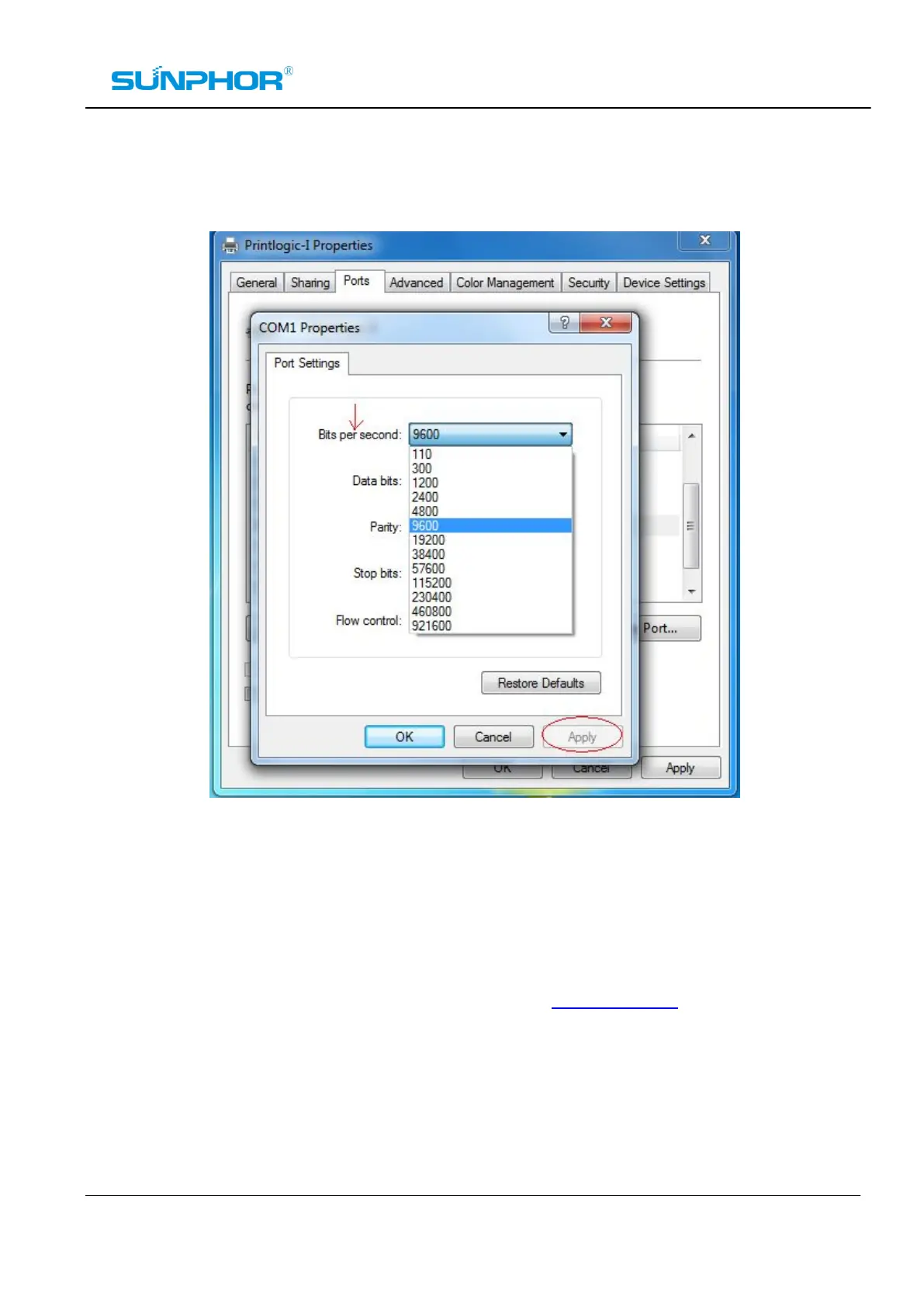
3. Set the baud rate to fit the printer, then click on “Apply”.
Configuration Program “Iprinter.exe”
The basic parameters of printer could be changed by running the configuration program ”Iprinter.exe” on
the driver CD-ROM. You also can download it from our website: www.sunphor.com.
Ø SET OR CHANGE PINTING LOGO;
Ø SET OR CHANGE LANGUAGE CODE PAGE;
Ø SET OR CHANGE PRINTER’S BAUD RATE;
Ø SET REPEAT MODE;
Note: Before running this program, make sure you have correctly connected the printer.



 To Next Page