12
1. Set or Change Printing Logo
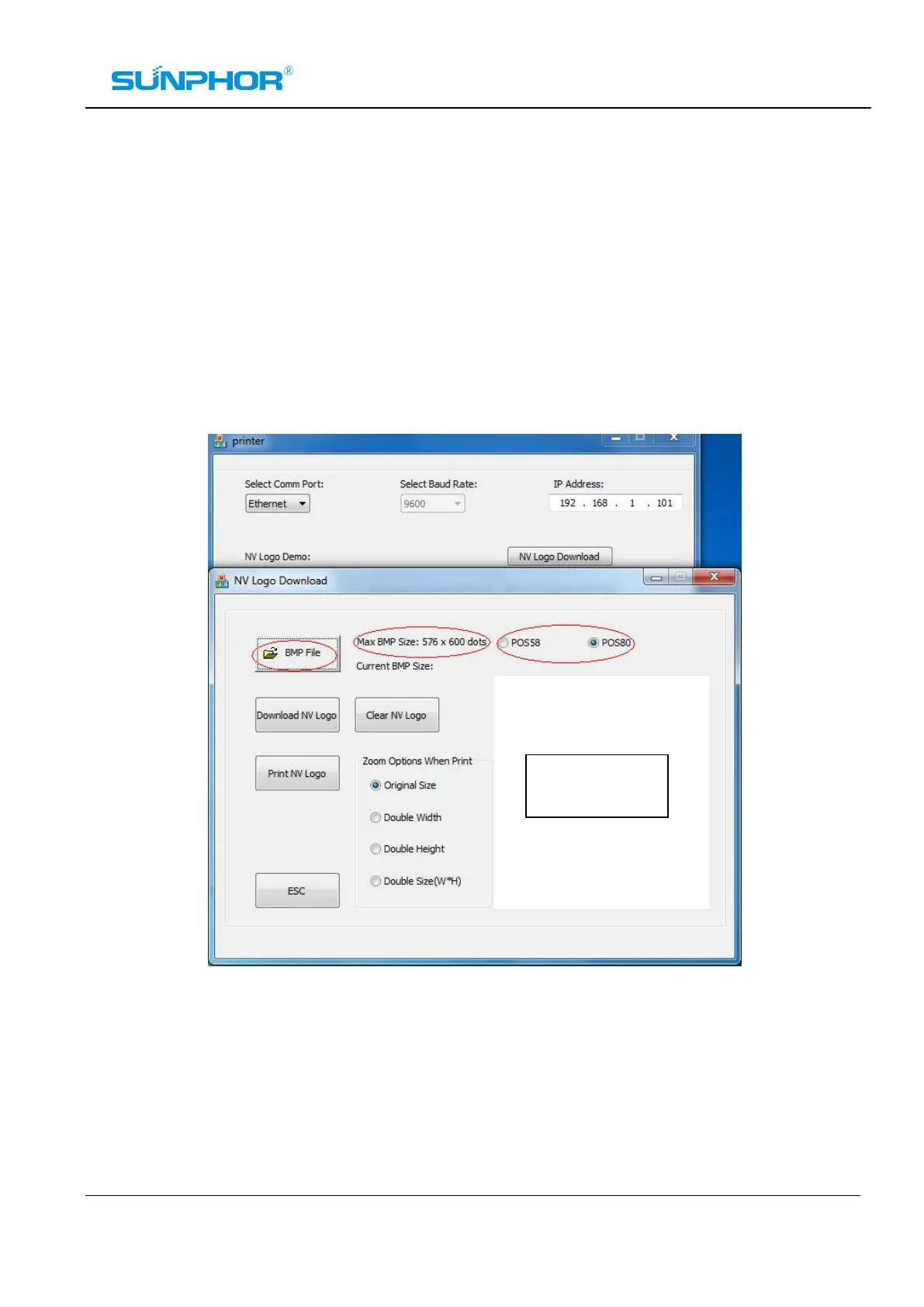
² Click “NV Logo Download” button to open the logo download panel, select the correct printer series.
Make sure the logo file is BMP format and the size is not over 576*600 dots. when the logo file has
been loaded successfully, it will be showed on the logo window.
Note: More than one logo file can be saved on the printer’s flash memory at the same time, and if
necessary, you can move them out by running “Clear NV Logo” function. See the picture as below:
Logo Window



 To Next Page