17
For example, the computer (or POS host) IP is 192.168.1.108, the gateway is 192.168.1 the printer IP is
192.168.123.100. See the following steps for your reference.
1. Build a simple connection with printer and computer.
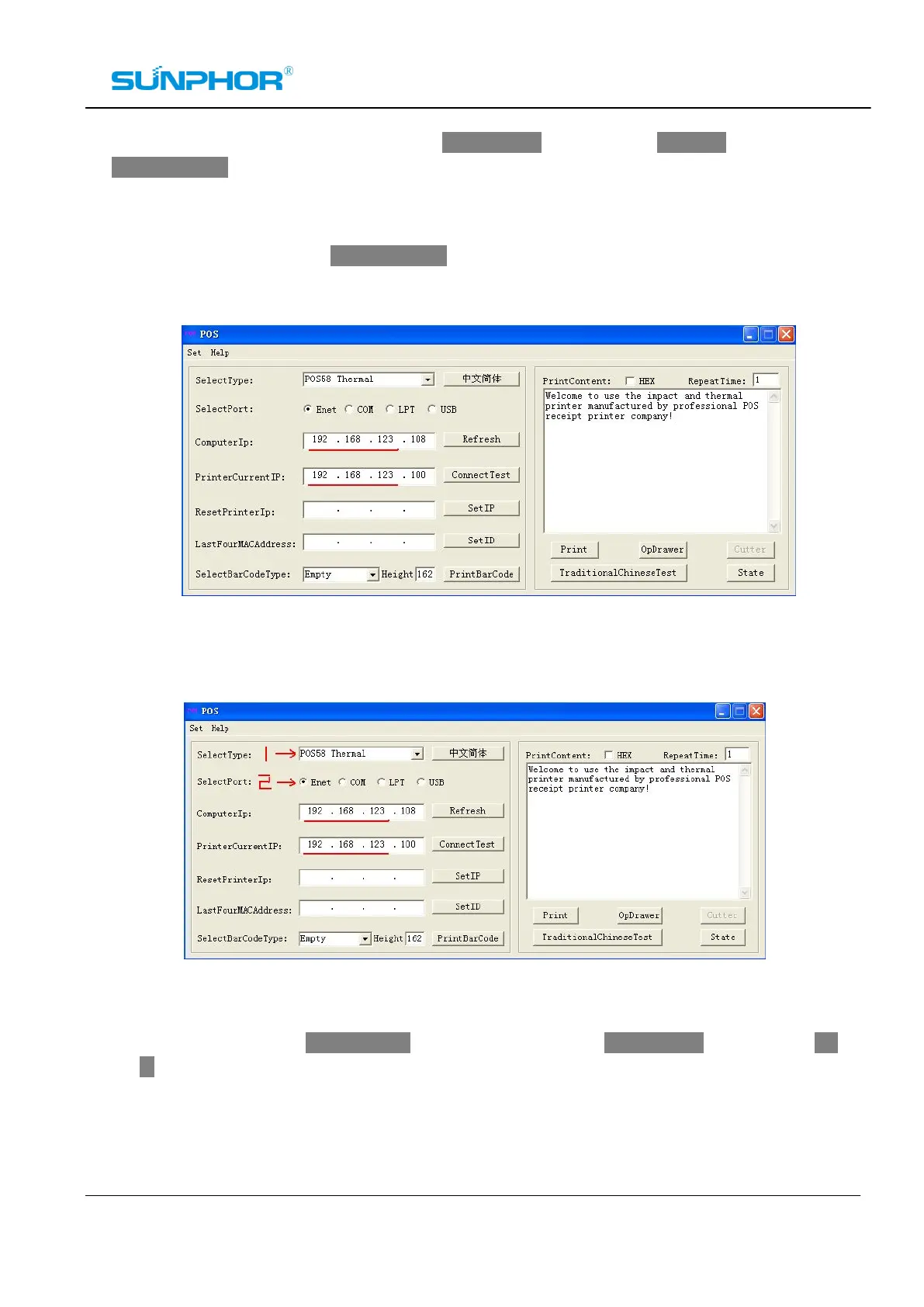
2. Change the computer IP to 192.168.123.108. Running the IP configuration program “Printer.exe”, you
can see the current IP information on the program window as below:
3. Select the current printer type, and ”Enet” Port. You can check the communication status by clicking
“Connect Test”. See the following picture:
4. Input a new IP address 192.168.1.XXX as you want, For example: 192.168.1.205. Then click the Set
IP button. (Note: XXX must be a number between 0 to 255, not including 0 and 255). See the
picture as below:



 To Next Page