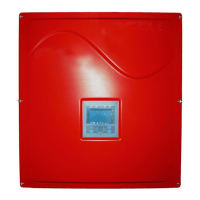
SunPower Solar Monitor Owner’s Guide
2 975-0294-01-01
Features
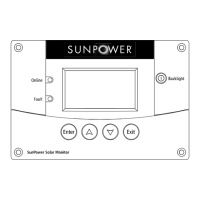
Figure 1
SunPower Solar Monitor Front Panel
Feature Description
1 Enter button displays the Setup Menu or selects an adjustable
setting.
2 Up arrow button displays the previous screen or changes an
adjustable setting.
3 Down arrow button displays the next screen or changes an adjustable
setting.
4 Exit button returns you to the previous screen after viewing inverter
status or the Setup Menu.
5 Fault light indicates a condition that requires your attention. The fault
light also comes on during periods when the inverter is not producing
power. See “Fault Messages and Descriptions” on page 22.
6 Online light indicates there is sufficient energy from the PV array and
the inverter is producing power.
7 Screen shows system information and menus.
8 Backlight button illuminates the screen when pressed.
1234
6
5
8
7
SunPower-Wired-Remote.book Page 2 Friday, July 7, 2006 5:09 PM


 To Next Page
 Loading...