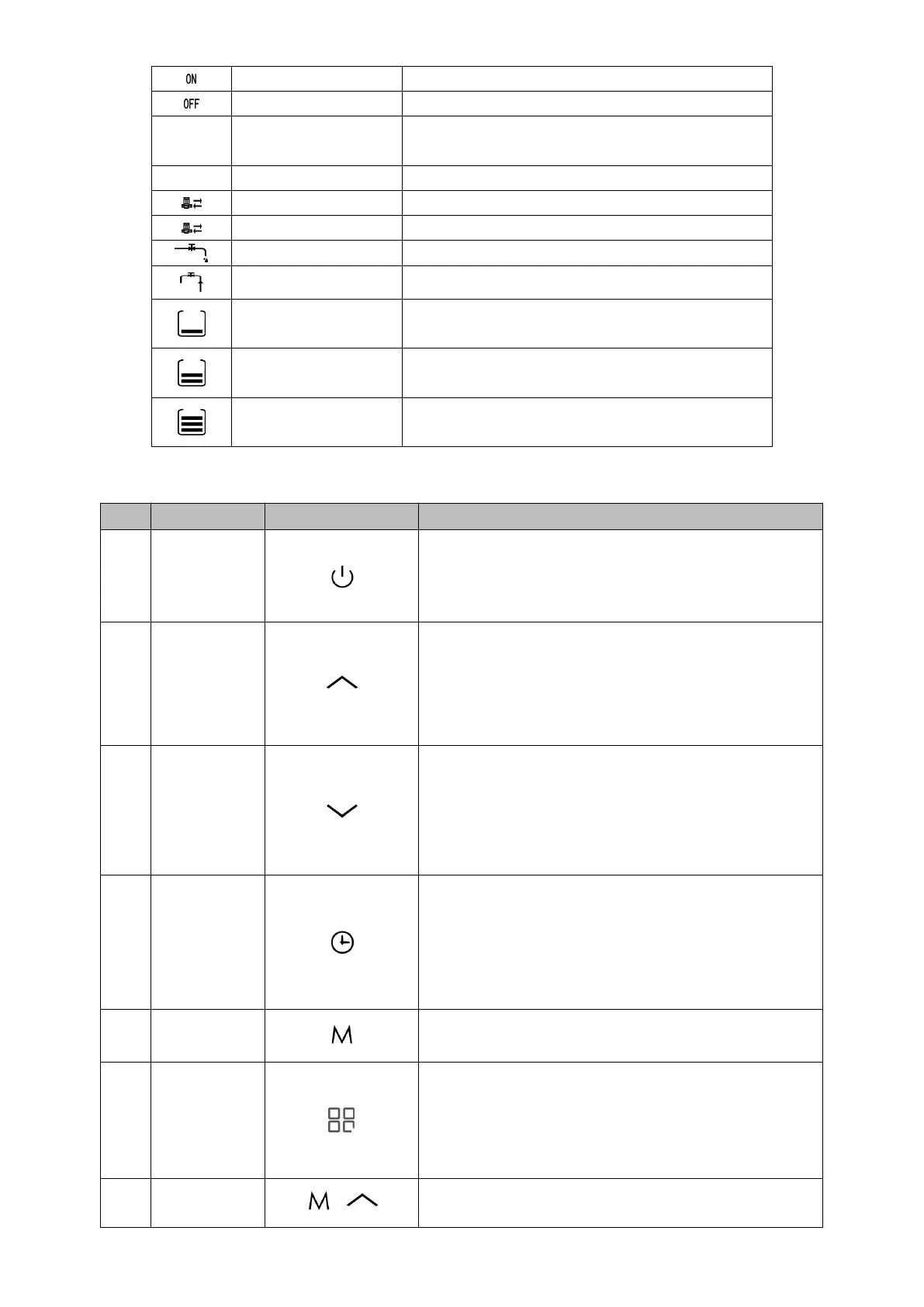
Display water temperature, temperature setting
value, error code
Turn on circulation pump by manual
Water feeding valve is ON
Button description
1.Press the button for 1 second, turn on/off the heat
pump
2.Exit the status query
3.Exit setting status
1.Set the water temperature
2.Press the button for 3 seconds, enter into query
interface
3.In query status, page up
4.Set the parameter value
1. Set the water temperature
2. Press the button for 3 seconds, enter into
maintenance status
3. In maintenance status, page down
4. Set the parameter value
1. In the main interface, press the button enter into
time setting, press again, switch to hour or minute
setting.
2. In the main interface, press the button for 3
seconds,
Enable the timer (in the meantime enter into timer
setting interface) or turn off the timer.
1. In the main interface, press the button for 5
seconds enter into parameter setting interface.
1.When heat pump is OFF, and the current model is
heating&cooling heat pump, then press the button
can switch the operation mode between heating
and cooling
2.In the main interface, press the button for 3
seconds,query the on-line models and set the
operation mode.
When heat pump is ON, press these two buttons for 3
seconds, turn on/off the heating element forced


 To Next Page