Using preset codes
13
Manually setting preset codes
1. Find your device in the supplied list of preset
codes.
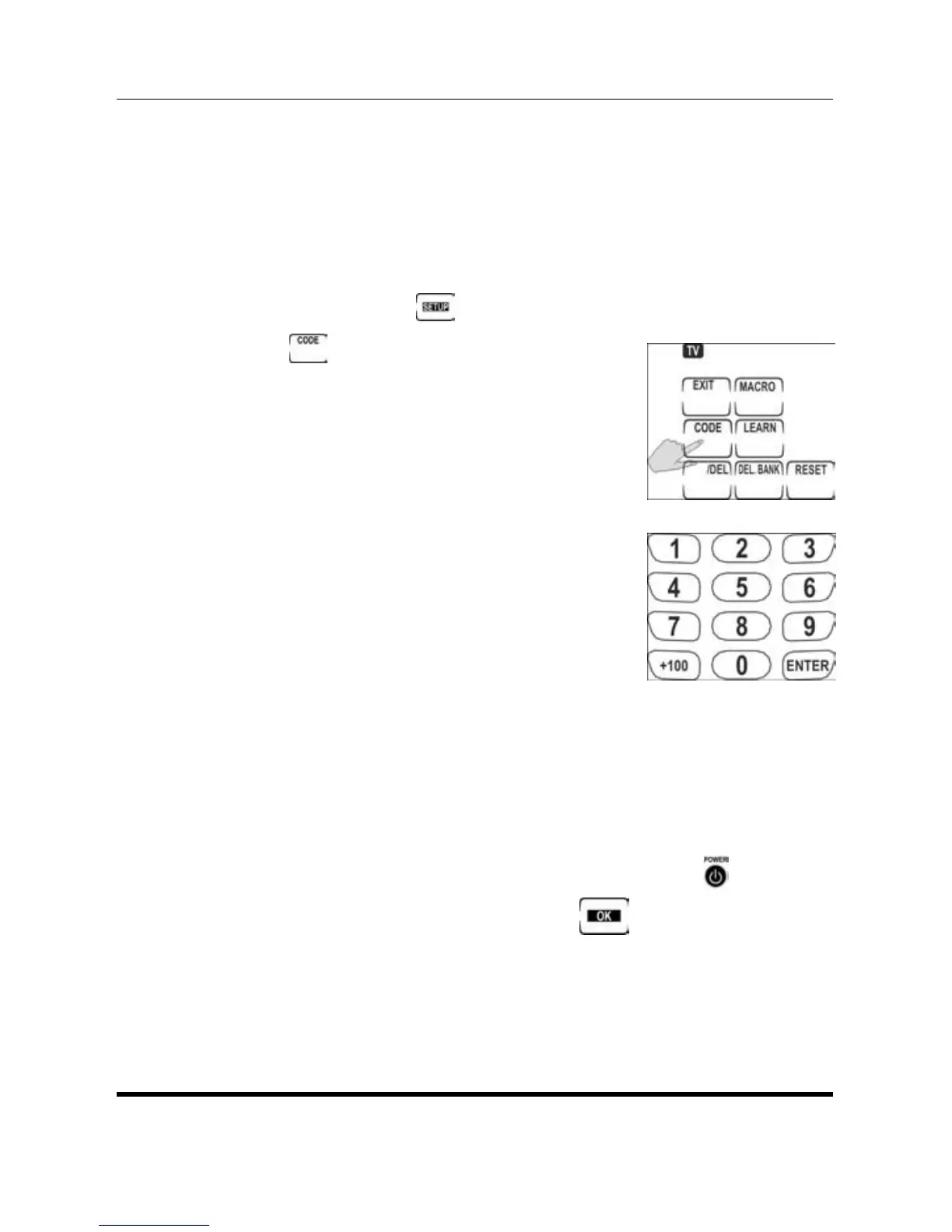
2. Press and hold
to enter setup.
3. Press
.
4. Find the digit code number
from the pre-programmed
code list.
5. Use the number buttons to
enter the four digit code.
(Refer to the pre-programmed
code list table.)After you enter
the last digit, a double beep
sounds, confirming the code
has been input. If the number isn’t in the code
data base, the SRC-1600 will beep three times
continuously. Please try another number.
6. Check you have entered the correct code by
pressing Volume +/–, Channel +/– or
.
7. If the code is correct, press
to confirm
and exit. If the code is not correct, repeat
step 4. See Checking the code number on
page 14


 To Next Page