20
Macro Function
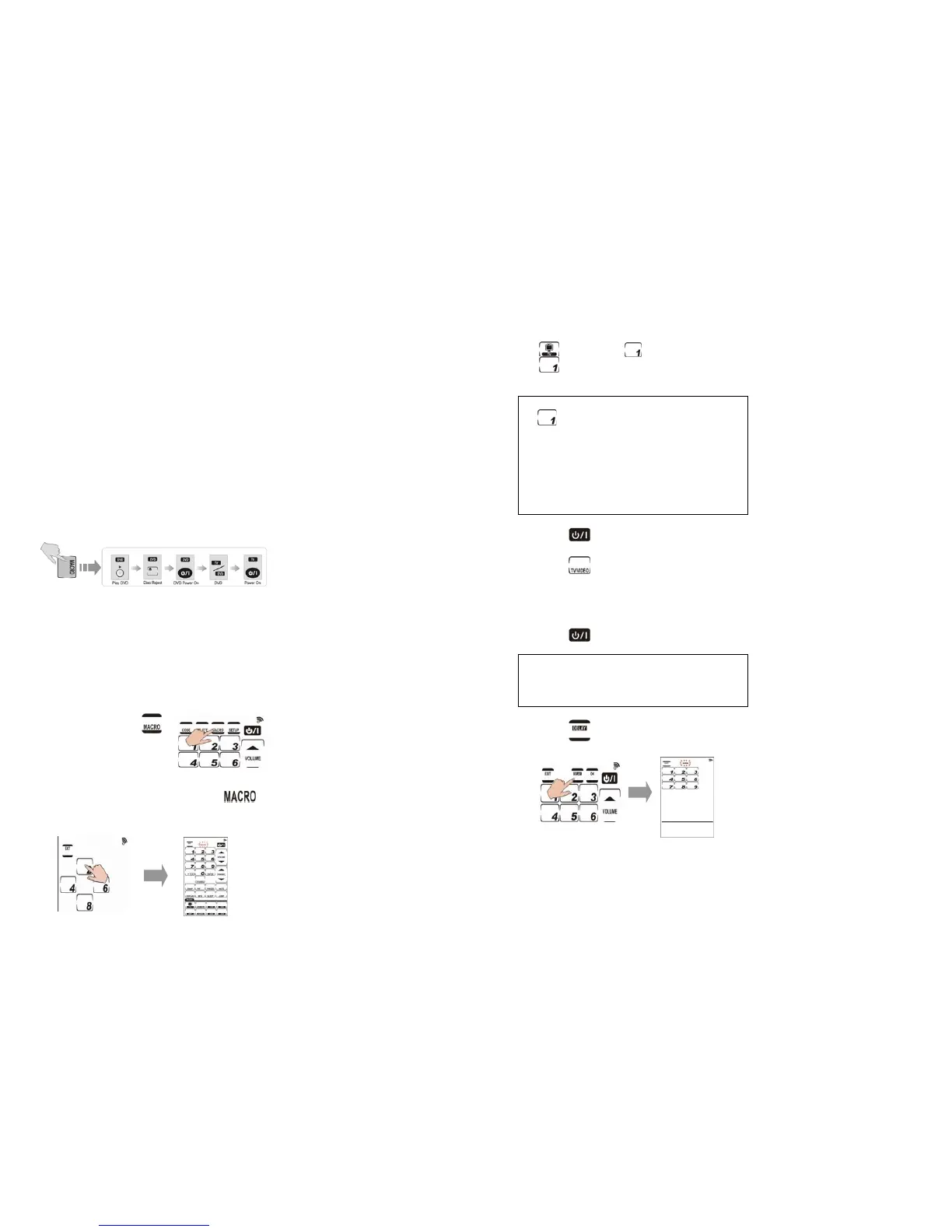
A macro is simply a series of commands.
MACRO enables you to initiate a sequence
of up to 60 commands with a single button.
You can create a macro on any key and
insert time delays into the sequence.
Remember, however, assigning a macro that
will eliminate the button’s original function.
1. Creating a Macro
The following example will help you better
understand creating a macro sequence. It
is provided to teach you how to record a
macro. It is by no means the only macro
sequence you can create. You can create
macros using any sequence of commands
you desire.
The following macro example will:
(1) Turn the TV on.
(2) Switch the TV to video mode.
(3) Turn the DVD player on.
(4) Create a five seconds delay.
(5) Play a DVD.
Set up the example macro using the
following steps:
1-1. Press and hold
for four seconds to
enter the password
mode.
1-2. Press each number button (2, 4, 6, 8) in
any order until they disappear.
begins flashing.
21
1-3. Select a device screen. For this
example, we have chosen TV so press
. Then, press (for this example).
will be used to start the macro in
the normal operation mode.
Note:
•
will no longer perform its original
function.
• If you select a key that already has a
macro stored in it, the new macro will
replace the old macro.
• Do not use any DEVICE KEY to run your
macro.
1-4. Press
to turn on the TV
1-5. Press
to switch to Video mode so
that you can watch the DVD.
1-6. Select DVD device screen.
1-7. Press
to turn on the DVD.
Note:
You may need to set a time delay
between turning on the DVD player and
playing a DVD.
1-8. Press
, and a number pad
appears.



 To Next Page