16
Using Delete Mode to Setup
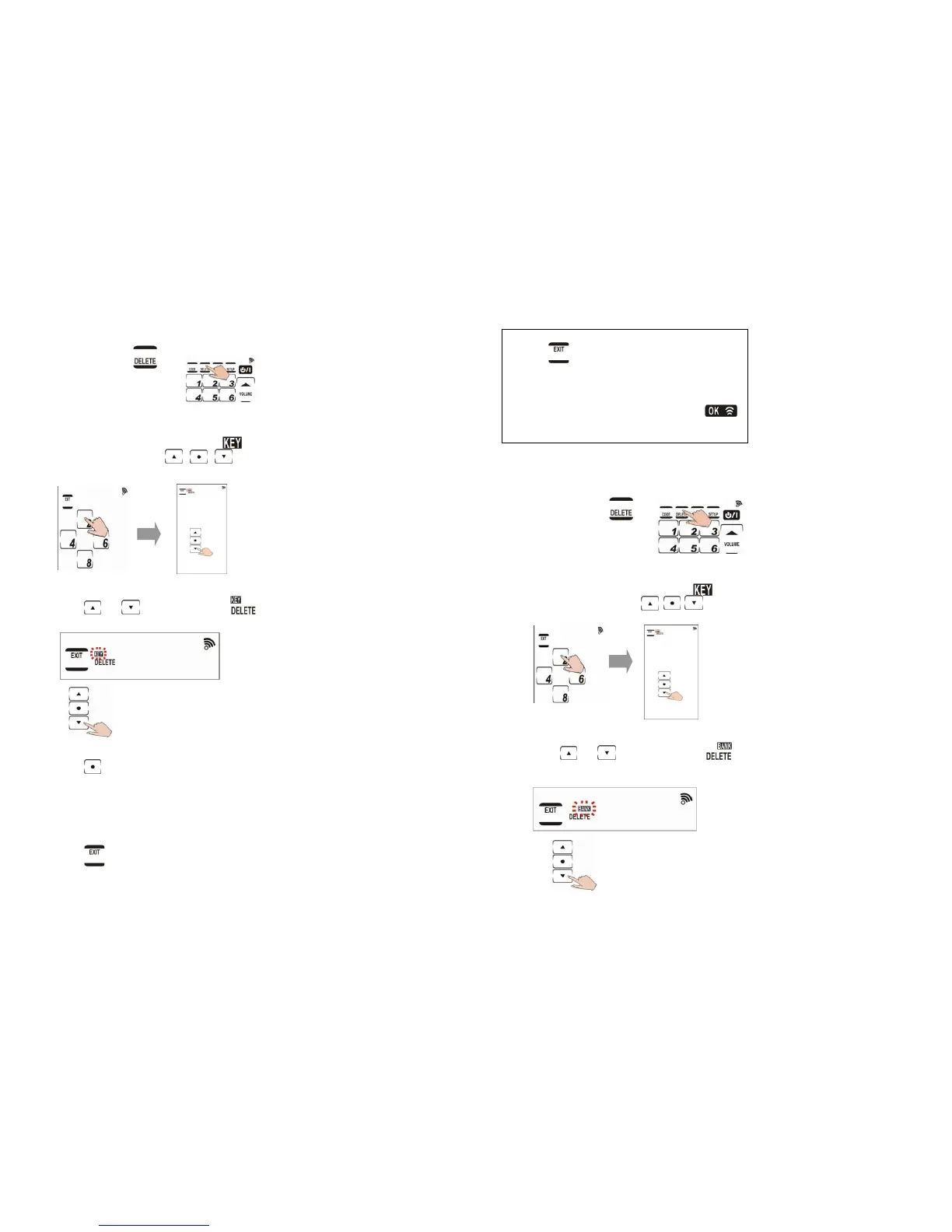
1. Deleting preset code for a key
1-1. Press and hold
for four seconds.
1-2. Press each number button (2, 4, 6, 8) in
any order until they disappear.
begins flashing and
,
,
appear on the screen.
1-3. Press or until you reach
and flashing concurrently.
1-4. Press
and that device’s remote
layout appears.
1-5. Press the desired key that you want to
delete. Delete each code setting by
pressing any key.
1-6. Press
to exit this mode.
17
Note:
• Press
at any time while customizing
the remote to exit delete mode.
• Device keys can also save codes. To
delete codes saved in the device keys,
press a device key for two seconds.
briefly appears at the top of the screen.
2. Deleting preset codes for an entire
device
2-1. Press and hold
for four seconds.
2-2. Press each number button (2, 4, 6, 8) in
any order until they disappear.
begins flashing and
appear on the screen.
2-3. Press or until you reach
and flashing concurrently.



 To Next Page