8
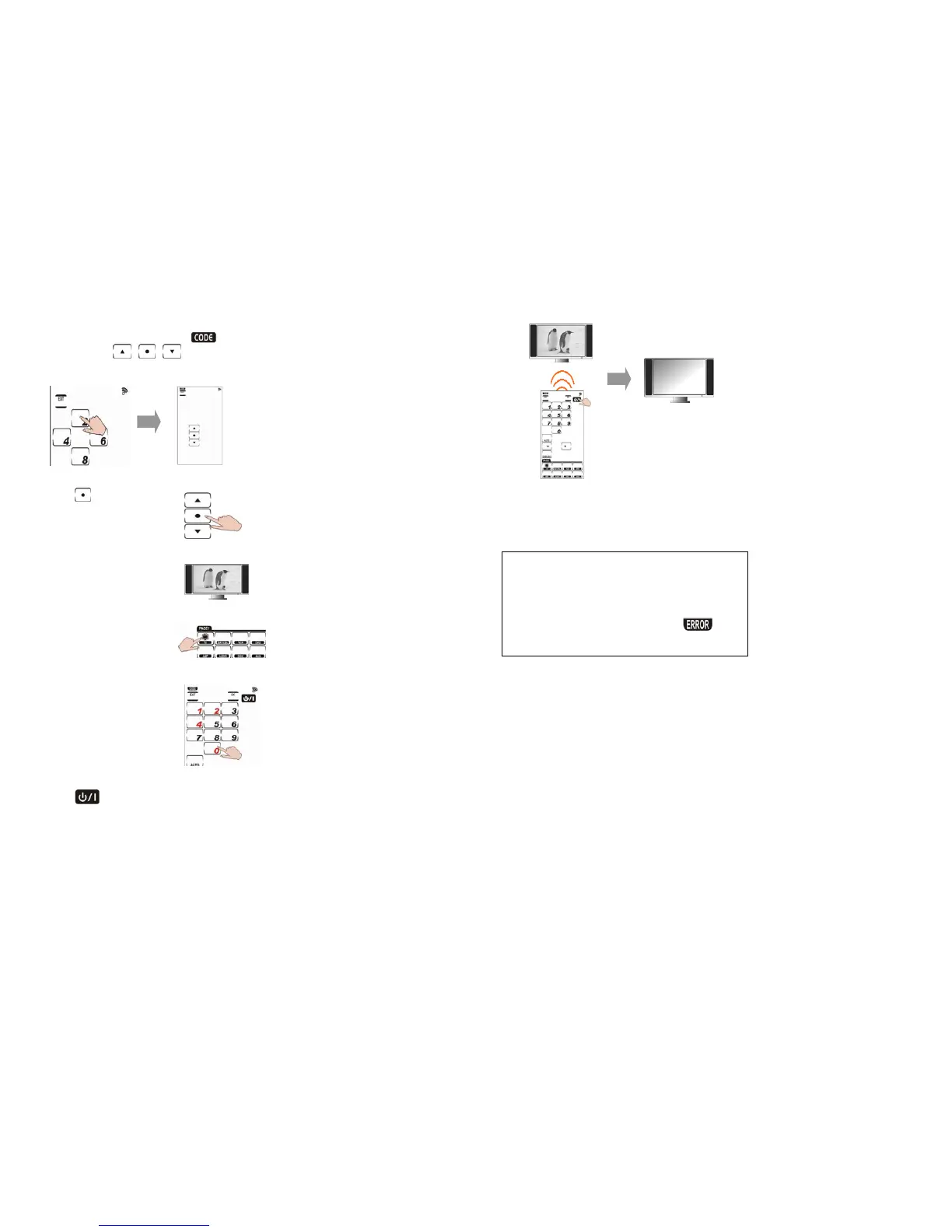
2. Press each number button (2, 4, 6, 8) in any
order until they disappear.
begins
flashing and
,
,
appear on the
screen.
3. Press
and the
device’s remote layout
appears.
4. Turn on the target
device (ex.TV)
5. Press the DEVICE KEY
you want to program.
6. Locate your target
device’s four-digit
code in
Preprogrammed Code
List and enter it.
(ex. 0124)
7. Press
to make sure if the code is
correct. TV will be turned off when the
code is correct.
9
8. If incorrect, please enter another code
number until you find the correct one.
Note:
• Some codes are designed to operate more
than one model. It may take several tries
to find the code that works with the unit.
• If you enter the manufacturer’s code from
Preprogrammed Code List and
appears on the screen, that code may not
exist in the manufacturer’s code table yet.



 To Next Page