9 / 15
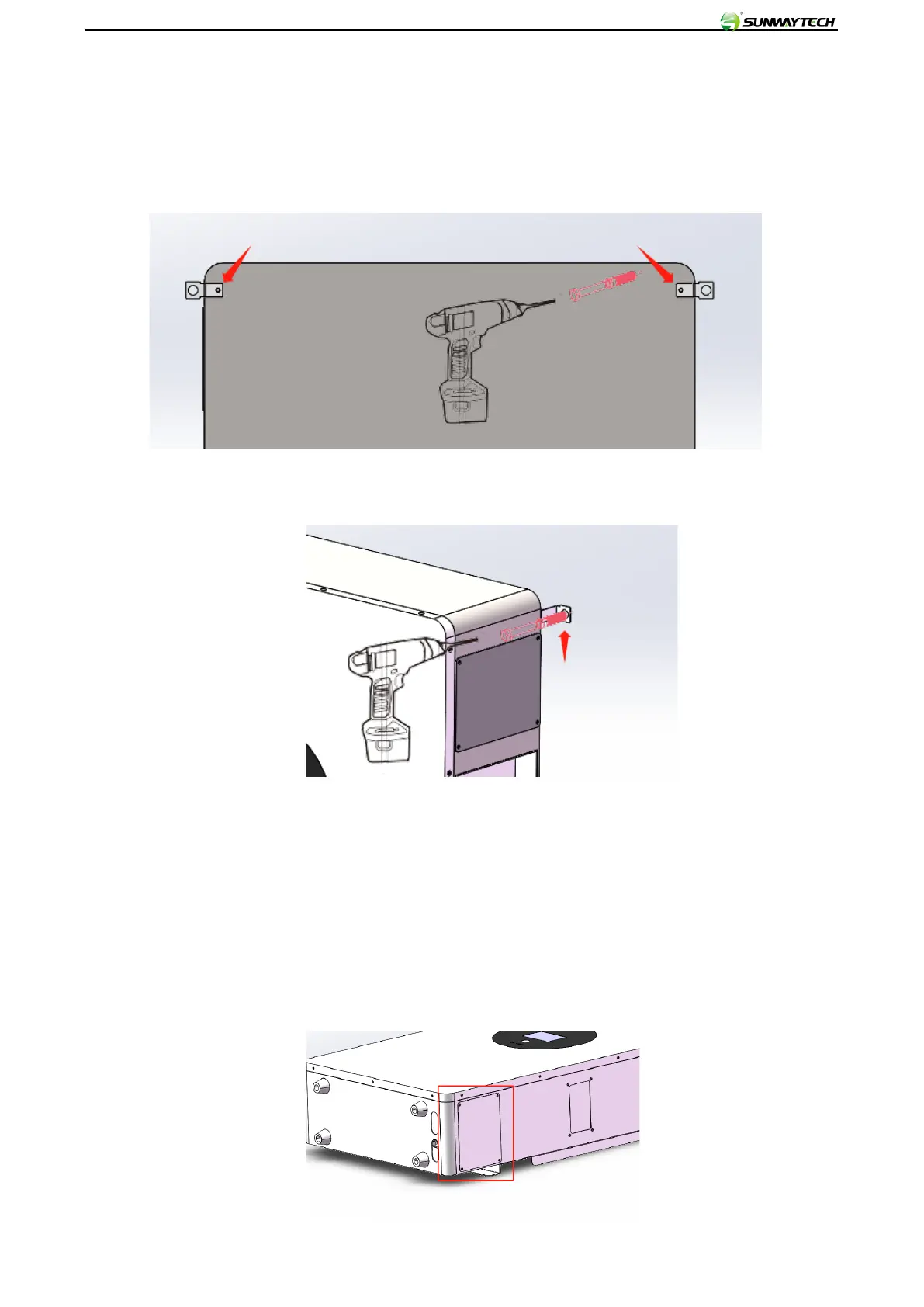
5.4 Floor Standing Installation(10kwh)
1. Floor-standing type: Support the lithium battery pack equipment on the ground through the lower 4 feet;
install the battery shell and wall handle to prevent it from falling forward; install the handle (both sides): first
tighten the M4*6 flat head screws as shown in the figure Display direction is fixed:
2. Use expansion screws to fix it to the wall:
6. Wiring operation guide:
6.1 Power Cable connection:
Use a cross screwdriver to remove the protective cover of the battery wiring compartment. The 5KWh
protective cover is located on the lower right side of the housing (marked by the red line), and the 10KWh
protective cover is located on the upper right side of the case. Then pass the wire harness through the
protective coil at the bottom of the battery and lock it. on the corresponding terminal. See below



 To Next Page