EasyManua.ls Logo

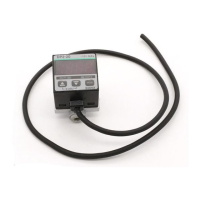
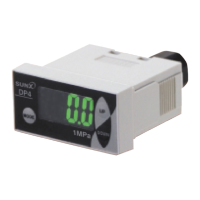
Sunx DP-100 Series - User Manual

Sunx DP-100 Series
5 pages
Print Icon
To Next Page IconTo Next Page
Loading...
INSTRUCTION MANUAL
DP-100 Series
High-performance Digital Display
Pressure Sensor
WARNING
Thank you very much for using SUNX products. Please read this
Instruction Manual carefully and thoroughly for the correct and optimum
use of this product. Kindly keep this manual in a convenient place for quick
reference.
٨
٨
٨
Never use this product as a sensing device for personnel protection.
In case of using sensing devices for personnel protection, use products
which meet laws and standards, such as OSHA, ANSI or IEC etc., for
personnel protection applicable in each region or country.
Japanese Measurement Laws prohibit the use of this product in Japan.
NAMES OF EACH PART
1
Connection
connector
DP-100
type: R
1
8
+ M5 female screw
DP-100-E
type: G
1
8
+ M5 female screw
DP-100-N
type:
NPT
1
8
+ M5 female screw
Pressure port
DP-100
Main display
Sub-display
Setting value
DOWN key
Setting value UP key
٨ When connecting a commercial coupler to the pressure port, attach a
12mm spanner (14mm for DP-100-E type) to the pressure port's hexa-
gon section to fix the port, and then tighten with a tightening torque of
9.8Nm or less. The commercial coupler or pressure port section will be
damaged if the tightening torque is excessive.
Wrap sealing tape around the coupler when connecting to prevent leaks.
PIPING
2
Standard type:
Lights up when compa-
rative
output 2 is ON
High-function type:
Lights up when analog
voltage output is set
Output 2 / analog
voltage output oper-
ation indicator
Lights up when compa-
rative output 1 is ON
Output 1 operation
indicator
Mode selection key
MJE-DP100 No.6091-00
12mm spanner
MOUNTING
3
٨ The sensor mounting bracket (MS-DP1-1) is available as an option.
When mounting the sensor onto the sensor mounting bracket, etc., the
tightening torque should be 1.2Nm or less.
Sensor mounting bracket
MS-DP1-1 (Optional)
M3 (length 6mm) screws
with washers
(Accessory with MS-DP1-1)
٨ The panel mounting bracket MS-DP1-2 (optional) and front cover
MS-DP1-3 (optional) are also available as options.
Front cover
MS-DP1-3 (Optional)
31
31
(Unit: mm)
Panel cut-out size
Panel mounting bracket
MS-DP1-2 (Optional)
M3 (length 12mm) pan head
screw
(Accessory with MS-DP1-2)
For use outside Japan
Connection method
Disconnection method
Note: Do not pull by holding the cable without pressing the release lever, as this can
cause cable break.
٨
Insert the cable with connector CN-14A-Cغ
into this product's connection connector
section as shown in the right figure.
٨ Pressing the release lever of the cable
with connector, pull out thecable.
WIRING
4
Cable with connector
CN-14A-Cغ
Release lever
Ԙԙ Ԛԛ
<Connection connector pin arrangement>
Connector pin No.
Terminal name
+VԘ
Comparative output 1ԙ
Standard type: Comparative output 2
High-function type: Analog voltage output or external input
Ԛ
0Vԛ
<Recommended product>
Contact: SPHD-001T-P0.5
Housing: PAP-04V-S
[JST Mfg. Co., Ltd.]
Standard type
Users' circuitInternal circuit
+
_
12 to 24V DC
±10%
(Black)
Comparative output 1
Main circuit
(White) Comparative output 2
(Blue) 0V
100mA max.
100mA max.
Load
Load
Main circuit
High-function type
Users' circuitInternal circuit
+
_
12 to 24V DC
±10%
(White)
Analog voltage output
or external input
(Black) Comparative output 1
(Blue) 0V
100mA max.
5V
1kΩ
Load
PNP output type
Standard type
Main circuit
Users' circuitInternal circuit
+
_
12 to 24V DC
±10%
(Black) Comparative output 1
(White) Comparative output 2
(Blue) 0V
100mA max.
100mA max.
Load
Load
NPN output type
When using the analog voltage output, take care to the input impedance of
the connected device.
Furthermore, note that if the cable is extended, the cable resistance will
cause the voltage to drop.
I/O CIRCUIT DIAGRAMS
5
High-function type
Main circuit
(Black) Comparative output 1
Users' circuitInternal circuit
+
_
12 to 24V DC
±10%
(Blue) 0V
(White)
Analog voltage output
or external input
1kΩ
100mA max.
Load
(Brown)V
Color code of cable with connector
(Brown)V
Color code of cable with connector
(Brown)V
Color code of cable with connector
(Brown)V
Color code of cable with connector

Other manuals for Sunx DP-100 Series

Question and Answer IconNeed help?

Do you have a question about the Sunx DP-100 Series and is the answer not in the manual?

Summary

Safety Warnings

Names of Each Part

Wiring and Connections

Connection Method

Details on how to insert the cable connector into the product's connection port.

Disconnection Method

Instructions for safely disconnecting the cable connector by pressing the release lever.

I;O Circuit Diagrams

Run Mode Operation

Setting Threshold Values

Details on setting threshold values and their effect on the sub-display in RUN mode.

PRO Mode Settings

Setting Copy Function

Copies settings from a master sensor to a slave sensor.

Auto-Reference Function

Remote Zero-Adjustment Function

Error Indications

Main Specifications

Cautions and Warnings

Summary

Safety Warnings

Names of Each Part

Wiring and Connections

Connection Method

Details on how to insert the cable connector into the product's connection port.

Disconnection Method

Instructions for safely disconnecting the cable connector by pressing the release lever.

I;O Circuit Diagrams

Run Mode Operation

Setting Threshold Values

Details on setting threshold values and their effect on the sub-display in RUN mode.

PRO Mode Settings

Setting Copy Function

Copies settings from a master sensor to a slave sensor.

Auto-Reference Function

Remote Zero-Adjustment Function

Error Indications

Main Specifications

Cautions and Warnings

Overview

The SUNX DP-100 Series is a high-performance digital display pressure sensor designed for use outside Japan. This device offers a range of functionalities for precise pressure measurement and control, suitable for various industrial applications.

Function Description

The DP-100 Series functions as a pressure sensor with a digital display, providing real-time pressure readings and comparative output signals. It supports both standard and high-function types, offering flexibility in operation modes and output configurations.

Output Modes: The sensor features two main output modes:

  • EASY Mode: A simplified mode for basic comparative output operations.
  • Hysteresis Mode: Allows for setting hysteresis, where the output turns ON and OFF at different pressure thresholds.
  • Window Comparator Mode: Enables setting an upper and lower limit for pressure, with the output activating when the pressure is within or outside this window.

Comparative Outputs: The DP-100 provides two comparative outputs (Output 1 and Output 2) that can be configured independently. These outputs can be set to operate in N.O. (Normally Open) or N.C. (Normally Closed) modes.

Analog Voltage Output (High-Function Type): For high-function types, the sensor can output an analog voltage proportional to the measured pressure. This allows for continuous pressure monitoring and integration with other analog systems.

Auto-Reference Function (High-Function Type): This function automatically adjusts the reference pressure, which is useful for applications where the atmospheric pressure or a reference pressure fluctuates. The sensor can track these changes and maintain accurate relative pressure measurements.

Remote Zero-Adjustment Function (High-Function Type): The remote zero-adjustment function allows for external adjustment of the zero point, enabling precise calibration without direct interaction with the sensor's interface. This is particularly useful for inaccessible installations or automated calibration processes.

Peak/Bottom Hold Function: The device can display the peak and bottom values of fluctuating pressure, providing insights into pressure variations over time.

Zero-Adjustment Function: A common zero-adjustment function is available to forcibly set the pressure to 'zero' when the pressure port is opened, ensuring accurate baseline measurements.

Important Technical Specifications

Pressure Range:

  • Standard Type (High-pressure): 100 to +100 kPa, 0 to +1.0 MPa, 0 to +1.0 kgf/cm², 0 to +145 psi.
  • Standard Type (Low-pressure): -100 to +100 kPa, -1.000 to +1.000 kgf/cm², -14.5 to +14.5 psi.
  • High-Function Type (High-pressure): 100 to +100 kPa, 0 to +1.0 MPa, 0 to +1.0 kgf/cm², 0 to +145 psi.
  • High-Function Type (Low-pressure): -100 to +100 kPa, -1.000 to +1.000 kgf/cm², -14.5 to +14.5 psi.

Rated Pressure Range:

  • Standard Type (High-pressure): 0 to +100 kPa, 0 to +1.0 MPa, 0 to +1.0 kgf/cm², 0 to +145 psi.
  • Standard Type (Low-pressure): -100 to +100 kPa, -1.000 to +1.000 kgf/cm², -14.5 to +14.5 psi.
  • High-Function Type (High-pressure): 0 to +100 kPa, 0 to +1.0 MPa, 0 to +1.0 kgf/cm², 0 to +145 psi.
  • High-Function Type (Low-pressure): -100 to +100 kPa, -1.000 to +1.000 kgf/cm², -14.5 to +14.5 psi.

Withstand Pressure:

  • High-pressure: 500 kPa, 1.5 MPa, 1.5 kgf/cm², 217 psi.
  • Low-pressure: 200 kPa, 2.040 kgf/cm², 29.0 psi.

Power Supply: 12 to 24V DC ±10%, Ripple P-P 10% max.

Current Consumption:

  • Standard Type: Normal operation: 40 mA or less (24V supply voltage), ECO mode (OFF): 35 mA or less (24V supply voltage), ECO mode (FULL): 400 mW or less (current consumption 20mA or less at 24V supply voltage).
  • High-Function Type: Normal operation: 45 mA or less (24V supply voltage), ECO mode (OFF): 40 mA or less (24V supply voltage), ECO mode (FULL): 450 mW or less (current consumption 20mA or less at 24V supply voltage).

Comparative Output:

  • NPN Open-collector Transistor: Max. 30V DC, 100mA, Residual voltage: 1V or less.
  • PNP Open-collector Transistor: Max. 30V DC, 100mA, Residual voltage: 1V or less.
  • Applied voltage: 30V DC or less.
  • Leakage current: 0.1 mA or less.
  • Output 1 and 2: 100mA max.

Analog Voltage Output (High-Function Type):

  • Output voltage: 1 to 5V (load resistance 1kΩ or more).
  • Linearity: Within ±1% F.S.
  • Repeatability: Within ±0.5% F.S.
  • Temperature characteristic: Within ±2% F.S.
  • Output impedance: 10kΩ approx.

Response Time: Selectable from 2.5ms to 5,000ms.

Ambient Temperature: -10 to +50°C (No dew condensation or icing allowed).

Ambient Humidity: 35 to 85% RH (No dew condensation allowed).

Temperature Characteristics: ±0.5% F.S.

Materials:

  • Case: PBT (with glass fiber).
  • LCD Display: Acrylic.
  • Pressure Port: Brass.

Cable: 0.2 mm² 4-core cabtyre cable, 2m long.

Accessories: CN-14A-C (Cable with a connector, 2m long) (Standard for 2 types), Unit switching label: 1 pc.

Usage Features

Easy-to-Read Display: The DP-100 features a main display for pressure values and a sub-display for additional information. The display color can be customized (red, green, or always red/green) for better visibility and status indication.

Intuitive Key Operations: The device is equipped with Setting Value DOWN, UP, and Mode Selection keys, allowing for straightforward navigation and parameter adjustment.

PRO Mode for Advanced Settings: A "PRO Mode" provides access to a comprehensive range of advanced settings, including detailed output configurations, display speeds, hysteresis fixed values, and ECO mode settings.

Menu Setting Mode: A "Menu Setting Mode" allows users to configure comparative output modes, analog voltage output/external input selections, N.O./N.C. selections, response time, display color, and unit selection.

Unit Selection: The pressure unit can be changed to MPa, kPa, kgf/cm², bar, psi, mmHg, or inchHg, catering to different regional and application requirements.

Key Lock Function: To prevent unintended changes to settings, a key lock function is available, disabling key operations until unlocked.

Mounting Options:

  • Sensor Mounting Bracket (MS-DP1-1): An optional bracket for secure mounting of the sensor.
  • Panel Mounting Bracket (MS-DP1-2): An optional bracket for flush panel mounting.
  • Front Cover (MS-DP1-3): An optional cover for protection and aesthetic integration into panels.

Piping: When connecting commercial couplers to the pressure port, a 12mm spanner (14mm for DP-100-E type) should be used to fix the port, and it should be tightened with a torque of 9.8N·m or less to prevent damage. Sealing tape should be wrapped around the coupler to prevent leaks.

Maintenance Features

Setting Copy Function: This feature allows users to copy settings from a master sensor to a slave sensor of the identical model. This simplifies the setup process for multiple devices, ensuring consistent configurations across installations.

Setting Check Code: Users can check the current setting contents using a code, which helps in verifying configurations and troubleshooting.

Reset Setting: The device can be reset to its default factory settings, providing a clean slate for new configurations or troubleshooting.

ECO Mode: The ECO mode helps in lowering current consumption by dimming or turning off the display when no key operation is performed for a certain period. This contributes to energy efficiency and extended device lifespan.

Error Indication: The device displays error codes (E-1 to E-6) for various issues such as load short-circuit, pressure over-range, or incorrect connection, aiding in quick diagnosis and troubleshooting.

Safety Precautions:

  • The DP-100 Series is designed for use with non-corrosive gas.
  • Do not use this product as a sensing device for personnel protection.
  • Ensure proper wiring and power supply voltage to prevent damage.
  • Avoid direct contact with water, oil, grease, or organic solvents.
  • Do not use the product in an environment with flammable or corrosive gases.
  • This product is a CE conformity product complying with EMC Directive.

Sunx DP-100 Series Specifications

General IconGeneral
BrandSunx
ModelDP-100 Series
CategoryAccessories
LanguageEnglish

Related product manuals