14
8
9
10
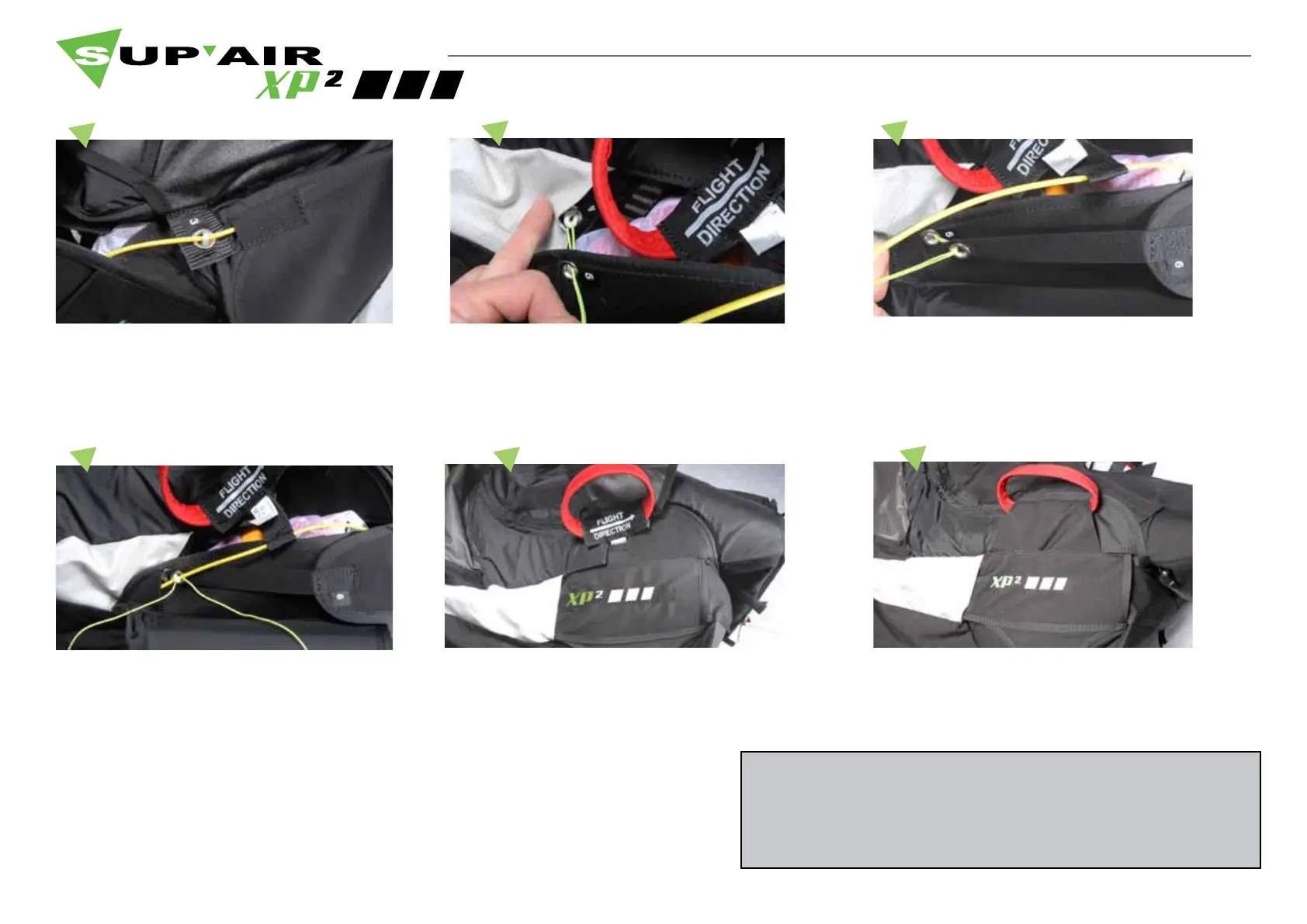
Push the handle’s yellow cable ( rear section ) through
the elasticated line and delicately remove the cord.
Close the Cordura aps over the cable and push them
through to the pocket’s top lid .
Fold the Cordura ap over the handle and insert it
underneath the handle’s ap to fasten it to the velcros.
Upon setup completion, conduct an extraction sequence
during a hang-test to verify that all works properly before
duplicating the installation procedure again...
5
6
7
Stow away the yellow cable’s end piece in its protective
sleeve.
Push the end of the cord through the elasticated loop
#4, then guide it through the grommets #5 and #6
Pull the cord to guide the elasticated line through the
grommets.



 To Next Page