CRUISE CONTROL-
OPTIONAL
When Cruise control is activated, the scooter automatically
maintains the stored speed.
To use cruise control:
You can operate cruise control at variable speed with pushing cruise
button “W” and the indicator “Y” will be light on.
To deactivate cruise control:
Briefly push cruise control button “W” or pull down the speed lever
“S” then release immediately.
● Use cruise control only if road and traffic conditions make it
appropriate to maintain a steady speed for prolonged period.
● Always pay attention to traffic conditions even when cruise control
is activated.
● Cruise control is only an aid designed to assist driving. You are
responsible for the scooter’s speed and for brake in good time.
Do not use cruise control:
● In traffic conditions which are not allowed you to drive at a
constant speed, e.g. heavy traffic, winding or bumpy roads,
where may cause an accident.
● On slippery roads, the drive wheels may lose their grip when
braking or accelerating which may cause the scooter to skid.
● When there is low visibility, e.g. due to fog, heavy rain or snow.
● Cruise control may be unable to maintain the stored speed on
uphill gradients. Hence, do not use cruise control when the slope
is of or over 4 degrees.
● Do not use cruise control when riding downhill..
- 21 -
If the scooter does not move after the re-set, one
of the following indicator lights may be displayed:
The magnetic brake either turn off or
connectors are loose.
Batteries on scooter for recharging
with the key switch turn on.
Low voltage of batteries detected by
controller
Potentiometer broken down.
Overload protection.
Battery needs recharging or
connection faulty - check grey color
connector.
Unusual current output.
AUTO SWITCH OFF ELECTRONIC SYSTEM
● The electronic system of this scooter is protected by a digital over
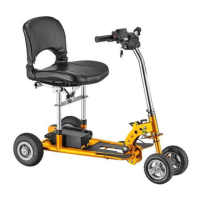
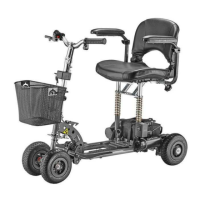
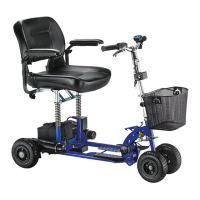
current cut-off system. If your SupaScoota stops, you will need to
turn the main key switch to the “Off” position, and then switch to
“On” position to reset the system.
● Possible causes of over current cut-out are battery not fully
charged or near the end of its life, or the slope is too steep for the
scooter. Do not continue to overload the system as this may
damage the controller.
●The electronic system of this scooter will switch itself “Off” after 3
minutes if the key switch is left in the “On” position when the
scooter is not in use. You will then need to turn the key switch to
the “Off” position, and then switch to “On” position to reset the
control system.
- 22 –
Green light flashes quickly
Green, Red & Yellow lights ON
Red & Green light flash alternately
Red light ON
Yellow light flashes quickly



 To Next Page