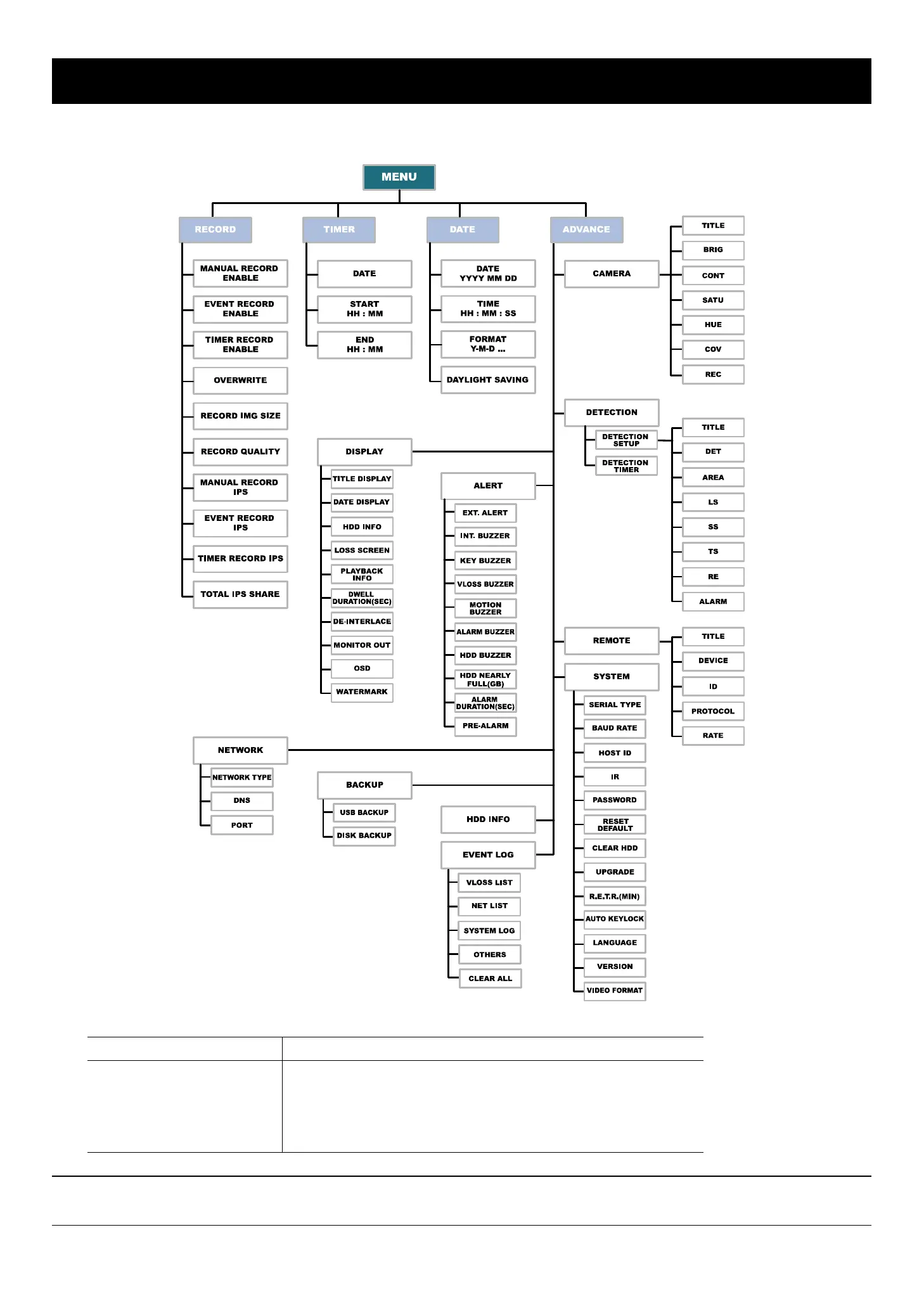
MAIN MENU
-15-
5. MAIN MENU
5.1 Menu Tree
You can use the following buttons for menu setting:
BUTTON FUNCTION
UP, DOWN, LEFT, RIGHT Move the cursor.
+ , -
Choose numbers / selections.
ENTER Go to the submenu / confirm the selection.
MENU Go to the menu list / confirm the change / exit the menu list.
Note: The supported functions of Backup, IR remote control and R.E.T.R. vary according to the model you're
using. Please refer to the specification.



 To Next Page