LICENSED SOFTWARE AP
-37-
‧ PPPOE
PPPOE stands for Point-to-Point Protocol over Ethernet. Users can easily have Internet services as long as
they’re ready for the following things: 1) Insert an Ethernet card into the PC. 2) Obtain ADSL service via any ISP. 3)
Obtain and install PPPoE software CD.
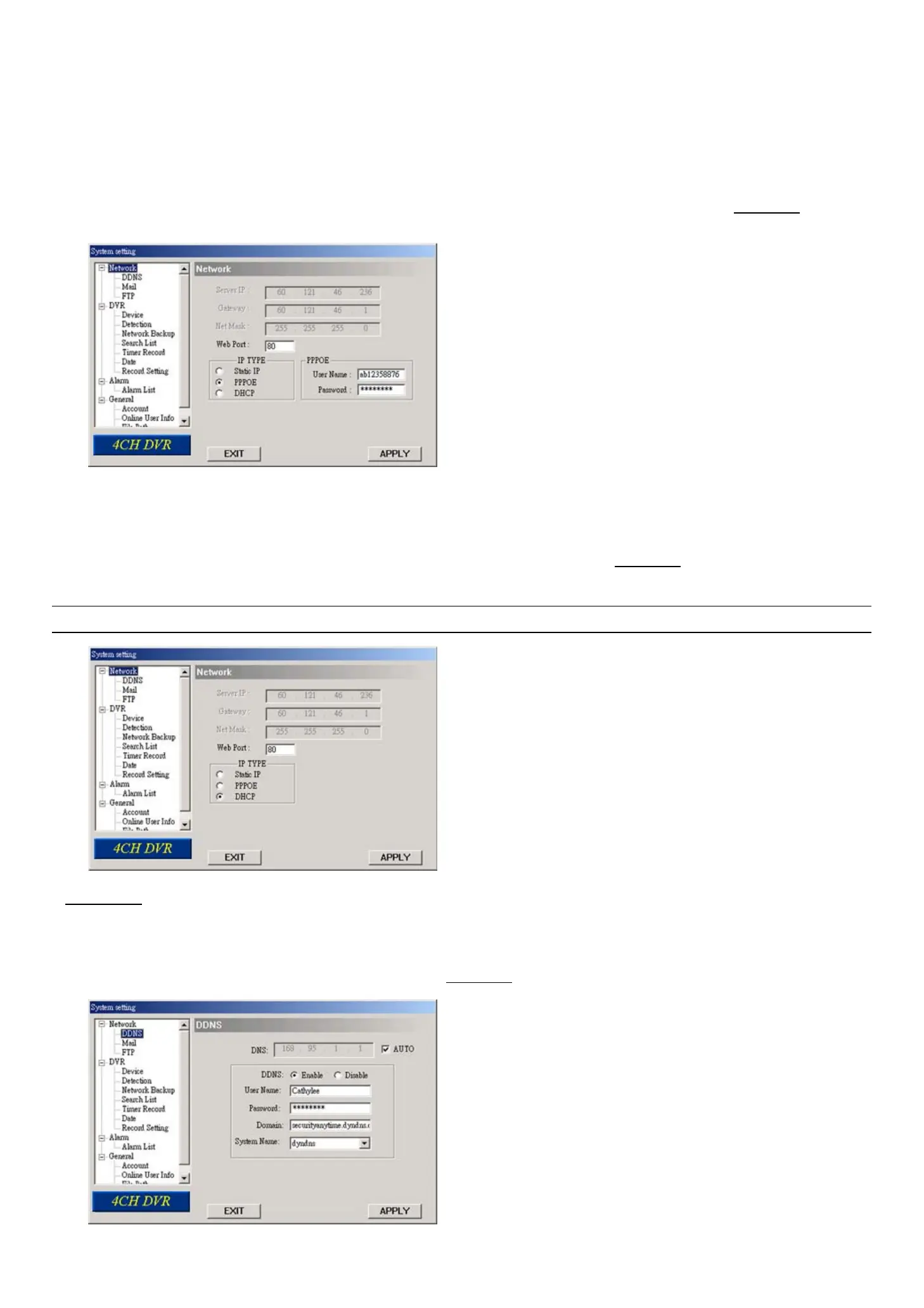
In this “Network” menu, choose “PPPOE” and enter the “User Name”, “Password” provided by your ISP (Internet
Service Provider) and “Web Port”. Then, select “Network” → “DDNS” to set DDNS settings (see “(1) DDNS” at page
37 for details). When all the settings are completed, press “APPLY”.
‧ `DHCP:
This DHCP function needs to be supported by a router or cable modem network with DHCP services. Choose
“DHCP” IP type. Then, select “Network” → “DDNS” to set DDNS settings (see “(1) DDNS” at page 37 for details).
When all the settings are completed, press “APPLY”.
Note: Some router brands may need to restart the DVR to get the IP address.
(1) DDNS
You need to apply a DDNS account before setting PPPoE or DHCP connection. DDNS is a service for transforming
the dynamic IP corresponding to a specific “Hostname”. Go to a website which provide free DDNS services and apply a
“Hostname”. For DDNS setup, please refer to the section “(1) DDNS” at page 37.



 To Next Page