LICENSED SOFTWARE AP
-44-
(7) Record Setting
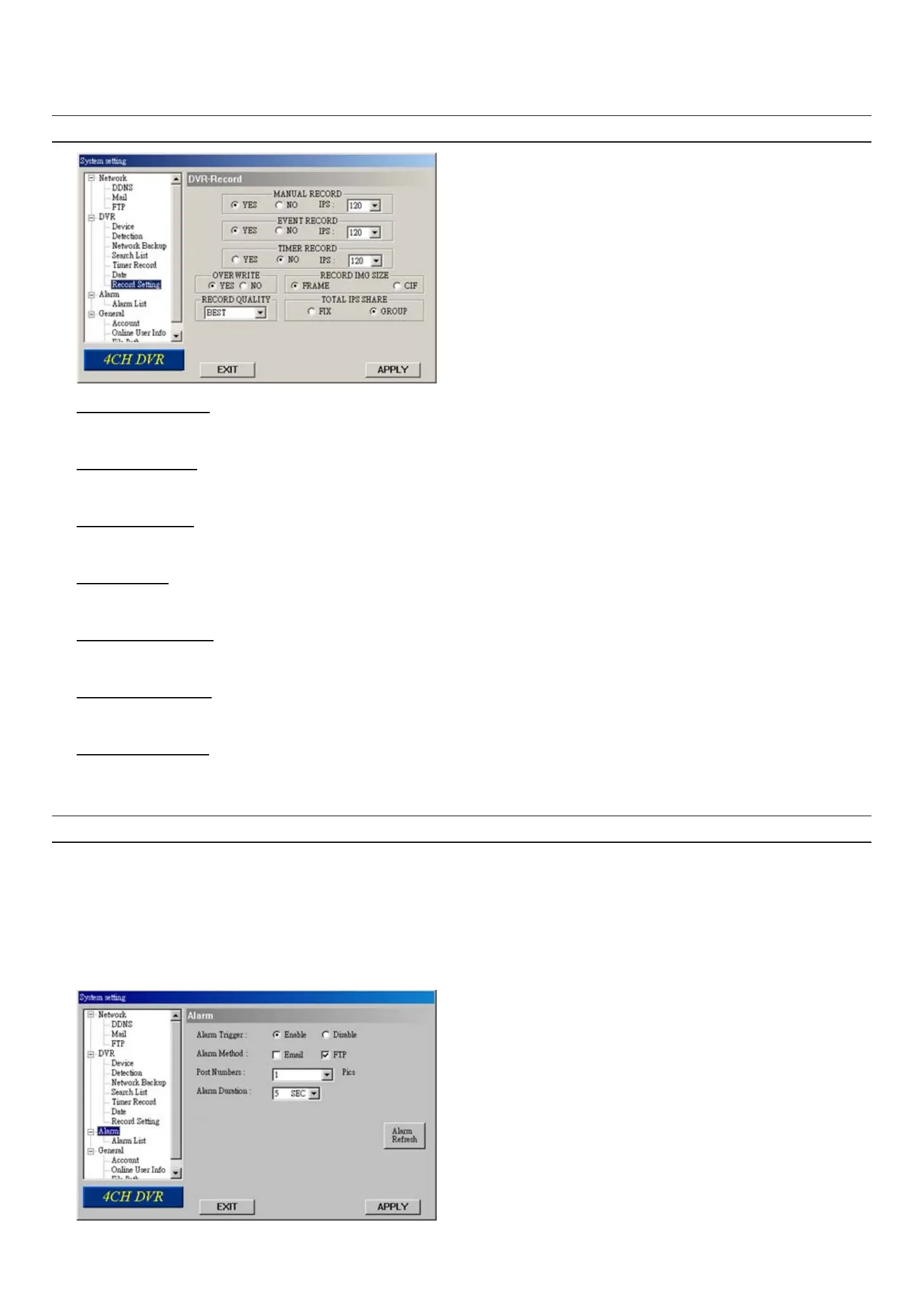
In “DVR” Æ “Record Setting”, you can set DVR record settings.
Note: The same settings can also be made in the DVR. Please refer to the section “6.1 Record” at page 16.
‧ MANUAL RECORD
Specify whether to use manual recording (YES / ON), and set IPS number from the drop-down menu.
‧ EVENT RECORD
Specify whether to user event recording (YES / ON), and set IPS number from the drop-down menu.
‧ TIMER RECORD
Specify whether to user timer recording (YES / ON), and set IPS number from the drop-down menu.
‧ OVERWRITE
Specify whether to overwrite the HDD capacity when the HDD is full (YES / NO).
‧ RECORD IMG SIZE
Choose “FRAME” or “CIF”. This selection will affect the available IPS options of the recording modes described above.
‧ RECORD QUALITY
4 options are available from the drop-down menu: BEST, HIGH, NORMAL and BASIC.
‧ TOTAL IPS SHARE
Choose the total IPS share as FIX or GROUP.
Press “APPLY” to confirm the setup, or “EXIT” to quit without saving.
NOTE: For Model 3 & 4, the total IPS share is always “FIX”. Selecting “GROUP” here is useless.
7.5.3 Alarm
In “Alarm” and its sub-menu “Alarm List”, you can activate the alarm-trigger function, view the detailed information of
alarm events, and play the event recording.



 To Next Page