LICENSED SOFTWARE AP
-45-
Press “Alarm”, and you will see the following options:
‧ Alarm Trigger
Select to turn the alarm-trigger function on (Enable) or off (Disable).
‧ Alarm Method
Select the notification methods when any alarm is triggered: Email and / or FTP.
a) Email
When this option is checked, MJPEG pictures will be saved in the path assigned in “General” Æ “File Path” Æ
“Snapshot Path” and a copy will also be emailed to the E-mail address assigned in “Network” Æ “Mail” if any alarm is
triggered.
b) FTP
When this option is checked, MJPEG pictures will be saved in the path assigned in “General” Æ “File Path” Æ
“Snapshot Path” and a copy will also be uploaded to the FTP address assigned in “Network” Æ “FTP” if any alarm is
triggered.
‧ Post Numbers
Set the number of MJPEG pictures (1-10) which will be sent with the chosen alarm method(s).
‧ Alarm Duration
Set the duration time of motion trigger recording (5 SEC / 10 SEC / 20 SEC / 40 SEC).
‧ Alarm Refresh
Press to clear the alarm icon “ ” shown on the screen.
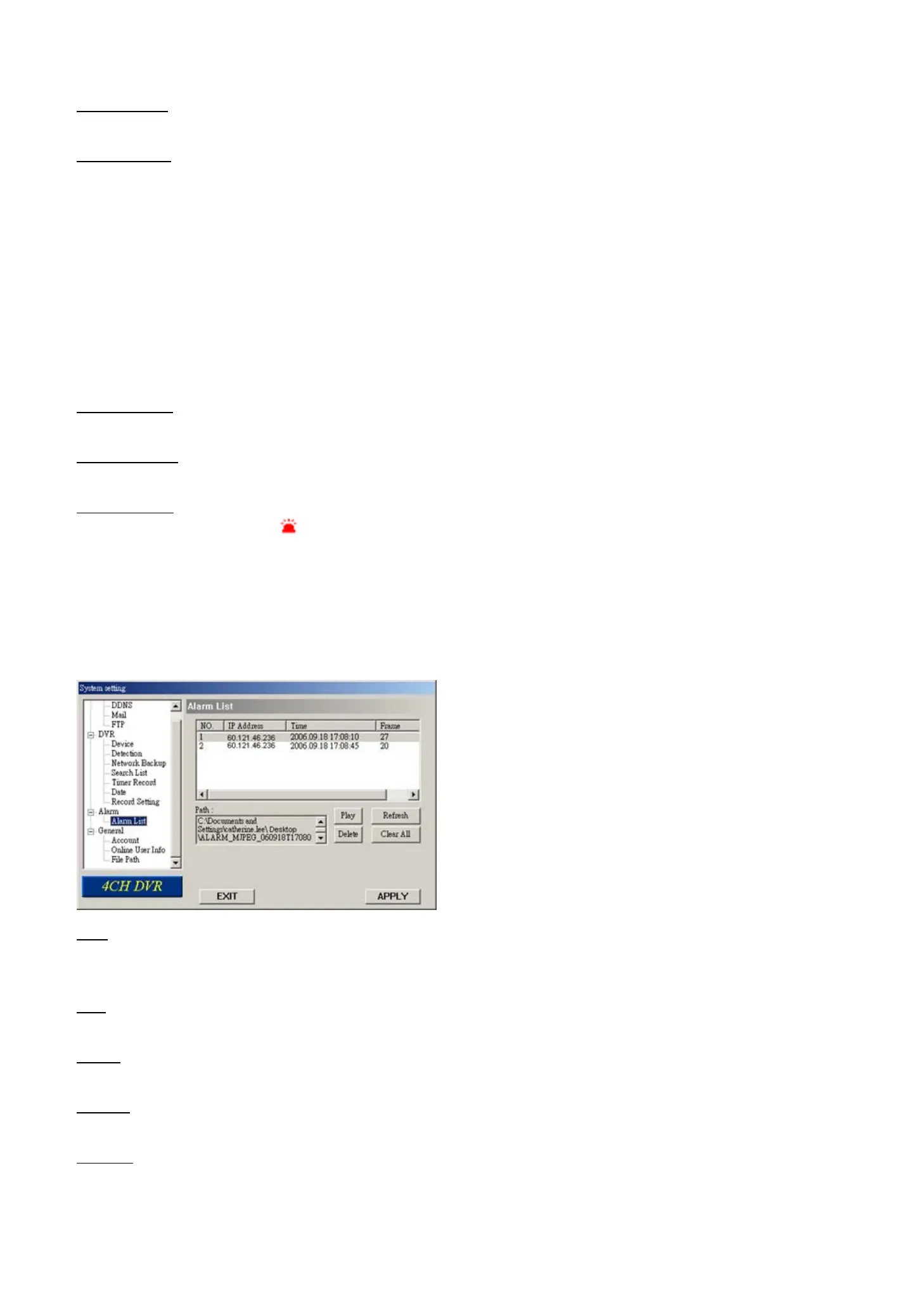
(1) Alarm List (For Model 5 Only)
In “Alarm” Æ “Alarm List”, you can view the detailed information of alarm events (IP address, time & frame number),
and see the following options:
‧ Path
Display the location where all the alarm event data will be saved. This path is assigned in “General” Æ “File Path” Æ
“Record Path”.
‧ Play
Choose the event item you want to see, and press “Play” to view the event recording.
‧ Delete
Choose the event item you want to remove, and press “Delete” to remove it.
‧ Refresh
Press “Refresh” to update the alarm list.
‧ Clear All
Press “Clear All” to remove all the alarm event items.



 To Next Page