6
www.supercircuits.com
SECTION 2: INSTALLATION
mounting bracket, this procedure can serve as a general guideline for installing your
equipment.
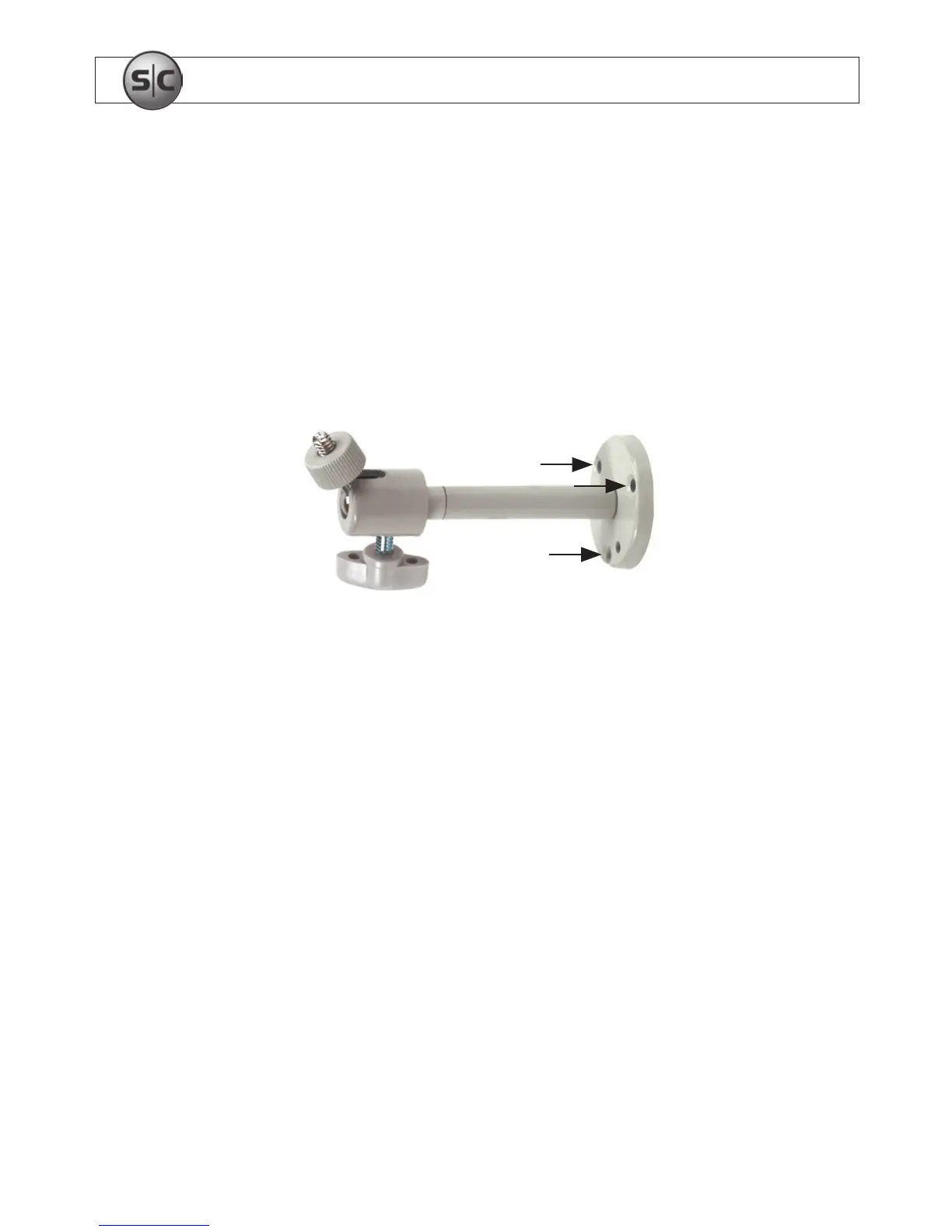
1. Using the bracket mounting plate as a template, mark the location of the mounting
screw holes on the mounting surface.
Camera attachment
screw
Mounting screw
locations
Directional
adjustment screw
Use the mounting bracket to mark holes for mounting screws
2. Drill mounting screw holes into the mounting surface.
3. Attach the bracket to the mounting surface.
4. Attach a lens assembly to the camera, if needed. Use the instructions provided with
the lens.
5. If you installed an auto-iris lens on the camera, plug the lens cable into the AUTO
IRIS connector on the side of the camera.


 To Next Page